What is Polycam?
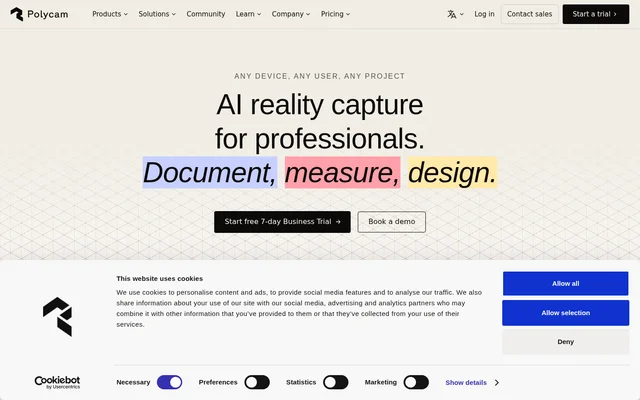
Polycam is an AI-assisted reality capture application for documenting physical objects and spaces as digital models. Polycam combines photogrammetry and LiDAR workflows with tools for measurement, floor plans, and sharing. The application serves personal projects as well as professional work in architecture, engineering, construction, investigation, manufacturing, and entertainment.
Polycam is available on iOS, Android, and web browsers. Supported iOS devices include iPhone, iPad, and Apple Vision Pro, but availability across platforms does not mean every capture mode works everywhere. Polycam specifically restricts Space Mode scanning to compatible iOS devices, a relevant distinction for teams choosing capture hardware.
What Polycam can do
Polycam supports capture workflows for interiors, objects, floor plans, and aerial footage. Polycam processes drone footage into expansive models and creates shareable object scans. Professional plans extend capture with documentation and collaboration tools, including advanced measurements, virtual walkthroughs, and reports. Available exports vary by plan and by the capture mode used.
- Polycam creates 3D models using AI-assisted photogrammetry and LiDAR.
- Polycam generates customizable 2D and 3D floor plans.
- Polycam records measurements and calculates areas.
- Polycam processes drone footage into 3D models.
- Polycam provides shared team libraries and virtual walkthroughs on Business.
- Polycam offers a content management API on Enterprise.
How Polycam works
Polycam turns captured photos, scans, or drone footage into digital references for documentation and design. Object mode accepts uploaded photos, with image allowances determined by the subscription plan. Polycam also supports space captures with and without LiDAR on Basic, while Space Mode scanning remains restricted to compatible iOS devices.
Polycam supports sharing through public links on Free and private links on Basic and higher plans. GLTF exports are available across plans, while additional model, documentation, media, and CAD formats depend on the subscription and capture mode. The pricing FAQ lists formats including OBJ, FBX, USDZ, STL, PDF, SVG, CSV, and DXF.
Who Polycam is for
Polycam serves beginners exploring scanning, freelancers producing small-scale work, professional teams, and organizations operating at scale. Polycam identifies architecture, engineering, construction, forensics, product design, manufacturing, media, and entertainment as application areas. These audiences use captured models as references for site documentation, physical design work, investigation, and remote collaboration.
- Polycam helps construction teams capture measurements, walkthroughs, digital twins, and floor plans.
- Polycam supports forensic scene documentation for investigations and claims.
- Polycam lets manufacturing teams upload and share captures of physical prototypes.
- Polycam supports scanning sets, props, and locations for media production.
Polycam pricing and plans
Polycam offers Free, Basic, Business, and Enterprise plans. Free includes limited captures, GLTF exports, and public link sharing. Basic costs $150/year and adds unlimited object, space, and AI-generated captures, along with private sharing. Business costs $400/year per user and adds floor plans, advanced measurement tools, shared libraries, walkthroughs, and AI-generated reports.
Polycam Enterprise costs $1200/year per user with a minimum of 3 users. Enterprise adds a content management API, administrative customization, enhanced data privacy, custom branding, and role-based folder management. The page lists dedicated support, SSO, compliance, regional cloud storage, and custom billing as paid add-ons. Polycam also offers paid-plan trials.
Polycam strengths and limitations
Polycam combines several capture methods with measurement, documentation, and sharing workflows. Polycam keeps the core capture technology consistent across subscription plans rather than reserving a different capture engine for higher tiers. Paid plans increase image allowances, which the source says can improve results for larger objects or complex scenes.
- Polycam limits Free captures and image uploads per model.
- Polycam restricts Space Mode scanning to compatible iOS devices.
- Polycam makes export availability dependent on the plan and capture mode.
- Polycam requires at least 3 users for Enterprise.
Polycam FAQ
What is Polycam?
Polycam is an AI-assisted reality capture app that creates 3D models from photos and LiDAR scans. Polycam also supports floor plans, measurements, drone-footage processing, and sharing for personal projects and professional documentation.
Is Polycam free?
Polycam offers a Free plan with limited space, object, and AI captures, GLTF exports, and public link sharing. Polycam also offers paid Basic, Business, and Enterprise subscriptions with additional capture allowances, export options, collaboration tools, and administrative features.
What devices can use Polycam?
Polycam is available on iOS devices, Android devices, and web browsers. Polycam lists iPhone, iPad, and Apple Vision Pro among supported iOS devices, but Space Mode scanning is exclusively available on compatible iOS devices.
What file formats can Polycam export?
Polycam supports GLTF exports on all plans. Polycam lists additional paid-plan formats including OBJ, FBX, DAE, USDZ, STL, PLY, LAS, PDF, PNG, SVG, CSV, and DXF. Export availability depends on the subscription plan and capture mode.
Does Polycam have an API?
Polycam includes a content management API in the Enterprise plan. Polycam Enterprise also includes administrative feature customization, enhanced data privacy, custom branding, and folders with role-based management, and requires a minimum of 3 users.
Do paid Polycam plans improve capture quality?
Polycam uses the same core capture technology across subscription plans. Polycam paid plans provide higher image allowances, which can produce more detailed models for larger objects or complex scenes, rather than changing the underlying capture technology.
From the community
No reviews yet
Be the first to review this tool. What you write helps the next person choose.