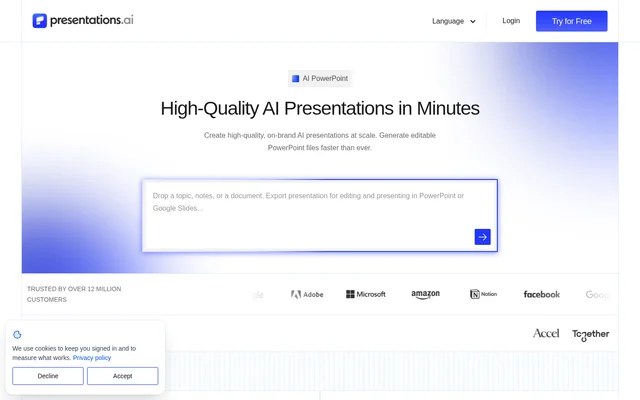
What is Presentations.AI?
Presentations.AI is a web-based AI presentation tool that converts ideas, documents, URLs, and data into structured slide decks. Presentations.AI serves business users who need investor pitches, sales proposals, reports, and stakeholder presentations. The software generates narrative, copy, and layouts, while allowing users to edit the resulting slides rather than treating the generated deck as a fixed output.
Presentations.AI combines initial deck creation with recurring updates and programmatic generation. The product suite includes a full-deck maker, a slide-by-slide creator, a pitch deck generator, and presentation templates. A ChatGPT-focused entry point accepts pasted prompts or existing conversations and turns that material into a branded presentation.
What Presentations.AI can do
Presentations.AI supports both individual deck creation and repeatable presentation workflows. Source material can include text, PDFs, Word documents, URLs, Google Docs, and Excel files. Presentations.AI can adapt slide sequencing to objectives such as investor pitches, sales decks, and board presentations, while providing manual control over the generated design.
- Presentations.AI generates complete decks from prompts, documents, and links.
- Presentations.AI imports logos, fonts, and colors through Brand Sync.
- Presentations.AI exports editable native PowerPoint files.
- Presentations.AI refreshes decks from connected business data.
- Presentations.AI generates personalized presentations through an API.
- Presentations.AI supports simultaneous editing, comments, and review.
How Presentations.AI works
Presentations.AI starts with a topic, pasted notes, an uploaded document, or a URL. Users specify the presentation objective, and the software builds a structured draft. A website URL supplies branding through Brand Sync. Users can then refine slide content and design, with control over layouts, colors, fonts, imagery, and branding before exporting the presentation.
Presentations.AI Refresh starts with a created or imported master presentation and rules defining which elements remain fixed. Users connect data sources such as Salesforce, HubSpot, Google Sheets, Tableau, or Snowflake and schedule updates. For automated generation, Presentations.AI supports Zapier and Make connections, REST API access, and webhooks, including triggers tied to forms, projects, or sales stages.
Who Presentations.AI is for
Presentations.AI targets founders, sales teams, marketers, product managers, consultants, and trainers across startups, enterprises, and agencies. Customer success teams can connect usage data to recurring business reviews or generate renewal presentations. SaaS businesses can embed presentation generation into their products through the API or offer a white-label editor under their own branding.
- Founders can prepare investor pitches and refresh traction data.
- Sales teams can personalize proposals using prospect context.
- Product teams can turn roadmaps into launch presentations.
- Marketers can present campaign results and content briefs.
- Customer success teams can update review and renewal decks.
Presentations.AI pricing and plans
Presentations.AI offers a free Starter plan at $0 with 200 credits. Pro includes 5,000 credits at $20 per month, billed annually. Gold includes 50,000 credits at $100 per month, billed annually. The pricing page states that listed prices are for the US and actual prices may vary by country to adjust for purchasing power parity.
Presentations.AI places PowerPoint export, advanced models, branding, collaboration, and enterprise controls behind an upgrade. The free Starter plan is described as suitable for people who make simple decks occasionally. The listed paid plans provide higher credit allocations, but the supplied page does not assign every advanced capability to a specific paid plan.
Strengths and limitations of Presentations.AI
Presentations.AI combines editable deck generation, connected-data refresh, and automated production in the same product. Manual design controls and native PowerPoint output support teams that need to keep editing presentations after generation. Enterprise capabilities include separate team workspaces, brand systems, permissions, and scheduled generation. Presentations.AI also states SOC 2 Type II certification and GDPR compliance.
- PowerPoint export requires an upgrade from free access.
- Branding, collaboration, and enterprise controls require an upgrade.
- Starter includes a limited allocation of 200 credits.
Presentations.AI FAQ
What is Presentations.AI?
Presentations.AI is a web-based AI presentation tool that turns prompts, documents, URLs, and data into slide decks. Presentations.AI builds the narrative, writes copy, selects layouts, and supports manual editing, branding, and PowerPoint export.
Is Presentations.AI free?
Presentations.AI offers a free Starter plan with 200 credits. Paid Pro and Gold subscriptions provide larger credit allocations. PowerPoint export, advanced models, branding, collaboration, and enterprise controls require an upgrade.
Can Presentations.AI create editable PowerPoint presentations?
Presentations.AI can generate presentations and export them as editable native .pptx files that open in Microsoft PowerPoint or Google Slides. Users can modify layouts, colors, fonts, imagery, and branding. PowerPoint export requires an upgrade.
Does Presentations.AI have an API or integrations?
Presentations.AI supports a REST API, webhooks, Zapier, and Make for automated deck generation. Presentations.AI also connects master decks to data sources including Salesforce, HubSpot, Google Sheets, Tableau, Looker, PostgreSQL, MySQL, and Snowflake for scheduled updates.
Can Presentations.AI update presentations automatically?
Presentations.AI Refresh updates master presentations using connected data and defined update rules. Users can schedule daily, weekly, or monthly updates while keeping the narrative, design, and branding fixed and allowing selected data or recipient details to change.
Who owns presentations created with Presentations.AI?
Presentations.AI states that generated presentations belong to the user and their team. Users are free to use, edit, and distribute the content as they would other work products.
From the community
No reviews yet
Be the first to review this tool. What you write helps the next person choose.