What is Procedura?
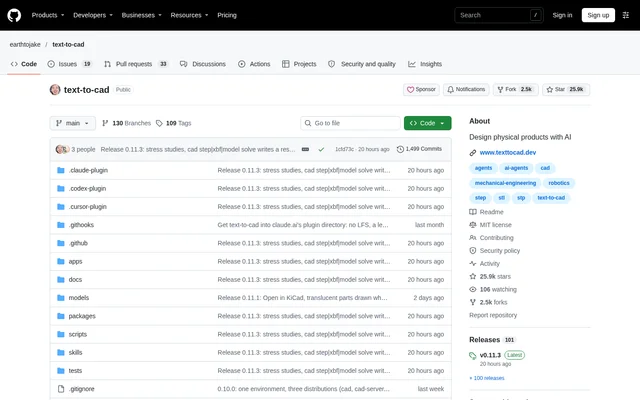
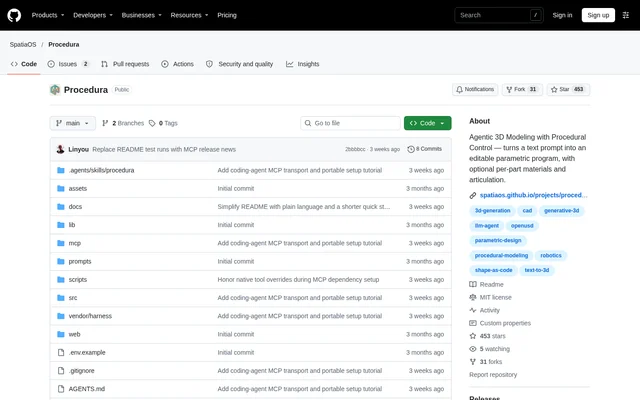
Procedura is an open-source project for generating editable 3D models from text descriptions or reference images. Procedura turns a prompt into a parametric program, with optional materials for individual parts and articulation. The project serves people who want to generate models while retaining source code they can edit in OpenSCAD.
Procedura runs inside Codex or Claude Code through MCP, using the model already selected in the agent session. The repository also points to an API guide for a separate model-key workflow and a Studio guide for running the web app. Procedura is distributed under the MIT license.
What Procedura can do
Procedura combines model generation with shape checking, material assignment, previews, and export. Procedura builds a model one part at a time rather than describing only a finished mesh. The resulting files include editable source and inspection reports, allowing users to review both the generated model and any incomplete processing steps.
- Procedura generates models from text prompts or reference images.
- Procedura checks and improves shapes during generation.
- Procedura adds optional materials to individual parts.
- Procedura exports editable OpenSCAD source and an OBJ mesh.
- Procedura produces USD and URDF files for moving parts.
- Procedura creates preview images and reports warnings or failed checks.
How Procedura works
Procedura requires Git, curl, Python 3.11+ with venv support, and a signed-in Codex or Claude Code agent. The setup script supports Linux x86_64 and installs Bun, OpenSCAD, Blender, and Python packages. Users can configure both supported agents or select just Codex or Claude Code during installation.
Procedura is used by opening the agent from the installed project folder, choosing the model and reasoning effort, and following project and MCP trust prompts. Users then describe the model and optionally provide an absolute path to a PNG image. Text-only runs are also supported, and output files appear under the project's outputs/mcp/<run_name>/ folder.
Who Procedura is for
Procedura is for model creators who want editable procedural output and are comfortable working through an agent and a local project folder. Procedura supports workflows involving reference images, parametric source editing, materials, and articulated models. The API guide also covers batch runs and repeating an individual stage.
- Procedura supports creating a model from a written description.
- Procedura supports reconstructing a subject from a PNG reference image.
- Procedura supports editing generated source in OpenSCAD.
- Procedura supports exporting moving-part models with motion test results.
Procedura pricing and access
Procedura is available as an MIT-licensed open-source repository rather than a listed subscription product. The MCP workflow uses the model in the current Codex or Claude Code session and does not need a separate model API key. The agent's normal usage limits and billing still apply.
Procedura also documents an API setup that uses a model API key, with the Studio web app relying on that setup. OpenSCAD and Blender are separate tools with GPL licenses. The repository provides an installation script and instructions for setting up an existing clone.
Procedura strengths and limitations
Procedura provides editable source alongside mesh exports, previews, and completion reports. These outputs make the generated geometry and processing status available for review. Procedura also avoids a separate model API key in the MCP workflow, although that does not remove the usage limits or billing associated with the chosen agent.
- Procedura requires a separate Isaac Sim installation for physics checks.
- Procedura can take hours for large models and requires the session to stay open.
- Procedura requires separate clones and agent sessions for concurrent cases.
- Procedura requires files and settings to remain unchanged during a run.
Procedura FAQ
What is Procedura?
Procedura is an MIT-licensed open-source project that turns text prompts or reference images into editable parametric 3D models. Procedura builds models part by part, checks shapes, adds materials, and exports source, meshes, previews, and files for moving parts.
Is Procedura free?
Procedura is available as an open-source project under the MIT license. Procedura does not require a separate model API key when used through MCP, but the usual usage limits and billing for the Codex or Claude Code agent still apply.
Does Procedura work with Codex and Claude Code?
Procedura runs inside Codex or Claude Code through MCP and uses the model in the current session. Procedura's installer can configure both agents or just one, and users must sign in to their chosen agent before starting setup.
What files does Procedura export?
Procedura exports editable OpenSCAD source, an OBJ mesh, material-bearing model files, and preview images. Procedura also produces USD and URDF files for moving parts, motion test results, and a completion report containing warnings and a list of output files.
What does Procedura need to run?
Procedura requires Git, curl, Python 3.11+ with venv support, and Codex or Claude Code. Procedura's setup script supports Linux x86_64 and installs Bun, OpenSCAD, Blender, and Python packages. Physics checks additionally require Isaac Sim to be installed separately.
Does Procedura have an API or web app?
Procedura documents an API workflow for using a model API key, running batches, or repeating a stage. Procedura also provides a Studio guide for running the web app, which uses the API setup rather than the current-session MCP workflow.
From the community
No reviews yet
Be the first to review this tool. What you write helps the next person choose.