What is text-to-cad?
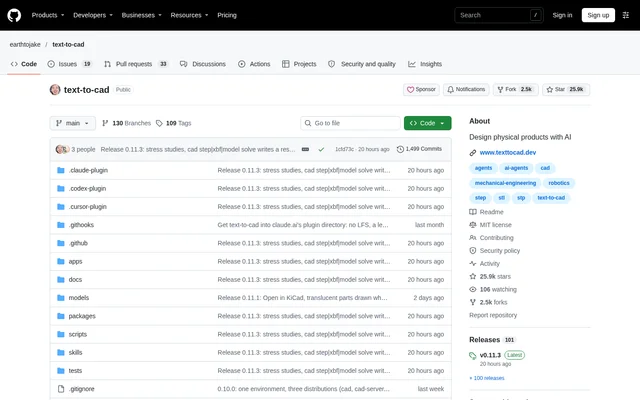
text-to-cad is an open-source project for designing physical products with AI agents. The project supplies local workflows for creating mechanical parts and assemblies, circuit boards and robotics descriptions, alongside manufacturing and stress checks. Its source code is available in a public repository under the MIT license, and its workflows operate through agent apps that support plugins or skills.
text-to-cad combines script-based modeling with a CAD viewer rather than describing a standalone prompt-only design service. An agent writes a model as a Python script, runs the script to build the geometry and displays the result. This workflow connects a design request to editable model code and exportable files for subsequent engineering or fabrication tasks.
What text-to-cad can do
text-to-cad covers model creation, engineering review and preparation for production. Mechanical models use build123d and OpenCASCADE, while separate workflows address electronics and robotics. The available checks report process constraints or structural results, and drawing and export workflows produce files that can move into fabrication, printing or simulation tools.
- text-to-cad creates parts and assemblies with joints and mechanism animations.
- text-to-cad exports STEP, STL, 3MF, GLB and DXF files.
- text-to-cad creates KiCad schematics and boards with placement, routing, ERC and DRC checks.
- text-to-cad checks parts against machining, cutting, bending, molding and printing rules.
- text-to-cad uses CalculiX to report peak stress, safety factor and displacement.
- text-to-cad produces dimensioned PDF drawings with views, hidden lines and hole callouts.
- text-to-cad generates URDF, SRDF and SDF descriptions for robotics workflows.
How text-to-cad works
text-to-cad provides shell installation for macOS and Linux and PowerShell installation for Windows. The installer adds uv when missing, configures agent apps using their own commands and registers the cad command. Where an agent supports a plugin, installation includes skills and CAD's MCP server; for an agent without a plugin, the installer supplies skills alone.
text-to-cad starts model creation when a user asks an agent for a part or assembly. The agent writes and executes a Python model script and shows the geometry in the CAD viewer. Fabrication workflows include checking DXF and STEP files against SendCutSend's guide before upload, slicing prints with OrcaSlicer and sending them to Bambu Connect or Bambu Studio.
Who text-to-cad is for
text-to-cad serves workflows involving mechanical engineering, electronics, robotics and fabrication. Its supported outputs suit users who need more than a visual model: geometry for manufacturing, board fabrication files, engineering documentation or simulation descriptions. The source also provides a contribution path for users who want to add skills covering printers, fabrication services or CAD workflows.
- text-to-cad supports mechanical part and assembly design with manufacturing checks.
- text-to-cad supports circuit board preparation and review before ordering.
- text-to-cad supports laser and waterjet cutting through DXF profiles and flat patterns.
- text-to-cad supports robot simulation and motion planning descriptions for ROS, MoveIt and Gazebo.
text-to-cad pricing and access
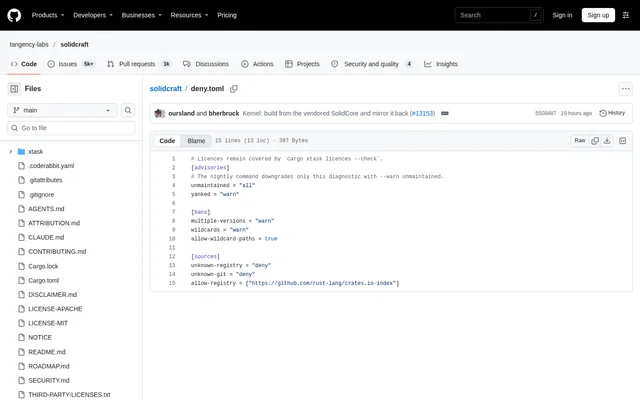
text-to-cad is distributed as an MIT-licensed open-source project through its public repository. The project provides installation commands and documentation for manual installation by agent app. The supplied project text does not list subscription tiers or paid product plans. The accompanying GitHub pricing material describes GitHub services rather than text-to-cad plans.
text-to-cad strengths and limitations
text-to-cad brings modeling, checking, drawing and fabrication preparation into local agent workflows. Its named file formats and tool connections make the outputs relevant to several engineering tasks. Access to MIT-licensed source code also allows contributions to skills and example models. However, using these workflows depends on a compatible agent app and installation of the local tooling.
- text-to-cad requires an agent that supports plugins or skills.
- text-to-cad uses command-line installation and local setup.
- text-to-cad sends usage statistics and crash reports by default, excluding files, paths and prompts; its privacy policy explains how to disable reporting.
text-to-cad FAQ
What is text-to-cad?
text-to-cad is an MIT-licensed open-source project that gives AI agents local workflows for designing physical products. The project generates CAD models, creates engineering drawings, checks manufacturing constraints and supports circuit board and robotics workflows.
Is text-to-cad open source?
text-to-cad is open source under the MIT license and is available through a public repository. The project provides installation commands and contribution documentation, but the supplied project text does not list paid plans or subscription prices.
Which file formats does text-to-cad support?
text-to-cad exports mechanical models as STEP, STL, 3MF and GLB files, plus DXF profiles and flat patterns. Additional outputs include dimensioned PDF engineering drawings, circuit board fabrication files and URDF, SRDF and SDF robotics descriptions.
How do you install text-to-cad?
text-to-cad provides shell installation for macOS and Linux and PowerShell installation for Windows. The installer adds uv if needed, configures agent apps with plugins or skills and registers the cad command. Manual installation instructions are also available in the repository.
What manufacturing and stress checks can text-to-cad perform?
text-to-cad checks whether parts meet rules for machining, cutting and bending, molding or printing, and identifies changes where they do not. CalculiX-based stress checks report peak stress, safety factor and displacement for parts or assemblies of bonded parts.
Does text-to-cad collect usage data?
text-to-cad sends usage statistics and crash reports by default, tagged with a random ID. The project states that these reports never include files, paths or prompts, and its privacy policy explains what is sent and how to turn reporting off.
From the community
No reviews yet
Be the first to review this tool. What you write helps the next person choose.