What is RepoClip?
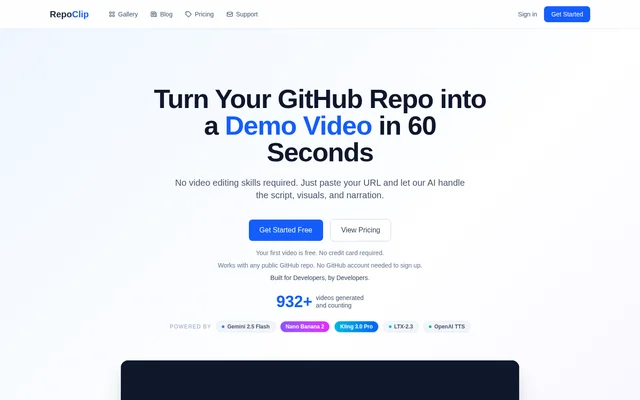
RepoClip is an AI product demo video maker that turns GitHub source code into a narrated video. Built for developers, RepoClip analyzes a repository’s structure and features, then uses that analysis to write a script and generate visuals and narration. The workflow is designed for developers who want to explain a project without editing a video themselves.
What RepoClip can do
RepoClip offers an Image mode that uses generated still images as scene backgrounds and a Video Short mode that uses generated clips instead. Video Long is reserved for the Agency plan and uses more clips for a longer product showcase. Users can give RepoClip instructions about narration tone, visual style, voice, and the parts of the project to emphasize.
- RepoClip uses Gemini 2.5 Flash to analyze repository code.
- RepoClip generates still images with Nano Banana 2.
- RepoClip uses LTX-2.3 or Kling 3.0 Pro for video clips, depending on the plan or purchase.
- RepoClip narrates videos using OpenAI’s preset text-to-speech voices.
- RepoClip exports videos as H.264 MP4 files.
How RepoClip works
RepoClip takes a GitHub repository URL as input. Public repositories can be submitted by pasting the URL, and users can sign in with Google rather than creating or connecting a GitHub account. For a private repository, a user on Starter or higher connects a GitHub account to grant access. RepoClip says most videos are ready within 5 minutes, depending on repository size and demand.
RepoClip also offers a public API and an official GitHub Action named repoclip/generate-video. Developers can use the integration to trigger video generation from a CI/CD pipeline, for example when a release is published, rather than submitting a repository URL manually each time.
Who RepoClip is for
RepoClip is for developers who need to communicate what their software does beyond the source code. A developer can focus a demo on a new feature for users, while an open-source maintainer can use a project showcase to attract contributors. The site also suggests using demos in investor meetings and sharing them on social media.
- Explain a new feature in a release announcement.
- Show a product’s technical strengths in an investor pitch.
- Create social videos for Twitter, LinkedIn, or YouTube.
- Showcase an open-source project to prospective contributors.
RepoClip strengths and limitations
RepoClip combines repository analysis, script writing, visuals, and narration in one workflow and exports the result as an MP4 file. The free plan lets developers try the workflow with public code, while the API and GitHub Action can automate generation for recurring releases. The choice of plan affects repository access, output resolution, and available video formats.
- The free plan is limited to public repositories.
- Free and Starter plans list 720p resolution and a logo watermark.
- Video Long is available only on Agency.
- Narration uses preset voices, with no voice cloning or custom voice uploads.
RepoClip FAQ
What is RepoClip?
RepoClip is an AI product demo video maker that turns GitHub repositories into narrated videos. RepoClip analyzes the code structure and features, writes a script, and generates still images or video clips to accompany the narration. Finished videos can be downloaded as MP4 files.
Is RepoClip free?
RepoClip has a free plan that includes one watermarked image-based video per month at 720p from a public GitHub repository. RepoClip also offers one-time credit packs for additional videos and monthly subscriptions with features such as private repository access.
Can RepoClip use a private GitHub repository?
RepoClip supports private GitHub repositories on Starter, Pro, and Agency. Users must connect their GitHub account to grant access to a private repository. Public repositories can be submitted by URL without connecting a GitHub account.
Does RepoClip have an API or GitHub Action?
RepoClip offers a public API and an official GitHub Action called repoclip/generate-video. Developers can use the CI/CD integration to automate video generation, such as creating a new demo whenever a release is published.
Can you customize the narration and visuals in RepoClip?
RepoClip accepts custom instructions for narration tone, visual style, voice, and content focus. Narration uses OpenAI’s preset synthetic voices, so users can choose among supported voices but cannot clone a person’s voice or upload a custom voice model.
From the community
No reviews yet
Be the first to review this tool. What you write helps the next person choose.