What is Sharly AI?
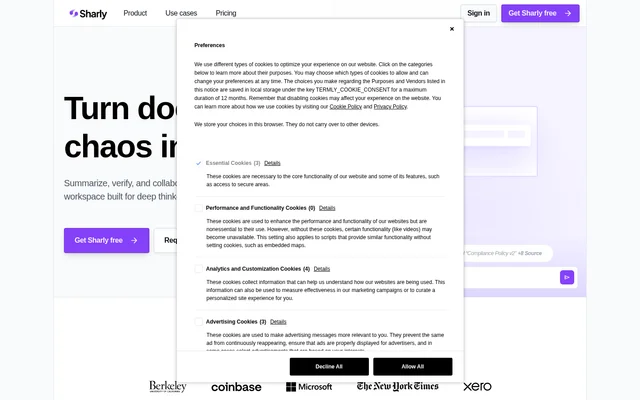
Sharly AI is an AI-powered research workspace for turning documents into summaries, structured insights, and source-backed answers. Sharly AI is designed for researchers and teams that need to understand material across multiple sources, verify claims, and discuss findings together. The website identifies academics, analysts, counselors, research labs, compliance teams, universities, think tanks, and enterprise teams among its intended audiences.
Sharly AI combines document understanding with citation navigation and shared research work. Rather than presenting summaries alone, Sharly AI attaches sources to answers and supports comparisons between documents. The workspace also includes controls for teams handling sensitive knowledge, including a mode that answers only from uploaded documents.
What Sharly AI can do
Sharly AI supports research tasks spanning initial document review, comparison, citation checking, and collaborative discussion. Sharly AI can summarize multiple research documents, compare key metrics, and help users investigate what findings mean across sources. Citation-aware chat connects replies to references, while team features allow colleagues to question, annotate, and verify the same research material.
- Sharly AI generates document summaries, highlights, and structured insights.
- Sharly AI answers questions across multiple documents in a single thread.
- Sharly AI compares key metrics and surfaces conflicting claims.
- Sharly AI attaches sources to chat replies for verification.
- Sharly AI switches citation formats between APA, MLA, and Chicago.
- Sharly AI supports shared workspaces, notes, annotations, and collaborative Q&A.
How Sharly AI works
Sharly AI accepts research material in formats including PDF, DOCX, XLSX, PPTX, links, Google Docs, and Notion. Users upload material, review summaries and topics, and ask questions about their documents. Sharly AI can draw answers from multiple documents within the same thread, allowing users to compare findings without treating each source as an isolated conversation.
Sharly AI provides attached references that users can inspect to check an answer against its source. A citation-format dropdown changes the reference style. Teams can add notes and review answers together in a shared workspace. For document-restricted research, Sharly AI offers a docs-only mode that limits answers to uploaded material.
Who Sharly AI is for
Sharly AI serves individual researchers as well as groups coordinating work across multiple sources. Sharly AI lists academics, analysts, and counselors as individual audiences; product teams, research labs, and compliance teams as collaborative audiences; and universities, think tanks, and enterprises as organizational audiences. The stated use cases center on understanding documents, tracing evidence, and keeping research teams aligned.
- Sharly AI helps academics summarize literature and verify cited findings.
- Sharly AI helps analysts compare facts and metrics across reports.
- Sharly AI helps research teams discuss conflicting claims and annotate sources.
- Sharly AI helps institutions organize complex, sensitive knowledge.
Sharly AI pricing and plans
Sharly AI offers Free, Pro, Team, and Business plans. The Free plan includes individual access, instant summaries, AI answers, and multi-format uploads. Pro costs $12.5/month billed yearly and includes unlimited uploads and reasoning capabilities. Team costs $24/month per seat billed yearly and adds unlimited documents and chats, team annotations, knowledge retention, semantic extraction, analytics, and citation history.
Sharly AI lists Business pricing as custom per seat, billed yearly. Business includes unlimited seats, an admin dashboard, role-based access, version history, audit logs, SSO / SAML, private deployments, and dedicated support. The website provides free-start options for individuals and directs Team and Business buyers to sales. Listed Team capacity is up to 100 seats.
Sharly AI strengths and limitations
Sharly AI brings summaries, document comparison, source verification, and collaborative review into the same research workspace. Sharly AI also states that files use AES-256 encryption at rest and TLS 1.3 in transit. The pricing information requires careful reading, however: the free-plan card and comparison table give different document allowances, and usage quotas can interrupt uploads and chats.
- Sharly AI lists 5 docs/day on the Free card but 10 documents/month in the comparison table.
- Sharly AI pauses uploads and chats after a usage limit is reached until the quota resets or the user upgrades.
- Sharly AI places private deployments and dedicated support in the custom-priced Business plan.
Sharly AI FAQ
What is Sharly AI?
Sharly AI is an AI research workspace for summarizing documents, comparing findings, and answering questions with attached sources. Sharly AI also supports citation formatting, shared workspaces, and team review for researchers, analysts, labs, and institutions.
Is Sharly AI free?
Sharly AI offers a free individual plan with instant summaries, AI answers, and multi-format uploads. Sharly AI also offers paid Pro and Team subscriptions and a custom-priced Business plan. The pricing page gives conflicting free document limits between its plan card and comparison table.
How much does Sharly AI cost?
Sharly AI lists Pro at $12.5/month billed yearly and Team at $24/month per seat billed yearly. Sharly AI also provides a free individual plan and a custom-priced Business plan for institutions needing enterprise security, scale, and support.
What document formats does Sharly AI support?
Sharly AI lists PDF, XLSX, DOCX, PPTX, links, Google Docs, and Notion among its supported research materials. Sharly AI uses documents for summaries, questions and answers, structured insights, and comparisons across sources.
Can Sharly AI provide citations and answer only from documents?
Sharly AI provides source-linked answers and citation formatting in APA, MLA, and Chicago styles. Sharly AI also offers a docs-only answer mode that restricts answers to uploaded material, helping researchers check responses against their own sources.
What happens when Sharly AI usage limits are reached?
Sharly AI pauses uploads and chats when a document or message quota is reached, while retaining access to existing content. Sharly AI states that quotas reset each billing cycle, users receive advance notification, and upgrading unlocks higher limits.
From the community
No reviews yet
Be the first to review this tool. What you write helps the next person choose.