What is Sidekic AI?
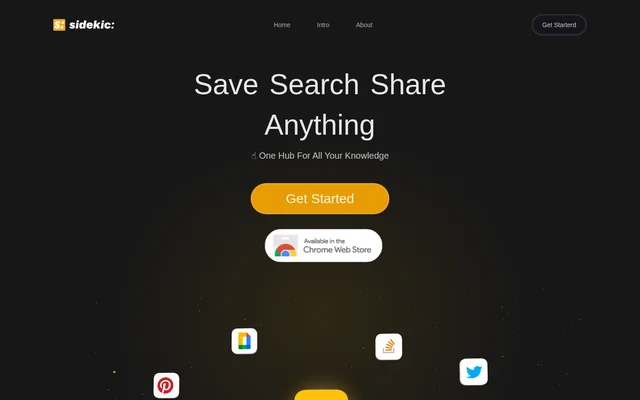
Sidekic AI is a personal search engine for finding information across connected apps. The introductory page presents the tool as a hub for personal knowledge, combining search with bookmarking and collection sharing. Search is for finding material that already lives in connected apps. Bookmarks give users a way to keep resources they come across, while collections let them group and share related material.
What Sidekic AI can do
Sidekic AI supports searching, saving, and sharing. The search feature queries connected apps together, while smart bookmarks provide a way to keep resources for later. The page also introduces Starter Pacs, the name Sidekic AI uses for its AI-powered collections. These collections can be created and shared.
- Search connected apps together.
- Save resources as smart bookmarks.
- Use the Chrome extension to save material.
- Create and share AI-powered Starter Pacs.
How Sidekic AI works
Sidekic AI describes a search workflow that starts with connecting apps. A user can then search those apps together instead of checking each source separately. The page describes a separate workflow for saving material encountered while browsing: users can save it with smart bookmarks and the Chrome extension. To organize material for sharing, users can create a Starter Pac around a set of related resources. The page does not show how to connect an app or configure the extension.
Who Sidekic AI is for
Sidekic AI is aimed at people who want a central place to find and organize their personal knowledge. Cross-app search can help when a user remembers what they are looking for but not which connected app holds it. Bookmarking also suits people who want to keep useful resources as they browse. Collections serve a different purpose: a user can group material by topic and share the resulting set with others.
- Look up information without checking connected apps separately.
- Keep useful web resources for later reference.
- Share a set of resources on a topic.
Sidekic AI pricing and plans
Sidekic AI offers a sign-up path through its introductory page, which displays both Get Started and Sign Up Today prompts. The page also includes a Pricing link in its navigation, but the introductory text does not give prices, describe plan levels, or say whether signing up provides free access. The presence of a sign-up option establishes how users can get started, not what access costs.
Strengths and limitations of Sidekic AI
Sidekic AI combines a way to look up existing information with a way to save new material and share it in collections. That combination is useful for people who both retrieve information from apps and collect resources while browsing. Search depends on connecting apps, but the introductory page does not list which apps are supported. Chrome is the browser named for the bookmarking extension; the page does not say whether extensions are available for other browsers.
Sidekic AI FAQ
What is Sidekic AI?
Sidekic AI is a personal search engine that lets users search across connected apps. Sidekic AI also offers smart bookmarks, a Chrome extension for saving material, and shareable AI-powered collections called Starter Pacs.
Can Sidekic AI search multiple apps at once?
Sidekic AI can search multiple connected apps at once. The introductory page describes connecting apps so users can search them together, but it does not give a list of supported apps.
Does Sidekic AI have a Chrome extension?
Sidekic AI offers a Chrome extension for saving material. The introductory page presents the extension alongside smart bookmarks as part of the tool’s bookmarking features.
What are Starter Pacs in Sidekic AI?
Sidekic AI uses the name Starter Pacs for its AI-powered collections. Users can create and share these collections to present related resources together rather than sharing each item separately.
Is Sidekic AI free?
Sidekic AI does not say on its introductory page whether access is free or paid. The page invites visitors to sign up and links to Pricing, but the introductory text does not list prices or describe any plans.
From the community
No reviews yet
Be the first to review this tool. What you write helps the next person choose.