What is Slido.com?
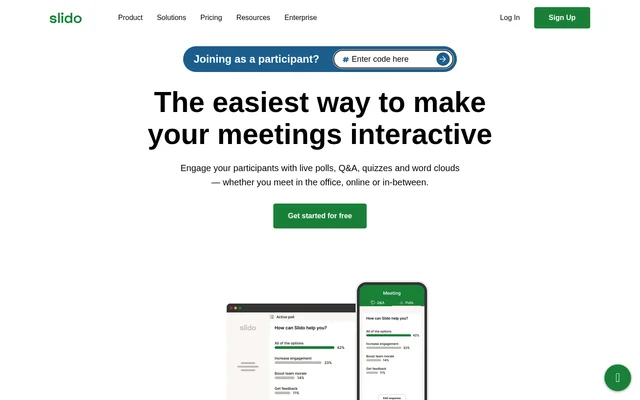
Slido.com is an audience engagement tool for making meetings and presentations interactive through live polls, Q&A, quizzes and word clouds. Slido.com serves hosts running team calls, training sessions and all-company meetings, whether participants meet in the office, online or across both settings. The stated purpose is to capture participants’ views and give more people a way to contribute.
Slido.com supports participation beyond speaking aloud during a meeting. Attendees can answer polls, share feedback and submit questions, including anonymously. Audience voting helps bring important questions to the host’s attention. These capabilities give hosts ways to gather responses alongside a presentation rather than relying only on spoken discussion.
What Slido.com can do
Slido.com combines live audience activities with tools for reviewing meeting participation. Hosts can collect immediate feedback, invite questions or test knowledge, then use analytics and exports to examine the responses afterward. The website lists polling, Q&A, quizzes and surveys as ways to engage participants during meetings and training.
- Slido.com collects real-time feedback through live polls, word clouds and surveys.
- Slido.com lets attendees submit questions anonymously.
- Slido.com lets attendees vote for questions they want addressed.
- Slido.com supports live quizzes and trivia games to test knowledge.
- Slido.com Analytics shows how many people engaged.
- Slido.com exports questions and voting results for further analysis.
How Slido.com works
Slido.com works as a standalone tool and with PowerPoint, Webex, Google Slides, Teams and Zoom. Hosts set up audience activities for their meetings, and attendees join without needing logins or downloads. The website states that setup for hosts takes minutes, positioning participation as part of an existing meeting or presentation workflow rather than a separate attendee installation process.
Who Slido.com is for
Slido.com is for people who lead meetings, deliver presentations or run training and want to hear from their audience. The website specifically identifies team calls, training sessions and all-company meetings. Anonymous Q&A also gives attendees a way to ask questions when they are on mute or reluctant to speak, while quizzes provide an interactive way to check knowledge.
- Slido.com helps team-call hosts gather participants’ views in real time.
- Slido.com helps all-company meeting hosts collect and prioritize audience questions.
- Slido.com helps trainers test knowledge through live quizzes.
- Slido.com helps presenters add polls and word clouds to presentations.
Slido.com pricing and plans
Slido.com offers a forever-free Basic plan and advertises additional paid access at € 15 per month. The website provides a free starting option and invites people who need help choosing a plan to contact the company. The supplied pricing text does not detail feature allocations, participant allowances or the differences between paid plans, so those specifics cannot be established from this page.
Slido.com strengths and limitations
Slido.com combines several audience participation formats with anonymous questions, question voting and exportable results. Attendee access without logins or downloads and compatibility with named meeting and presentation tools are practical strengths. The supplied page leaves plan-level feature availability unspecified, so the listed capabilities should not be interpreted as a confirmed feature list for the free Basic plan.
Slido.com FAQ
What is Slido.com?
Slido.com is an audience engagement tool for meetings, presentations and training. Slido.com supports live polls, anonymous audience Q&A, quizzes, word clouds and surveys for in-person, online and hybrid participation.
Is Slido.com free?
Slido.com offers a forever-free Basic plan and advertises paid access at € 15 per month. The supplied page does not specify which capabilities belong to the free plan or explain the differences between paid plans.
Does Slido.com work with PowerPoint, Teams and Zoom?
Slido.com works standalone and with PowerPoint, Webex, Google Slides, Teams and Zoom. The supplied page names these tools but does not explain their individual setup steps or integration-specific capabilities.
Do Slido.com participants need an account or download?
Slido.com lets attendees join without logins or downloads. The website also states that setup for hosts takes minutes, supporting participation during team calls, training sessions and all-company meetings.
Can people ask anonymous questions on Slido.com?
Slido.com allows attendees to ask questions anonymously and vote for questions they like. Audience voting helps bring important topics to light, including questions from people who are on mute or reluctant to speak.
Can Slido.com export poll results and questions?
Slido.com supports exporting questions and voting results for further analysis. Slido.com Analytics also shows how many people engaged in a meeting, helping hosts review participation alongside the audience responses.
From the community
No reviews yet
Be the first to review this tool. What you write helps the next person choose.