What is SNAPVID.AI?
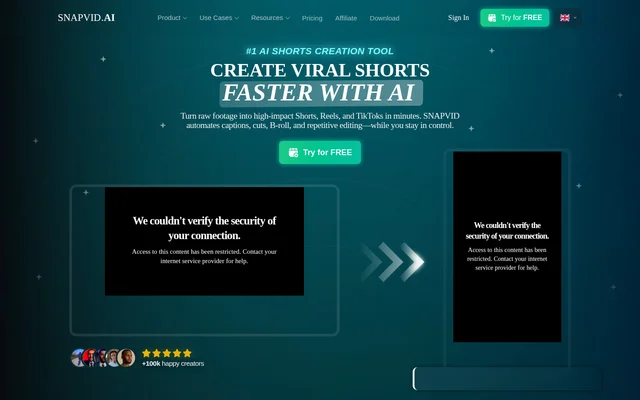
SNAPVID.AI is an AI video editor for turning raw videos into captioned short-form clips for TikTok, Instagram Reels, and YouTube Shorts. SNAPVID.AI serves content creators and video editors who need editing tools for social video production. The product combines a Pro Editor with subtitle customization, stock footage, and AI-assisted editing capabilities.
SNAPVID.AI lists Web, macOS, Windows, and Linux as supported operating environments. The website presents video editing as a time-consuming part of publishing and describes automation as a way to reduce that work. Its plan descriptions distinguish between general content creation on Basic and additional editing capabilities on Pro.
What SNAPVID.AI can do
SNAPVID.AI combines manual editing options with AI features for preparing short-form video. Both Basic and Pro list the Pro Editor, stock videos, custom subtitle styles, custom fonts, and output quality up to 4K. Pro adds AI Auto Cleanup and AI Auto Cut, alongside higher video-length and customization allowances.
- SNAPVID.AI turns raw videos into captioned short-form clips.
- SNAPVID.AI provides AI Auto B-roll.
- SNAPVID.AI Pro converts long videos into shorts with AI Auto Cut.
- SNAPVID.AI Pro includes AI Auto Cleanup.
- SNAPVID.AI supports custom subtitle styles and fonts.
- SNAPVID.AI includes unlimited stock videos.
How SNAPVID.AI works
SNAPVID.AI provides a video drop area that names MP4, MKV, and MOV as accepted upload formats. The entry area lists aspect ratios of 9:16, 1:1, and 16:9. After bringing footage into an editing project, users can work with the listed editor, subtitle styles, fonts, stock videos, and AI tools according to their plan.
Who SNAPVID.AI is for
SNAPVID.AI identifies content creators as the audience for Basic and content creators and video editors as the audience for Pro. The stated short-form destinations are TikTok, Instagram Reels, and YouTube Shorts. Pro is relevant to users who need long-video-to-short conversion, longer source videos, or more font and subtitle customization.
- SNAPVID.AI helps creators prepare captioned social clips.
- SNAPVID.AI supports video projects that need stock footage and B-roll.
- SNAPVID.AI Pro supports repurposing long videos into shorts.
SNAPVID.AI pricing and plans
SNAPVID.AI references a FREE plan and offers a 7-day free trial on its pricing cards. The detailed comparison lists Basic at €19 per month and Pro at €49 per month, billed monthly. Other cards display €0 for those plans, so the supplied pricing information is inconsistent. Monthly and yearly billing options are shown.
SNAPVID.AI Basic lists 20 videos per month, a maximum video length of 1min30, and a maximum file size of 1Gb. Pro lists unlimited videos, a maximum length of 30min, and a maximum file size of 5Gb. SNAPVID.AI says subscriptions can be canceled or changed at any time.
SNAPVID.AI strengths and limitations
SNAPVID.AI brings caption styling, stock footage, AI B-roll, and video editing into the same product. Both listed paid plans support output up to 4K, while Pro extends video allowances and AI editing options. The main constraints are plan-specific limits, features marked as forthcoming, and inconsistent price displays on the supplied page.
- SNAPVID.AI Basic has monthly video and maximum-length limits.
- SNAPVID.AI lists one-click publishing, cross-platform export, and custom API integrations as coming soon.
- SNAPVID.AI lists Smart Zoom and Smart Music as coming soon.
SNAPVID.AI FAQ
What is SNAPVID.AI?
SNAPVID.AI is an AI video editing tool for turning raw videos into captioned short-form clips for TikTok, Instagram Reels, and YouTube Shorts. SNAPVID.AI serves content creators and video editors with subtitle customization, stock footage, AI B-roll, and plan-dependent automation features.
Is SNAPVID.AI free?
SNAPVID.AI references a FREE plan and offers a 7-day free trial. The pricing comparison lists Basic at €19 per month and Pro at €49 per month, billed monthly, but other plan cards display €0. The supplied page does not detail the FREE plan's allowances.
Can SNAPVID.AI turn long videos into shorts?
SNAPVID.AI includes AI Auto Cut for converting long videos into shorts on the Pro plan. SNAPVID.AI Pro also lists AI Auto Cleanup, unlimited videos, a maximum video length of 30min, and video quality up to 4K.
Which video formats and aspect ratios does SNAPVID.AI support?
SNAPVID.AI names MP4, MKV, and MOV in its video upload area and lists aspect ratios of 9:16, 1:1, and 16:9. The Basic and Pro comparison describes supported video formats as All, while maximum file sizes differ by plan.
Does SNAPVID.AI have API integrations?
SNAPVID.AI lists custom API integrations as coming soon rather than as an available capability. SNAPVID.AI also marks one-click publishing, cross-platform export, Smart Zoom, and Smart Music as coming soon in the pricing comparison.
How do you cancel a SNAPVID.AI subscription?
SNAPVID.AI allows subscription cancellation at any time through account settings by selecting Cancel Subscription. SNAPVID.AI also states that plans can be changed at any time and that transaction receipts are available in the account dashboard.
From the community
No reviews yet
Be the first to review this tool. What you write helps the next person choose.