What is Speechlab?
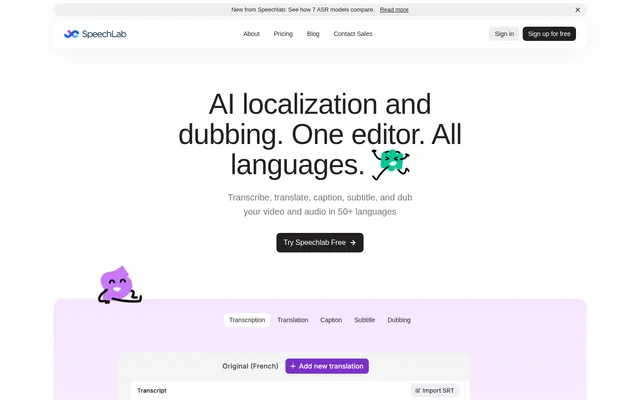
Speechlab is an AI localization and dubbing tool for spoken audio and video. Speechlab combines transcription, translation, captions, subtitles, and dubbed audio with an editor for reviewing the output. Supported content includes videos, podcasts, audiobooks, documentaries, and film, with transcription, translation, and dubbing available in 50+ languages.
Speechlab serves both individual creators and teams managing multilingual content. Each capability can work independently or feed into the next stage of production. A user can stop after transcription, generate captions, export translated subtitles, or continue through voice assignment and dubbing without having to use every capability.
What Speechlab can do
Speechlab provides editing controls across the localization workflow rather than limiting users to a generated output file. Speechlab supports inline transcript changes, translation review, audio waveform editing, timing adjustments, and speaker-specific voices. These controls allow users to refine individual segments before exporting the requested media or text deliverable.
- Speechlab generates timestamped transcripts with speaker labels.
- Speechlab translates spoken content segment by segment.
- Speechlab creates editable captions and translated SRT subtitles.
- Speechlab clones original voices or uses native voices.
- Speechlab regenerates individual dub segments after edits.
- Speechlab exports dubbed video, dubbed audio, subtitles, and text.
How Speechlab works
Speechlab accepts drag-and-drop file uploads, direct YouTube links, and bulk content imports. Supported video formats include MP4, MOV, MKV, and WebM; supported audio formats include MP3, WAV, M4A, and FLAC. Automatic speech recognition produces a transcript with timestamps and speaker labels that users can edit inline.
Speechlab lets users select a target language, edit the translated segments, and assign a voice to each speaker before rendering dubbed audio. Users can preview the result alongside the source in the editor. Pro and Enterprise accounts also provide RESTful API access with per-project endpoints, webhook callbacks, and batch job tracking.
Who Speechlab is for
Speechlab targets media publishers, creators, enterprise marketing and sales teams, corporate training departments, and localization service providers. Speechlab supports both individual content projects and larger localization workflows. Team-oriented capabilities include shared review and editing, while enterprise options include role-based access, bulk processing, and integrations with existing content pipelines.
- Speechlab helps publishers dub documentaries, podcasts, and audiobooks.
- Speechlab helps creators localize YouTube content.
- Speechlab helps marketing teams translate demos and brand content.
- Speechlab helps training teams dub courses and compliance materials.
- Speechlab connects localization providers to existing workflows through an API.
Speechlab pricing and plans
Speechlab offers a Free plan with 2 dubbing projects and no card required. The Free plan includes all target languages and dialects, original or native speaker voice matching, and caption exports in SRT, TXT, or JSON. Speechlab Pro costs $0.6/min through usage-based credits and adds collaborative review, API access, and video resolution up to 4K.
Speechlab Enterprise uses custom pricing and includes the Pro capabilities alongside custom integrations, volume-based discounts, team roles, native-linguist review, and custom voices. Speechlab calculates language credits from the source media duration, with each additional language consuming credits. Enterprise options also include invoice billing, white-label options, and lip-sync.
Speechlab strengths and limitations
Speechlab combines editable text, speaker controls, and audio timing in the same workflow. Segment-level regeneration lets users revise part of a dub without reprocessing the entire file. Standalone transcription and subtitle tools also support projects that do not require dubbed audio, while native-linguist review is available for Enterprise accounts.
- Speechlab restricts free dubbing to 2 projects.
- Speechlab voice cloning availability depends on the language pair.
- Speechlab reserves API access for Pro and Enterprise plans.
- Speechlab charges additional credits for each target language.
Speechlab FAQ
What is Speechlab?
Speechlab is an AI dubbing and translation tool for transcribing, translating, captioning, subtitling, and dubbing audio and video in 50+ languages. Speechlab includes an editor for reviewing transcripts, translations, speaker assignments, and timing before exporting finished content.
Is Speechlab free?
Speechlab offers 2 free dubbing projects with no payment card required. Speechlab Pro costs $0.6/min using per-minute credits, while Enterprise pricing is custom. Each target language uses credits based on the duration of the source media.
Can Speechlab clone voices in another language?
Speechlab can capture an original speaker’s voice characteristics and synthesize them in a target language. Speechlab also supports independent voice cloning for multiple speakers and native-voice alternatives. Voice cloning availability varies by language pair.
Can Speechlab generate subtitles without dubbing?
Speechlab supports standalone transcription, captions, and subtitle workflows without generating dubbed audio. Speechlab users can edit transcripts and translations, create SRT subtitles, and export text deliverables while paying only for the capabilities they use.
Does Speechlab have an API?
Speechlab includes RESTful API access with Pro and Enterprise plans. Speechlab provides per-project endpoints, webhook callbacks, and batch job tracking, supporting connections to media asset management, translation management, and existing content pipelines.
Can you edit Speechlab output after generation?
Speechlab includes a waveform timeline editor with per-segment text editing, timing adjustments, and segment-level re-rendering. Speechlab lets users change a sentence and regenerate the affected segment without processing the entire file again.
From the community
No reviews yet
Be the first to review this tool. What you write helps the next person choose.