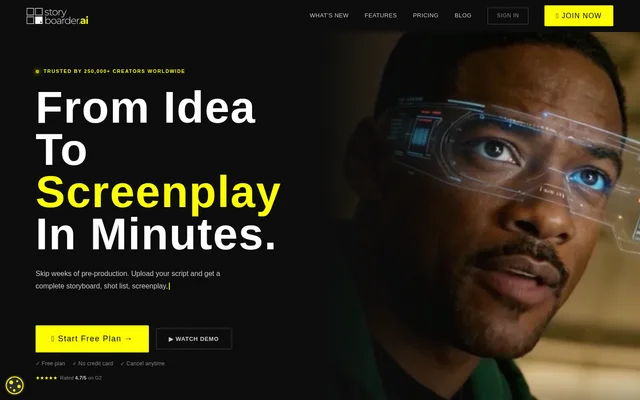
What is Storyboarder.ai?
Storyboarder.ai is a web-based AI pre-production tool for turning scripts and ideas into visual production materials. Built by filmmakers for filmmakers, Storyboarder.ai creates screenplays, shot lists, storyboards and animatics. The tool serves filmmakers, advertising agencies, production companies and other creative professionals who need to communicate a story before production begins.
What Storyboarder.ai can do
Storyboarder.ai combines script analysis, image generation and presentation exports in a pre-production workflow. Users can edit and refine materials at each stage, from the initial shot list to the finished visual sequence. Reference images and camera controls help users specify the appearance and framing of individual storyboard panels.
- Storyboarder.ai generates scene breakdowns, shot lists and storyboard images from scripts or concepts.
- Storyboarder.ai uses character descriptions or reference images to maintain recognizable characters across shots.
- Storyboarder.ai applies an uploaded reference image as a storyboard art style.
- Storyboarder.ai refines uploaded sketches into storyboard panels.
- Storyboarder.ai adjusts framing through a 3D camera-angle tool.
- Storyboarder.ai turns storyboard frames into animatics with motion and audio.
- Storyboarder.ai exports storyboards and shot lists as PDFs, animatics as MP4s, and presentation-ready pitch decks.
How Storyboarder.ai works
Storyboarder.ai starts with an uploaded script, an imported Excel shot list or a typed idea. Supported script formats include PDF, FDX, Fountain, Word and plain text. The tool generates a scene breakdown, shot list and storyboard, after which users can regenerate images, define characters, apply art styles and adjust camera angles.
Storyboarder.ai also converts storyboard frames into video. Users can select motion presets, and the Video 2.0 option supports multi-cut sequences with audio. For framing changes, the 3D camera tool lets users orbit, pan, tilt and zoom from a storyboard image. Finished materials can be shared with crew and clients.
Who Storyboarder.ai is for
Storyboarder.ai is for people who need to visualize stories and align collaborators before filming or animation. The source identifies indie filmmakers, film school students, agencies, studios and production companies among its audiences. Its outputs can support planning, client approvals, crew communication and presentations to investors.
- Filmmakers can plan shots and present storyboards for feature films or short films.
- Advertising teams can visualize commercial concepts and align with clients.
- Animation teams can pre-visualize motion, staging and shot flow.
- Corporate teams can plan training videos, internal communications and brand content.
- Documentary crews can visualize interview setups, B-roll and sequences across locations.
Storyboarder.ai pricing and plans
Storyboarder.ai offers a free plan with no credit card required, alongside paid plans. The page states that paid plans include unlimited image generation without credits, tokens or per-image fees. Each paid plan includes 10 video generations split between the available video models, and optional add-on tiers are available for larger productions. The supplied page text does not list paid-plan prices.
Storyboarder.ai strengths and limitations
Storyboarder.ai brings several pre-production tasks together, from creating a shot list to exporting an animatic or pitch deck. Its support for script files, sketches, reference images and editable camera angles gives users several ways to guide an output. The page also describes visual consistency across characters, locations and props as a central capability.
- Storyboarder.ai gives conflicting information about whether unlimited image generation is included in the free plan.
- Storyboarder.ai includes a limited video-generation allowance on paid plans, with optional add-ons for larger productions.
Storyboarder.ai FAQ
What is Storyboarder.ai?
Storyboarder.ai is a web-based AI pre-production tool that creates screenplays, shot lists, storyboards and animatics from scripts or ideas. Storyboarder.ai is designed for filmmakers, agencies and other creative professionals who need to visualize and communicate production plans.
Is Storyboarder.ai free?
Storyboarder.ai offers a free plan that does not require a credit card, as well as paid plans. Paid plans include unlimited image generation and 10 video generations. The supplied page does not list paid-plan prices and gives conflicting information about unlimited generation on the free plan.
What files can Storyboarder.ai use?
Storyboarder.ai accepts scripts in PDF, FDX, Fountain, Word and plain-text formats. Storyboarder.ai also supports importing a shot list through Excel, typing an idea directly, uploading sketches for storyboard panels and using reference images to define characters or visual styles.
Can Storyboarder.ai create animatics with audio?
Storyboarder.ai can turn storyboard frames into animatics with AI-driven motion and audio. Storyboarder.ai offers motion presets and a Video 2.0 option for multi-cut sequences. Each paid plan includes 10 video generations, with optional add-ons available for larger productions.
How does Storyboarder.ai keep characters consistent?
Storyboarder.ai lets users define characters by uploading a reference image or describing their appearance. Storyboarder.ai then maintains features such as clothing, facial appearance and body proportions across storyboard shots, according to the product page. The page also says there is no limit on characters per project.
From the community
No reviews yet
Be the first to review this tool. What you write helps the next person choose.