What is TechSmith?
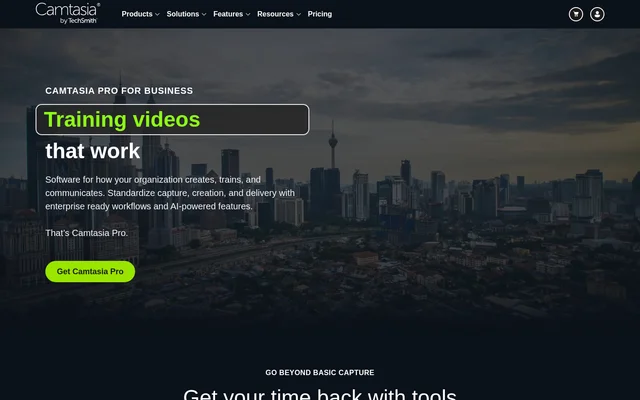
TechSmith is the parent company behind the Camtasia product suite for screen capture, video production, and organizational knowledge sharing. The website presents Camtasia Pro for business as a way to standardize how organizations capture expertise, create training materials, and deliver content. The stated audiences include learning and development, IT, HR, customer support, sales enablement, and operations teams.
TechSmith brings together Camtasia Editor, Camtasia Snagit, Camtasia Audiate, asset libraries, and Screencast Pro. These products cover different stages of content production, from recording a process and creating a guide to adding narration, collecting stakeholder feedback, and publishing training videos.
What TechSmith can do
TechSmith combines image capture, editable screen recordings, AI-assisted production, and collaborative delivery through the Camtasia product suite. The page describes capabilities for both visual documentation and narrated video, allowing teams to capture a process, explain the steps, adapt the presentation, and share the resulting content for review.
- Camtasia Editor records screen, camera, and audio as independent layers.
- Camtasia Editor supports cursor editing and webcam background removal.
- Camtasia Snagit automatically creates guides from process click-throughs.
- Camtasia Snagit captures scrolling windows and redacts sensitive information.
- Camtasia Audiate generates AI scripts, voices, avatars, and transcription.
- Camtasia Audiate localizes voiceover and captions into 7 languages.
- Screencast Pro supports timestamped feedback, annotations, versioning, and team libraries.
How TechSmith works
TechSmith describes a connected workflow in which Camtasia Snagit captures material, Camtasia Editor produces videos, and Camtasia Audiate accelerates editing and translation. Camtasia Assets supplies brand-customizable media, while Screencast Pro handles review and publishing. Screen, camera, and audio remain separate layers in Camtasia Editor so existing projects can be revised when a process changes.
TechSmith also describes turning a documented process into a step-by-step guide and then into a video. Camtasia Audiate allows video changes through transcript editing rather than requiring a complete re-recording. Screencast Pro places stakeholder feedback alongside the video through timestamped comments, annotations, and reactions, with versioning available for subsequent revisions.
Who TechSmith is for
TechSmith targets organizations that need repeatable training and clearer communication across departments and time zones. The page emphasizes preserving subject matter expertise, supporting distributed and asynchronous teams, and helping employees or customers follow changing software processes. Specific departmental audiences include learning and development, IT and security, HR, customer support and success, marketing, sales enablement, operations, and compliance.
- Learning and development teams can capture expert knowledge for reusable training.
- HR teams can create consistent employee onboarding materials.
- IT teams can explain software rollouts and process changes.
- Customer support teams can create self-service tutorials for recurring questions.
- Sales enablement teams can produce demonstrations without a video specialist.
TechSmith pricing and access
TechSmith identifies Camtasia Online as a free online screen recorder for collaborative video creation. The page also provides download paths for Camtasia, Snagit, and Audiate and a purchase path for Camtasia Pro. Subscription amounts and detailed plan comparisons are not supplied in the provided page text.
TechSmith describes Camtasia Audiate as offering unlimited AI generation without credits to track. Camtasia Assets includes professional videos, images, music, titles, icons, and sound effects that can be customized to a brand without a separate stock subscription. These statements describe access to specific capabilities rather than a complete pricing schedule.
TechSmith strengths and deployment considerations
TechSmith combines content capture, production, AI assistance, asset sourcing, and review in the Camtasia product suite. Separately editable recording layers and transcript-based editing support updates to existing training materials. The enterprise information also states configurable storage regions, GDPR-aligned data handling, accessibility reporting through a current VPAT, and a policy that customer content is not used to train models.
TechSmith FAQ
What is TechSmith?
TechSmith is the parent company behind the Camtasia product suite for screen capture, video editing, AI-assisted content creation, and sharing. The suite supports organizational training, process documentation, employee onboarding, software adoption, and customer education.
Is TechSmith free?
TechSmith offers Camtasia Online as a free online screen recorder for collaborative video creation. The page also promotes Camtasia Pro and provides downloads for Camtasia, Snagit, and Audiate, but does not list subscription prices or establish that the complete suite is free.
What AI features does TechSmith offer?
TechSmith offers AI scripts, voices, avatars, transcription, and transcript-based video editing through Camtasia Audiate. Camtasia Audiate also localizes voiceover and captions into 7 languages, and the page describes unlimited AI generation without credits to track.
Who is TechSmith for?
TechSmith serves organizational teams creating training, documentation, and business communication. The page names learning and development, IT and security, HR, customer support and success, marketing and sales enablement, and operations and compliance as audiences.
Can TechSmith help update training videos?
TechSmith supports training updates through Camtasia Editor's separate screen, camera, and audio layers and Camtasia Audiate's transcript-based editing. The page describes editing existing training videos like text documents instead of re-recording the material from scratch.
Does TechSmith use customer content to train AI models?
TechSmith states that customer content is not used to train models. The page also says generated content can be viewed, edited, or removed, and describes GDPR-aligned data handling with a documented sub-processor list.
From the community
No reviews yet
Be the first to review this tool. What you write helps the next person choose.