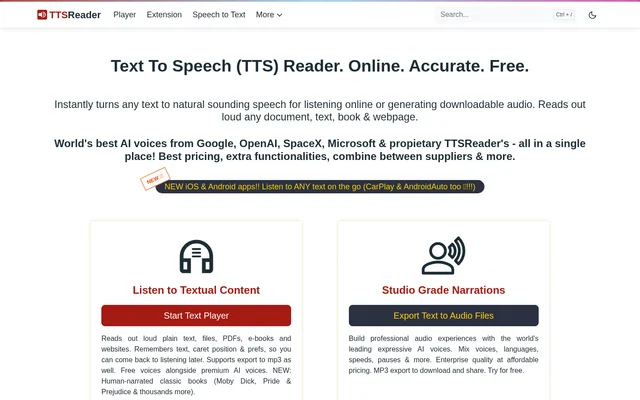
What is TTSReader?
TTSReader is a text-to-speech reader for listening to written material in a browser or on a mobile device. Students can listen to documents, readers can turn EPUB ebooks into an audiobook alternative, and writers can hear drafts read aloud. TTSReader also serves people with visual impairments or reading difficulties who want to access written content through audio. The browser player works without a download or login.
What TTSReader can do
TTSReader supports listening and narration from the same text. For everyday listening, TTSReader can read a document aloud and save the current position for later. For narration, TTSReader lets creators vary voices, languages, speeds, and pauses within a file, such as when assigning different voices to different speakers in a dialogue.
- TTSReader reads PDFs, DOCX files, EPUB ebooks, and plain text aloud.
- TTSReader imports webpage text from a pasted URL.
- TTSReader highlights the current sentence and scrolls to keep it visible.
- TTSReader saves the text, reading position, and preferences.
- TTSReader lets users edit text while audio is playing.
- TTSReader exports synthesized narration as an MP3 file.
How TTSReader works
TTSReader starts playback when a listener pastes text into the player, uploads a supported file, or enters a webpage URL and selects Play. The voice selector controls the language, accent, and reading pace. TTSReader also offers a Chrome extension for listening without leaving the webpage and mobile apps for iOS and Android with support for CarPlay and Android Auto.
Who TTSReader is for
TTSReader is for people who want to listen to written material rather than read it silently, or who want to do both at once. Sentence highlighting helps learners follow the text as they hear it. Writers can listen for awkward phrasing while editing, and language learners can use voices in different languages and accents to practice comprehension and pronunciation.
- Students can listen to PDFs and lecture materials.
- Educators can share rendered audio with synchronized text.
- Writers can catch errors by listening to a draft.
- Language learners can practice listening and pronunciation.
- Narration creators can prepare voice-overs for videos or audiobooks.
TTSReader pricing and plans
TTSReader offers free, unlimited browser listening with Web Speech API voices. No login is required to use the browser reader. Premium AI voices are available alongside the free voices, and the site says MP3 export requires premium. The site also describes a sharing option in which a teacher uses premium to render a page with synchronized text and audio that students can access for free.
Strengths and limitations
TTSReader makes long documents easier to revisit by remembering the text and reading position after the browser closes. Listeners can follow the highlighted sentence or play the audio in the background, and writers can edit the text without stopping playback. Browser listening is widely supported, but the page lists narrower requirements for exporting and publishing generated audio.
- MP3 export requires premium.
- The page describes single-click speech export as Windows-only.
- Commercial use depends on the terms for the selected voice.
TTSReader FAQ
What is TTSReader?
TTSReader is an online text-to-speech reader that reads pasted text, documents, ebooks, and webpages aloud. TTSReader highlights the sentence being read and remembers the last position, so listeners can follow along or resume after closing the browser.
Is TTSReader free?
TTSReader is free for unlimited browser listening with Web Speech API voices and does not require a login for browser playback. TTSReader also offers premium AI voices and requires premium for MP3 export.
Can TTSReader read PDFs and EPUB ebooks aloud?
TTSReader can read PDFs and EPUB ebooks aloud, along with DOCX files and plain text files. Listeners can upload a supported document to the player, choose a voice and reading pace, and follow the highlighted sentence during playback.
Can TTSReader read a webpage aloud?
TTSReader can read a webpage aloud when a user pastes its URL into the browser player and selects Play. TTSReader also offers a Chrome extension for listening to a webpage without leaving it.
Can TTSReader convert text to an MP3 file?
TTSReader can export synthesized speech as a downloadable MP3 for offline listening or sharing. The site describes single-click export as a premium feature available on Windows and notes that commercial publishing depends on the terms for the selected voice.
From the community
No reviews yet
Be the first to review this tool. What you write helps the next person choose.