What is UBBLU?
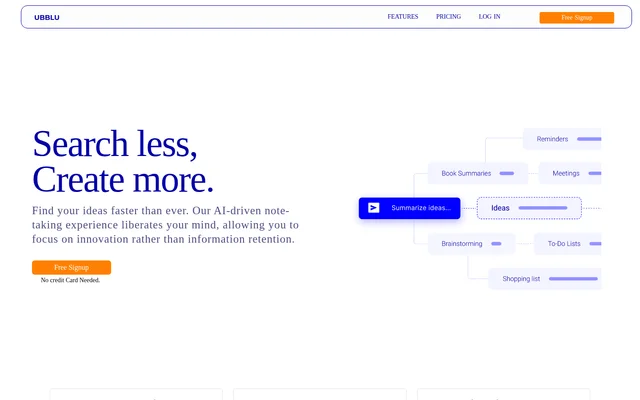
UBBLU is an AI-driven note-taking tool for capturing information and finding stored ideas through questions. UBBLU combines short notes, longer cards, tags, and folders to support a personal knowledge base. The website presents uses for ideas, inspirations, meeting notes, and key facts, with testimonials from a product manager, technical writer, and student/designer.
UBBLU centers its retrieval workflow on Ask, a feature that accesses information across different parts of the knowledge base. Rather than depending only on manually browsing saved material, users can ask for information they have already captured. UBBLU also supports questions about uploaded documents and saving the resulting insights as notes.
What UBBLU can do
UBBLU combines information capture, organization, retrieval, and follow-up tools. Notes hold brief thoughts, while cards provide space for extended ideas. Tags connect content, folders organize cards, and Ask retrieves stored information. UBBLU also provides pinning and reminders, so saved material can remain accessible or be associated with deadlines, appointments, and follow-ups.
- UBBLU captures fleeting thoughts in notes.
- UBBLU structures extended ideas in cards.
- UBBLU categorizes and links notes and cards with tags.
- UBBLU retrieves information across notes, cards, folders, and tags through Ask.
- UBBLU generates answers and insights from content grouped under specific tags.
- UBBLU supports questions about uploaded documents and saves insights as notes.
- UBBLU pins notes, cards, and folders for quick access.
- UBBLU sets reminders on notes.
How UBBLU works
UBBLU provides a free signup path with no credit card needed and is currently available only on desktop. Users capture brief information as notes or develop longer thoughts in cards. Tags categorize and link those items, while folders group cards into an organized view. Important notes, cards, or folders can be pinned to the top.
UBBLU uses Ask to retrieve information from the stored knowledge base without requiring users to remember where each item was saved. Users can also upload a document and ask questions about its contents. Insights from uploaded documents can be stored as notes, bringing that information into the same capture-and-retrieval workflow.
Who UBBLU is for
UBBLU is presented for people who want to spend less time finding saved information and more time developing ideas. The website includes perspectives from a product manager, technical writer, and student/designer. Its stated workflows cover both everyday capture and revisiting longer material, including meeting notes, key facts, inspirations, and extended thoughts.
- UBBLU supports capturing meeting notes and retrieving their contents later.
- UBBLU supports organizing study notes and stored facts.
- UBBLU supports developing extended ideas in cards.
- UBBLU supports reviewing uploaded documents through questions.
- UBBLU supports tracking deadlines, appointments, and follow-ups with reminders.
UBBLU pricing and plans
UBBLU is currently available for free, and signup does not require a credit card. The free offering lists enhanced AI search, unlimited notes, unlimited cards, unlimited folders, reminders, note pinning, and unlimited attached files. Ask supports up to 5 uploaded documents, a separate allowance from the unlimited attached files listed on the pricing page.
UBBLU states that its pricing model is still being developed. The planned paid version is described as approximately $4.99, with more advanced plans expected to start at $10.99. The page does not specify a billing interval for those figures, so these are proposed prices rather than a fully defined current paid subscription.
UBBLU strengths and limitations
UBBLU combines several knowledge-management functions in its current free offering: flexible capture formats, linked organization, AI retrieval, document questions, and reminders. Unlimited notes, cards, folders, and attached files support ongoing collection of material. However, desktop-only availability and the separate document allowance for Ask place practical boundaries on how and where UBBLU can be used.
- UBBLU is desktop-only, with a mobile version described as coming soon.
- UBBLU limits uploaded documents in Ask to 5 in the free offering.
- UBBLU has not finalized its future paid pricing model.
UBBLU FAQ
What is UBBLU?
UBBLU is an AI-driven note-taking tool for capturing ideas, meeting notes, and facts, then retrieving stored information through Ask. UBBLU organizes content using notes, cards, tags, and folders, and supports questions about uploaded documents.
Is UBBLU free?
UBBLU is currently free, with no credit card required for signup. The free offering includes enhanced AI search, unlimited notes, cards, folders, and attached files, plus reminders, note pinning, and up to 5 uploaded documents in Ask. Future paid pricing is still being developed.
Does UBBLU work on mobile?
UBBLU is currently desktop-only. The website describes a mobile version as coming soon, but does not provide a release date. Current access should therefore be understood as desktop access rather than an available mobile offering.
Can UBBLU answer questions about documents?
UBBLU supports uploading documents and asking questions to obtain insights from their contents. UBBLU also allows those insights to be stored as notes. The current free offering includes up to 5 documents uploaded into Ask.
How does UBBLU organize notes and ideas?
UBBLU uses notes for brief thoughts, cards for extended ideas, tags to categorize and link content, and folders to organize cards. UBBLU also supports pinning important notes, cards, or folders and setting reminders on notes.
From the community
No reviews yet
Be the first to review this tool. What you write helps the next person choose.