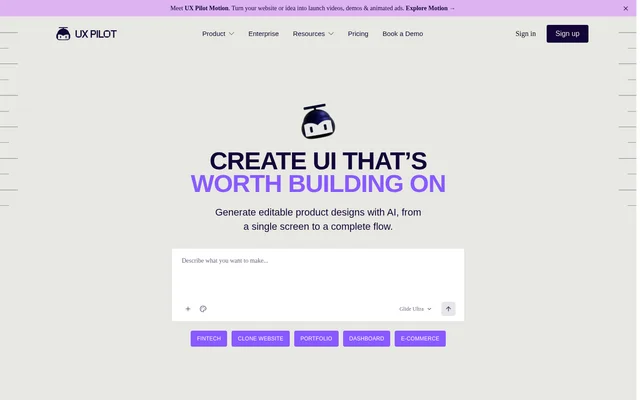
What is UX Pilot?
UX Pilot is a web-based AI design application for UX/UI designers, product managers, and founders. UX Pilot generates editable interfaces from a text prompt or existing material, such as a sketch or a product requirements document. The output can be a single screen or a connected sequence of screens, depending on whether the team is exploring an interface or mapping a full product journey.
What UX Pilot can do
UX Pilot supports both early wireframing and detailed interface design. A team can compare visual directions before committing to a layout, then turn a selected wireframe into a high-fidelity screen. UX Pilot can also adapt layouts for mobile, tablet, and desktop and review a design for usability issues.
- UX Pilot generates four visual directions at once.
- UX Pilot converts wireframes into high-fidelity screens.
- UX Pilot creates multi-screen journeys from a single prompt with Autoflow.
- UX Pilot generates editable flowcharts for screen interactions.
- UX Pilot refines layouts, colors, and elements from natural-language instructions.
How UX Pilot works
UX Pilot accepts text prompts, sketches, PDFs, screenshots, and product requirements documents as starting points for editable layouts. Designers can refine the generated screens in natural language and import Figma components to align them with an existing design system. UX Pilot sends designs to Figma with editable layers and auto-layout for further work. For development handoff, UX Pilot exports React, HTML, and Tailwind code and can sync code to GitHub repositories.
Who UX Pilot is for
UX Pilot is intended for UX/UI designers, product managers, and founders working on digital products. A designer can start from a sketch or screenshot, while a product manager can use a requirements document to visualize how a feature might work. UX Pilot also offers web and mobile templates for teams that want to start from an existing layout.
- Explore layout options for a web or mobile interface.
- Turn written product requirements into screens for review.
- Map how screens and interactions connect across a user journey.
- Refine a prototype in Figma before development handoff.
UX Pilot pricing and plans
UX Pilot is free to start. The pricing page says the full design toolkit is included on every plan and presents plan choice in terms of how much users create, how many projects they run, and who they work with. UX Pilot also advertises savings on yearly billing, but the supplied pricing text does not list subscription prices or specify free-access allowances.
UX Pilot strengths and limitations
UX Pilot connects wireframing, high-fidelity design, and handoff without making an exported image the end of the workflow. Figma exports retain editable layers and auto-layout, while code exports give developers a separate handoff option. The pricing page describes differences in usage and collaboration between plans, but it does not specify exact allowances in the available text.
Getting started with UX Pilot
UX Pilot offers a free starting point for creating a first design on the website. A team with a rough idea can begin with a text prompt or sketch, while a team with documented requirements can import a PRD. After generation, the team can compare visual directions, refine the selected layout, and move it into Figma for further design work or export code for handoff.
UX Pilot FAQ
What is UX Pilot?
UX Pilot is a web-based AI design tool that creates editable user interfaces from text prompts and reference materials. UX Pilot can generate wireframes, high-fidelity screens, and complete multi-screen user journeys, then export the results to Figma or code.
Is UX Pilot free?
UX Pilot is free to start. The pricing page says every plan includes the full design toolkit and describes plan choice in terms of creation volume, the number of projects users run, and who they work with.
Who is UX Pilot for?
UX Pilot is designed for UX/UI designers, product managers, and founders. Designers can explore and refine interface layouts, while product managers and founders can turn sketches or written product requirements into editable screens and user journeys.
Can UX Pilot export designs to Figma?
UX Pilot exports designs to Figma with editable layers and auto-layout, so designers can continue refining wireframes and prototypes in Figma. UX Pilot can also import Figma components to keep generated interfaces consistent with an existing design system.
What code can UX Pilot export?
UX Pilot exports React, HTML, and Tailwind code for development handoff. UX Pilot also supports GitHub sync, which can send generated code to a GitHub repository automatically.
Can UX Pilot generate a complete user flow?
UX Pilot can generate a complete multi-screen user journey from a single prompt using Autoflow. UX Pilot also generates editable flowcharts that show how screens and interactions connect, giving teams a way to map the journey alongside the interface designs.
From the community
No reviews yet
Be the first to review this tool. What you write helps the next person choose.