What is Video To Blog?
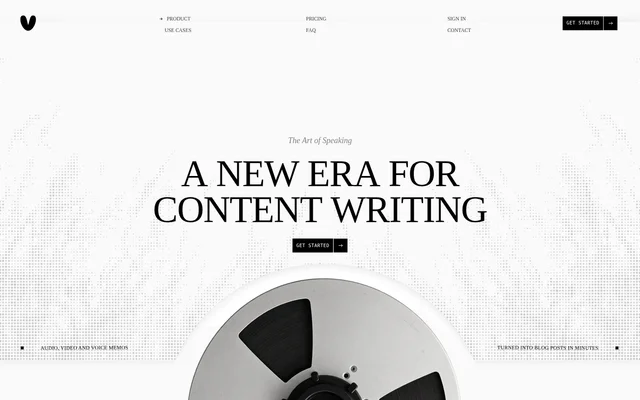
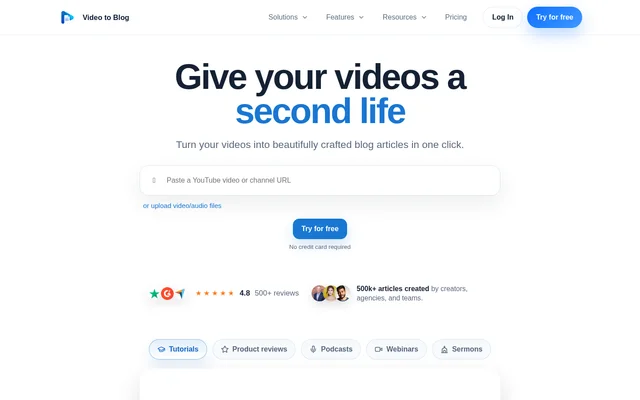
Video To Blog is an AI writing tool that turns spoken content into structured blog articles and newsletter content. Creators, agencies, and teams can use recordings they already have rather than writing each post from scratch. Video To Blog can carry details from the recording into the article, including screenshots from the source video, instead of simply returning a transcript.
What Video To Blog can do
Video To Blog combines article generation with editing and publishing tools. The paid plans let users shape drafts with custom instructions, writing samples, templates, tone, and point of view. Video To Blog also provides a text editor, an inline AI editor, and checks for readability, structure, and keyphrase use.
- Video To Blog generates articles in multiple languages.
- Video To Blog pulls screenshots from the source video.
- Video To Blog generates metadata, image alt text, and calls to action.
- Video To Blog can add FAQs and a table of contents.
- Video To Blog exports posts as HTML, Markdown, PDF, or Word files.
How Video To Blog works
Video To Blog starts with a YouTube link or an imported source such as a video, an audio file, or a transcript. Users can also record audio directly or upload from Google Drive. After generating an article, users can edit the draft and choose whether to download it or publish it through a connected destination.
Video To Blog can watch a connected YouTube channel for new releases. Users choose a destination, and Video To Blog generates and sends an article when a new video appears. The paid plan comparison lists publishing and export options such as WordPress, Ghost, Shopify, and Webflow. Video To Blog also offers hosted publications and newsletters with custom-domain support.
Who Video To Blog is for
Video To Blog serves creators who publish tutorials, podcasts, and other spoken content, as well as agencies and teams that repurpose recordings for websites and newsletters. The source does not need a video track: audio-only interviews and talks can also become articles. For visual topics such as tutorials, screenshots can show steps that are harder to explain with text alone.
- Turn a YouTube tutorial into a guide with screenshots.
- Convert a podcast episode into an email newsletter.
- Repurpose a webinar as an article for a website.
- Create a written version of an interview, lecture, or sermon.
Video To Blog pricing and plans
Video To Blog offers a free plan with one post per month, a 30-minute video limit, and no credit card requirement. With yearly billing, Starter costs $14 per month for 5 source items monthly, Pro costs $39 per month for 15, and Business costs $69 per month for 50. Monthly and yearly billing provide the same features within each tier.
Video To Blog counts a source item toward the plan limit whether it is a video, an audio file, or another supported import. The maximum video duration rises from 45 minutes on Starter to 1.5 hours on Pro and 3 hours on Business. Paid plans also differ in their allowances for team members, automations, publications, and website integrations.
Strengths and limitations
Video To Blog handles several steps that otherwise require separate work: turning speech into an article, capturing screenshots, adding metadata, and preparing the draft for publishing or download. The result depends on the source material, however. Recordings with clear spoken information are a better fit than music videos, silent footage, or recordings with little meaningful speech.
- The free plan excludes hosted publications, newsletters, and website integrations.
- Starter does not include bulk article generation.
- Automatically adding external links requires Pro or Business.
Video To Blog FAQ
What is Video To Blog?
Video To Blog is an AI writing tool that turns YouTube videos, audio recordings, and transcripts into blog articles and newsletter content. Video To Blog can add screenshots from a source video, generate metadata and calls to action, and prepare articles for publishing or download.
Is Video To Blog free?
Video To Blog has a free plan that includes one blog post per month, accepts videos up to 30 minutes, and does not require a credit card. The free plan does not include hosted publications, newsletters, or website integrations.
Can Video To Blog turn a podcast into a blog post?
Video To Blog can turn an audio-only podcast into a structured blog post without a video track. Video To Blog accepts uploaded audio files and direct audio recordings. Podcasts and interviews with clear spoken information are among the formats suited to article generation.
Can Video To Blog automatically create posts from new YouTube videos?
Video To Blog can generate a post when a connected YouTube channel releases a new video. Users select a destination for the generated post, and Video To Blog sends it there after generation. The number of available automations varies by paid plan.
Can Video To Blog publish to WordPress?
Video To Blog lists WordPress and WordPress.com among its paid publishing and export options. The paid plan comparison also lists Ghost, Shopify, Medium, Wix, Blogger, and Webflow, along with downloadable formats such as HTML and Markdown.
From the community
No reviews yet
Be the first to review this tool. What you write helps the next person choose.