What is Zendesk?
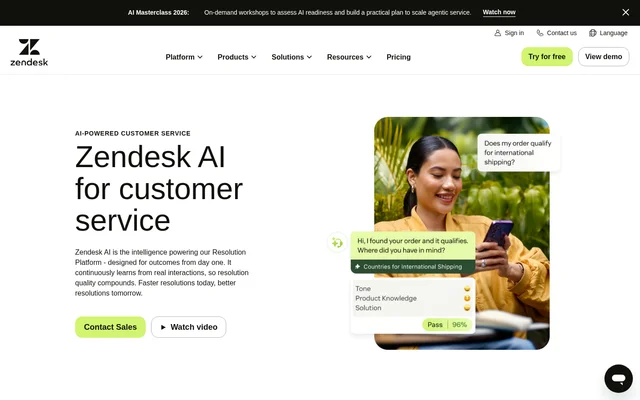
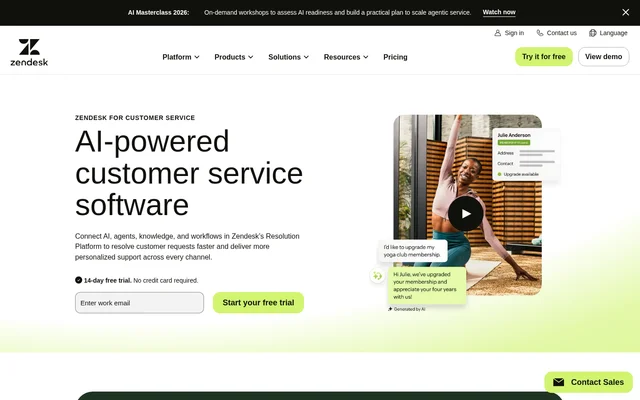
Zendesk is web-based customer service software for teams that need to manage requests across email, phone, messaging, live chat, and social media. Zendesk combines a ticketing system with an agent workspace, a help center, and automation tools. Support staff can review customer details and recent interactions alongside the current request, while managers can use reporting to track how the team handles requests across channels.
What Zendesk can do
Zendesk supports both agent-led service and customer self-service. Teams can publish help content and connect approved knowledge to AI agents and human agents. Zendesk also provides tools for reviewing support quality and managing staffing, so operations managers can look beyond individual tickets when assessing how the service team is performing.
- Zendesk tracks and organizes tickets from multiple support channels.
- Zendesk AI agents answer questions and take actions within established business processes.
- Zendesk provides a help center where customers can find answers on their own.
- Zendesk offers live chat, messaging, and phone support.
- Zendesk tracks ticket volume and agent performance through reporting dashboards.
- Zendesk workforce management generates schedules and forecasts based on ticket volume.
How Zendesk works
Zendesk brings incoming requests into a shared workspace where agents can see conversation history, use predefined replies, and collaborate with colleagues. Omnichannel routing can assign work based on agent status, capacity, skills, and ticket priority. Administrators can configure triggers for situations such as unattended tickets or refund escalations. For workflows that span multiple systems, Action Builder provides prebuilt connectors and low-code tools for configuring multi-step actions.
Who Zendesk is for
Zendesk serves customer service teams that have outgrown a shared inbox as well as larger support operations that want to coordinate multiple channels. Agents use the workspace to respond to customers without losing conversation context. Support managers can use reporting to identify coaching opportunities and knowledge gaps, while workforce managers can use ticket volume to inform staffing forecasts and schedules.
- Replace a shared support inbox with a ticket queue.
- Give customers a self-service option for common questions.
- Direct specialist requests to agents with the relevant skills.
- Review ticket trends and agent performance across channels.
Zendesk strengths and limitations
Zendesk gives agents a single place to review customer history and work on requests from multiple channels. Prebuilt dashboards give managers a starting point for monitoring ticket volume and performance, and custom reports can answer more specific questions. The main trade-off is that several capabilities are tied to higher plans, so the starting price does not cover the full set of AI, routing, and governance features described on the service page.
- Support Team excludes the AI agents and live chat listed under Suite Team.
- Skills-based routing and AI writing tools require Suite Professional or above.
- Suite Enterprise + Copilot does not have a published price on the page.
Zendesk FAQ
What is Zendesk?
Zendesk is web-based customer service software that combines ticketing, AI agents, self-service, and workflow automation. Support teams can manage requests from email, phone, messaging, live chat, and social media in a shared workspace with access to customer details and conversation history.
Who is Zendesk for?
Zendesk is for customer service teams ranging from those that have outgrown a shared inbox to operations that need support across multiple channels, workflow automation, and advanced reporting. Agents can use Zendesk to manage conversations, and managers can use dashboards to track ticket volume and performance.
What can Zendesk AI agents do?
Zendesk AI agents can answer customer questions and take actions across support channels while following business processes. Zendesk connects AI agents with knowledge content and provides an AI agent builder, reasoning controls, reporting, and support for 80+ languages.
Does Zendesk offer APIs and integrations?
Zendesk offers APIs and integrations for its AI agents, and its Action Builder can automate multi-step workflows across Zendesk and third-party systems. Action Builder includes prebuilt connectors, customizable actions, and low-code tools for adapting workflows to a team's needs.
From the community
No reviews yet
Be the first to review this tool. What you write helps the next person choose.