What is 2D&3D Video Converter?
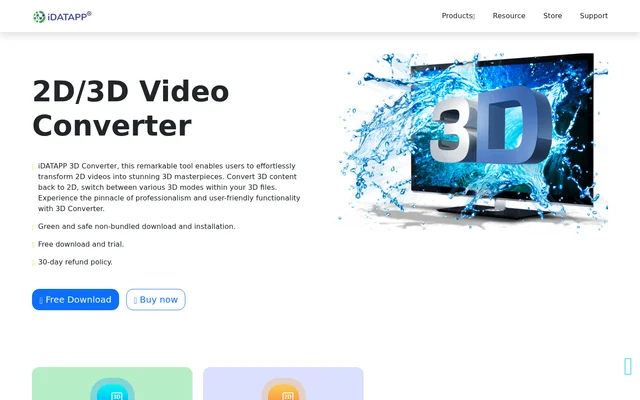
2D&3D Video Converter is downloadable software from iDATAPP for converting standard and stereoscopic video files. The software supports conversion from 2D to 3D, from 3D to 2D, and between different 3D layouts. The intended uses include preparing content for VR devices, watching movies at home, and making 3D content playable on regular 2D devices.
2D&3D Video Converter combines format conversion with controls for video presentation and audio output. The source page describes support for common video formats, selectable stereoscopic effects, and previewing before conversion. The software is offered through a download and installation process, with a free trial and a separate purchase option.
What 2D&3D Video Converter can do
2D&3D Video Converter provides conversion controls for both the video format and the stereoscopic layout. Supported modes include Anaglyph, Side by Side with half-width or full output, and Top and Bottom with half-height or full output. Anaglyph options include red/cyan, monochrome, half color, full color, and Dubois.
- 2D&3D Video Converter converts standard video files into 3D video.
- 2D&3D Video Converter converts 3D content into MP4, MOV, AVI, MKV, WMV, and FLV formats.
- 2D&3D Video Converter switches existing videos between supported 3D modes.
- 2D&3D Video Converter adjusts video resolution, bitrate, frame rate, encoder, aspect ratio, and zoom mode.
- 2D&3D Video Converter adjusts audio channels, sample rate, encoder, and bitrate.
- 2D&3D Video Converter captures screenshots from the preview window.
How 2D&3D Video Converter works
2D&3D Video Converter starts with a choice of conversion direction in the main interface: 2D to 3D, 3D to 3D, or 3D to 2D. Users import a video through File and Add File, select the desired output mode, and choose Convert to start processing the file.
2D&3D Video Converter also provides a real-time preview before processing. Users select a desired 3D or 2D effect and press the play button to inspect the result. Output settings can be configured before conversion, and the page identifies AMD APP and NVIDIA CUDA as technologies used to accelerate conversion.
Who 2D&3D Video Converter is for
2D&3D Video Converter is aimed at viewers who need different versions of video content for different playback situations. The page specifically discusses VR devices, home movie viewing, and converting 3D video for an iPad. The mode and color controls also serve people adapting stereoscopic files to their preferred viewing setup.
- 2D&3D Video Converter prepares standard videos for 3D viewing on VR devices.
- 2D&3D Video Converter creates regular 2D versions of 3D movies for compatible playback devices.
- 2D&3D Video Converter changes Top and Bottom video into Side by Side video.
- 2D&3D Video Converter customizes Anaglyph color options for 3D glasses.
2D&3D Video Converter pricing and access
2D&3D Video Converter is available as a free download and trial, with a Buy now option for purchasing the software. The page also states a 30-day refund policy. No purchase amount, trial duration, or detailed plan comparison is provided, so the available text does not establish the trial's specific usage limits.
2D&3D Video Converter strengths and limitations
2D&3D Video Converter brings bidirectional conversion, stereoscopic mode switching, output configuration, and previewing into the same application. Those capabilities support adapting existing files rather than only adding a 3D effect. Access requires downloading and installing the software, and the page presents a trial alongside a purchase option rather than describing an ongoing free plan.
2D&3D Video Converter FAQ
What is 2D&3D Video Converter?
2D&3D Video Converter is downloadable software from iDATAPP that converts videos between 2D and 3D and switches existing 3D files between stereoscopic modes. The software also includes output settings, real-time previewing, and screenshot capture.
Is 2D&3D Video Converter free?
2D&3D Video Converter offers a free download and trial, alongside a purchase option. The page states a 30-day refund policy but does not provide a purchase price, trial duration, or detailed trial restrictions.
Which 3D modes does 2D&3D Video Converter support?
2D&3D Video Converter supports Anaglyph, Side by Side Half-Width, Side by Side Full, Top and Bottom Half-Height, and Top and Bottom Full modes. Anaglyph color options include red/cyan, monochrome, half color, full color, and Dubois.
Can 2D&3D Video Converter convert 3D movies for an iPad?
2D&3D Video Converter can convert 3D videos into standard 2D formats for compatible device playback, with iPad viewing given as an example. Listed output formats include MP4, MOV, AVI, MKV, WMV, and FLV.
How do you convert a video with 2D&3D Video Converter?
2D&3D Video Converter uses a workflow of selecting the conversion direction, importing a video through File and Add File, choosing the desired mode, and selecting Convert. Users can adjust output parameters and preview the selected effect before processing.
Can you preview videos in 2D&3D Video Converter?
2D&3D Video Converter provides a real-time preview window for inspecting selected 2D or 3D effects before conversion. Users select an effect and press play, and a control beneath the preview window captures screenshots.
From the community
No reviews yet
Be the first to review this tool. What you write helps the next person choose.