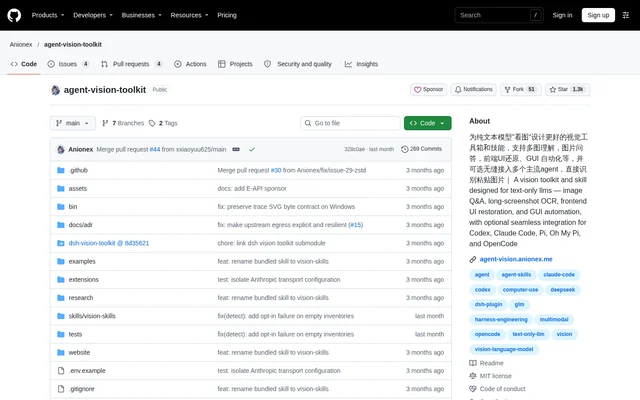
What is agent-vision-toolkit?
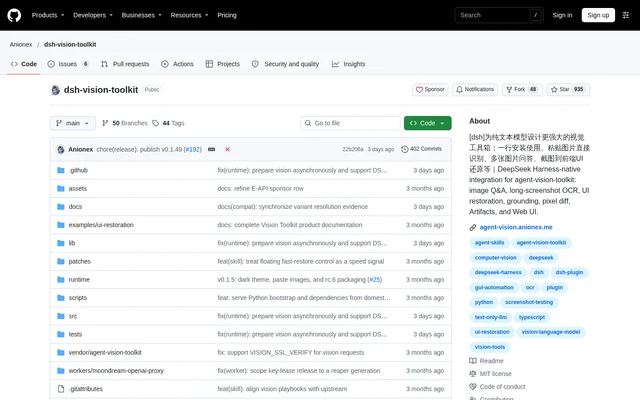
agent-vision-toolkit is an open-source project that gives text-only coding agents access to visual tools and task-specific guidance. The repository combines command-line utilities, the vision-skills agent skill, and optional integration components. The intended audience is developers whose agents can work with code and shell commands but lack native image understanding.
agent-vision-toolkit places visual capabilities in the agent's surrounding tools rather than requiring the agent's own model to process images. The repository describes use with text-only models such as DeepSeek. Its image analysis includes the user's or model's latest intent, helping return visual details relevant to the current task rather than a general description.
What agent-vision-toolkit can do
agent-vision-toolkit provides visual utilities alongside playbooks explaining when to use them, how to sequence calls, and how to verify results. The documented tasks range from reading image text to reconstructing interfaces and interacting with graphical controls. The included guidance treats visual inspection as a workflow with checks rather than a single image-description request.
- agent-vision-toolkit answers image questions and transcribes text with glance.
- agent-vision-toolkit processes long screenshots through ordered OCR chunks and overlap merging.
- agent-vision-toolkit guides frontend reconstruction using existing components, extracted visuals, and screenshot comparisons.
- agent-vision-toolkit supports transparent graphic extraction and editable SVG reconstruction workflows.
- agent-vision-toolkit guides conversion of diagrams into Mermaid, Graphviz, or other structured representations.
- agent-vision-toolkit supports locating GUI controls and verifying the screen after actions.
How agent-vision-toolkit works
agent-vision-toolkit connects to a multimodal API configured with a base URL, API key, and model name. Supported API formats include OpenAI Chat Completions, OpenAI Responses, and Anthropic Messages. Local installation places the command-line tools on the shell PATH and installs vision-skills in the agent's skills directory, allowing a shell-capable agent to select and combine tools.
agent-vision-toolkit also offers optional integration through a transparent local proxy or native plugins. Codex and Claude Code are among the supported agents; Pi, Oh My Pi, and OpenCode use single-file native extensions instead of the proxy. After integration installation and an agent restart, users can paste images or use the agent's built-in image tools.
Who agent-vision-toolkit is for
agent-vision-toolkit serves developers using text-only agents for tasks that depend on screenshots, visual references, or graphical interfaces. The documented workflows are relevant to frontend implementation, image-text extraction, graphic recovery, and GUI interaction. Any agent with shell access can use the core utilities, while supported agent applications can add the optional integration layer.
- Frontend developers can rebuild pages or components from screenshots and sketches.
- Developers can extract chat histories while preserving speakers, timestamps, and quotes.
- Agent builders can follow screenshot-based control-location and action-verification workflows.
agent-vision-toolkit pricing and access
agent-vision-toolkit is distributed as an open-source GitHub repository under the MIT license. The source describes local installation rather than subscription plans for the toolkit. A compatible multimodal API must be supplied separately, including its credentials and model name. The repository also provides agent-assisted installation instructions and a manual setup path.
agent-vision-toolkit strengths and limitations
agent-vision-toolkit combines shell-accessible tools with documented verification workflows and optional application-specific integrations. This gives developers a choice between direct command-line use and integrated image handling. Setup still involves configuring an external vision endpoint, installing the skill, and adding dependencies for selected utilities; the core toolkit should not be confused with a bundled local vision model.
- agent-vision-toolkit requires a compatible multimodal API configuration.
- agent-vision-toolkit needs additional dependencies for tools such as ground, detect, crop, and trace.
- agent-vision-toolkit defaults to Chinese descriptions unless LANG=en is configured.
agent-vision-toolkit FAQ
What is agent-vision-toolkit?
agent-vision-toolkit is an open-source collection of vision command-line tools, an agent skill, and optional integrations for text-only coding agents. The project supports image questions, screenshot OCR, frontend UI reconstruction, and screenshot-based GUI workflows.
Is agent-vision-toolkit free?
agent-vision-toolkit is available as an open-source project under the MIT license. The repository does not list toolkit subscription plans, but using the visual tools requires configuring a compatible multimodal API with a base URL, API key, and model name.
Which coding agents does agent-vision-toolkit support?
agent-vision-toolkit provides command-line tools usable by any agent that can invoke a shell. Optional seamless integrations support Codex, Claude Code, Pi, Oh My Pi, and OpenCode, with native extensions used for Pi, Oh My Pi, and OpenCode.
What API does agent-vision-toolkit require?
agent-vision-toolkit requires a multimodal API supporting OpenAI Chat Completions, OpenAI Responses, or Anthropic Messages. Configuration supplies the API key, base URL, and model name, with protocol settings available for Responses and Anthropic Messages endpoints.
Can agent-vision-toolkit read long screenshots?
agent-vision-toolkit includes a long-screenshot OCR playbook that finds low-content cut bands, processes chunks in order, and merges duplicated overlap. The workflow preserves chat speakers, timestamps, and quotes while flagging risky boundaries for verification.
How do you install agent-vision-toolkit?
agent-vision-toolkit can be installed by asking an agent to follow the repository instructions or by using the manual setup. Manual installation configures the vision API, adds the command-line tools to PATH, and installs the vision-skills skill.
From the community
No reviews yet
Be the first to review this tool. What you write helps the next person choose.