What is AI Outpainting Image?
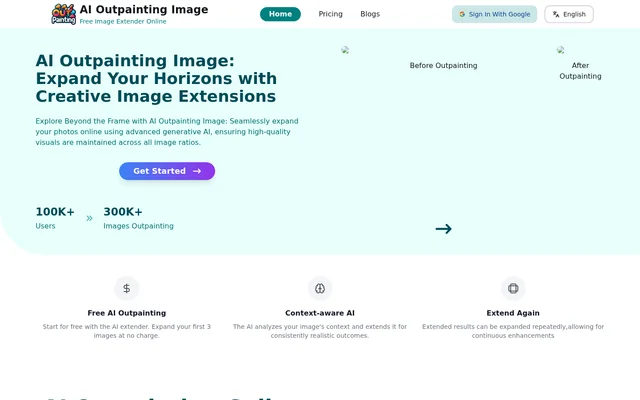
AI Outpainting Image is an online tool that extends photos and artwork beyond the original frame. Instead of simply changing the dimensions of the existing image, outpainting adds newly generated content outside its borders. AI Outpainting Image uses the uploaded image as a reference for that content, with the aim of keeping the added area visually consistent with the original.
What AI Outpainting Image can do
AI Outpainting Image can extend an image along any of its edges and can expand an already extended result. The site also lists an option to increase pixel dimensions and a batch feature for people who want to extend several images at once.
- The editor extends images up, down, left, or right.
- The model generates added content based on the uploaded image.
- The editor can expand an outpainted result again.
- The editor can increase an image’s pixel dimensions.
- Batch outpainting extends multiple images at once.
How AI Outpainting Image works
AI Outpainting Image starts with a photo or artwork uploaded to the website. A deep learning model analyzes the existing image and uses that information to generate content outside the original borders. The extended result can then serve as the starting point for another expansion. The pricing page offers Google sign-in for access to the free credits.
Who AI Outpainting Image is for
AI Outpainting Image is for people who need more space around a photo or artwork while keeping the existing composition as a starting point. The site presents outpainting as a way to work with different image ratios and includes a gallery of extended artwork that illustrates how the feature can be used in creative projects.
- Add space beyond the edge of a photo.
- Extend an image to fit a different aspect ratio.
- Continue an artwork beyond its original borders.
AI Outpainting Image strengths and limitations
AI Outpainting Image combines style-aware generation with the option to extend an image in stages. That gives users a way to add more space from an already expanded result. Batch processing is also available, but the site lists different maximums in its FAQ, so the exact batch size is unclear from the published information.
- The site lists both four and five images as the batch maximum.
- New users must sign in to receive free credits.
- Additional credits are sold in paid packs.
Getting started with AI Outpainting Image
AI Outpainting Image offers Google sign-in on its free plan. After signing in, a new user receives the free credits and can upload a photo or artwork to extend. The image can be expanded upward, downward, to the left, or to the right. If the first extension does not provide enough space, the result can be extended again.
AI Outpainting Image FAQ
What is AI Outpainting Image?
AI Outpainting Image is an online editor that generates new content beyond the original borders of uploaded photos and artwork. It uses the existing image as a reference so the expanded area can match the original style.
Is AI Outpainting Image free?
AI Outpainting Image gives new users 5 free credits after they sign in. The site also sells paid credit packs on demand with no subscription fee and describes the credits as permanently valid.
Can AI Outpainting Image extend a photo in any direction?
AI Outpainting Image can extend a photo upward, downward, to the left, or to the right. The editor generates content based on the uploaded photo and can expand the resulting image again.
Can AI Outpainting Image increase an image’s pixel dimensions?
AI Outpainting Image offers an option to increase the pixel dimensions of uploaded images. The site lists this capability in addition to outpainting, which generates new content outside the image’s original frame.
Can AI Outpainting Image extend multiple images at once?
AI Outpainting Image supports batch expansion, but the website gives conflicting limits. One FAQ answer says it can expand up to four images at once, while another says it can expand up to five.
From the community
No reviews yet
Be the first to review this tool. What you write helps the next person choose.