What is Ava?
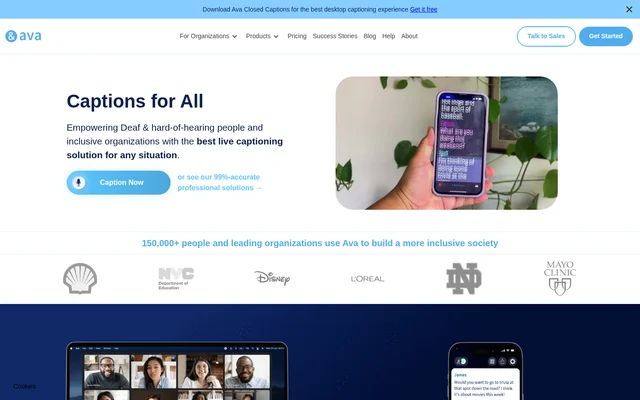
Ava is a live captioning and accessibility service for Deaf and hard-of-hearing people. Ava uses AI to turn speech into readable captions for in-person conversations, online meetings and videos. Ava also offers human-supported captioning through Ava Scribe, alongside transcription and ASL interpretation services. The service addresses communication access in personal, educational and professional settings.
Ava is available on iOS, Android, web, Windows and Mac. Individuals can use Ava for everyday conversations, while organizations can use the service for accessibility in workplaces, schools, healthcare settings and events. Ava distinguishes its AI captioning options from Ava Scribe, which combines automated captions with professional human review.
What Ava can do
Ava provides live captions alongside features for following speakers, participating in conversations and reviewing discussions afterward. Ava Connect extends captioning to video conferences, while Ava Voice lets users communicate through typed text spoken aloud. Ava also offers translation and transcription services, with stored transcripts and conversation summaries available through the service.
- Ava captions live conversations and online videos.
- Ava identifies speakers by name and uses color to distinguish speakers.
- Ava Connect integrates with Zoom, Google Meet and Microsoft Teams.
- Ava stores transcripts and generates conversation summaries.
- Ava Voice converts typed text into speech.
- Ava provides transcription and translation across languages.
- Ava Scribe uses professionals to review captions live.
How Ava works
Ava starts captioning when a user opens the app and enables the microphone or selects Start Subtitles. The website recommends keeping the microphone less than 12-inches from the speaker's mouth. Participants can also share an Ava Room link so another person can speak through a phone microphone without downloading the app.
Ava supports browser access and downloadable mobile and desktop apps. The desktop captions bar stays above other programs and can be moved or resized. Ava also supports offline captioning on mobile, although the website says a stable internet connection improves accuracy and latency. Ava Connect brings captioning into supported video meetings.
Who Ava is for
Ava serves Deaf and hard-of-hearing individuals who need access to spoken conversations, as well as organizations providing communication accommodations. The website describes uses in offices, remote work, schools, universities, healthcare, retail, live events and religious services. Ava also presents paid options for students and professionals who need higher-quality captions or longer sessions.
- Ava supports captioned workplace discussions and conference calls.
- Ava supports classroom participation and online learning.
- Ava helps make patient interactions and telehealth conversations accessible.
- Ava captions personal conversations and online videos.
Ava pricing and plans
Ava offers a free plan for individuals using captions for short conversations and videos. The Free plan includes live captions, speaker identification, an always-on-top captions bar and access across mobile, web and desktop. Free caption sessions last up to 40 minutes, and the website says users can restart captions without a limit on restarts.
Ava Community is a paid plan with 3 hours of Premium captions per month, plus in-app chat, email support and online training webinars. Community sessions also last up to 40 minutes, and the plan is explicitly not ADA compliant. Ava also describes Ava Pro for professionals and students, along with plans for companies, educational organizations, non-profits and healthcare.
Ava strengths and limitations
Ava combines broad device availability with captioning for both in-person and online communication. Speaker identification, text-to-speech and transcript review support different communication needs. Ava Scribe adds human review, with the website stating 99% accuracy and ADA compliance for that service. These claims should be distinguished from the capabilities and limits of Ava's individual AI captioning plans.
- Ava Free and Community sessions are limited to 40 minutes.
- Ava Community does not provide an ADA-compliant plan.
- Ava caption accuracy depends partly on microphone placement and connection quality.
- Ava offline captioning is available on mobile only.
Ava FAQ
What is Ava?
Ava is a live captioning and accessibility service for Deaf and hard-of-hearing people. Ava provides AI captions, transcription, translation and ASL interpretation services, with professional human-reviewed captioning available through Ava Scribe.
Is Ava free?
Ava offers a free plan for short conversations and videos, alongside paid subscriptions. Ava Free includes live captions, speaker identification and sessions lasting up to 40 minutes. Paid plans provide additional caption quality and features.
What devices does Ava work on?
Ava works on iOS, Android, web browsers, Windows and Mac. Ava provides downloadable mobile and desktop apps as well as web access. Offline captioning is available on mobile, while a stable internet connection can improve accuracy and latency.
Does Ava work with Zoom, Google Meet and Microsoft Teams?
Ava integrates with Zoom, Google Meet and Microsoft Teams through Ava Connect. Ava Connect brings captions and speaker identification into video meetings. The website states that combining Ava Connect with Ava Scribe supports ADA-compliant meetings.
How accurate are Ava captions?
Ava states that Ava Scribe delivers 99% accuracy by combining AI with professional human review. Ava lists Premium AI captions as 90% accurate. Ava also notes that microphone placement and internet stability affect caption accuracy and latency.
Is Ava ADA compliant?
Ava offers ADA-compliant captioning through Ava Scribe, which combines AI and human scribes. Ava Community is explicitly described as not ADA compliant, so accessibility compliance claims should be evaluated against the specific service or plan.
From the community
No reviews yet
Be the first to review this tool. What you write helps the next person choose.