What is BoltAI?
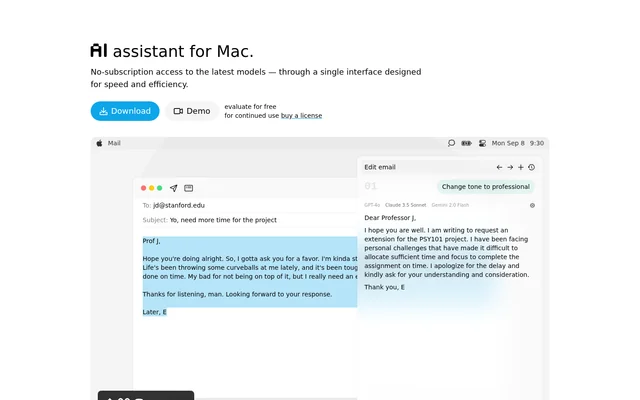
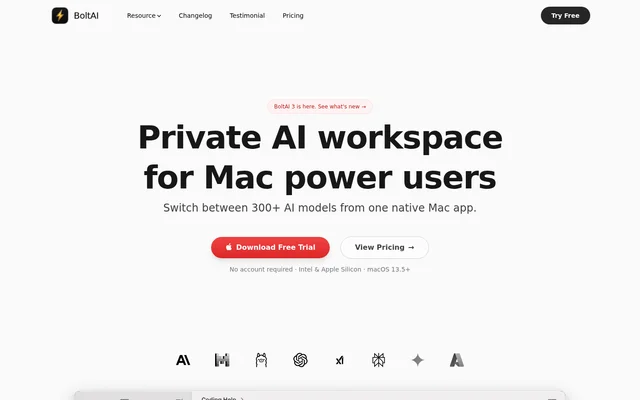
BoltAI is a native macOS AI workspace that brings cloud providers and local language models into a single app. BoltAI is designed for Mac power users who want to work with AI across coding, writing, research, and analysis. The app is built with SwiftUI and AppKit and supports Intel and Apple Silicon Macs running macOS 13.5 or later.
BoltAI combines conversations with projects, reusable agents, attached documents, and configurable model settings. Rather than supplying bundled AI credits, BoltAI connects to provider accounts supplied by the user. Local models are another option, and optional cloud synchronization extends access to chats, projects, and agents across Mac and mobile devices.
What BoltAI can do
BoltAI supports both everyday prompts and structured workflows involving documents, tools, and reusable configurations. Users can change providers without moving to another browser tab, preserve alternative conversation branches, and tailor model behavior through system instructions and generation controls. Vision-enabled models handle visual material, while document attachments provide reference context for questions and analysis.
- BoltAI switches between cloud providers and local models.
- BoltAI analyzes PDFs, screenshots, code, and research documents.
- BoltAI creates reusable agents with instructions, knowledge, and tools.
- BoltAI connects to local and remote MCP servers.
- BoltAI saves prompts and branches conversations for comparison.
- BoltAI reads scanned PDFs with OCR and summarizes long chats with Auto-compact.
How BoltAI works
BoltAI connects to cloud AI providers using the user's own API keys and sends requests directly to the selected provider. Supported options include OpenAI, Anthropic, Google Gemini, Mistral, Azure OpenAI, and Amazon Bedrock. BoltAI also connects to Ollama and LM Studio for local models. Users can choose a default model, override that choice for a chat or agent, and compare models in multi-agent chats.
BoltAI provides regular chat alongside an Instant Chat overlay, screenshot-based ShotSolve, dictation, and inline editing. A global shortcut opens access over other apps. Chats are stored locally in a SQLite database, and API keys can be encrypted with a passphrase. Optional Cloud Sync encrypts synchronized data in transit and at rest.
Who BoltAI is for
BoltAI serves Mac users who need configurable AI assistance within their existing work. The page identifies coding, writing, research, and analysis as contexts for tailored profiles, and describes professional and privacy-sensitive use. Individual licenses support personal-device use, team licenses are available, and educational discounts can be requested by students, teachers, and researchers.
- BoltAI helps developers explain code and investigate screenshots.
- BoltAI helps writers rewrite text and reuse recurring prompts.
- BoltAI helps researchers summarize documents and extract structured information.
- BoltAI helps teams configure agents around shared work requirements.
BoltAI strengths and limitations
BoltAI combines provider choice, local storage, document analysis, and agent tools in a native Mac interface. Local models provide an alternative to per-token cloud billing, and local features work offline. These benefits come with separate responsibilities: users supply provider access, manage any associated usage charges, and decide whether continued synchronization and mobile access justify renewing the update plan.
- BoltAI requires separate provider accounts or a local-model setup rather than including AI credits.
- BoltAI requires internet access for Cloud Sync and connected online services.
- BoltAI pauses Cloud Sync and mobile access when the update plan lapses.
BoltAI FAQ
What is BoltAI?
BoltAI is a native Mac AI workspace for chatting with cloud and local models, analyzing documents, and building reusable agents. BoltAI supports providers including OpenAI, Anthropic, Google Gemini, Mistral, Azure OpenAI, and Amazon Bedrock, plus local models through Ollama and LM Studio.
Is BoltAI free?
BoltAI offers a free trial without an account, but continued licensed use is paid. BoltAI uses a perpetual license with one year of updates. AI credits are not included, and cloud providers bill usage separately through the user's own accounts.
Does BoltAI need API keys?
BoltAI uses the user's own API keys for supported cloud providers and does not bundle AI credits. BoltAI also supports local models through Ollama and LM Studio, plus access to ChatGPT or Claude subscriptions through the Codex CLI or Claude Code integration.
Does BoltAI keep chats private?
BoltAI stores chats locally on the Mac in a SQLite database and states that content is never used for training. Requests go directly to the configured AI provider. BoltAI supports optional passphrase encryption for API keys and optional Cloud Sync with encryption in transit and at rest.
Can BoltAI work offline?
BoltAI supports fully offline local features and connects to local models through Ollama and LM Studio. Cloud Sync and services that require the internet still need connectivity. Local models run on the user's machine without per-token provider fees.
What happens when BoltAI updates expire?
BoltAI keeps working locally on the Mac after the included update period expires, but Cloud Sync and mobile access pause. Cloud data becomes read-only for up to 24 months and remains exportable. Renewal is optional, and auto-renew is turned off by default.
From the community
No reviews yet
Be the first to review this tool. What you write helps the next person choose.