What is ClientReports.ai?
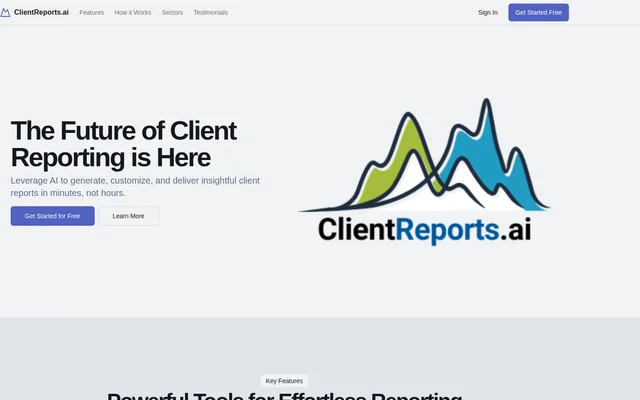
ClientReports.ai is an AI report generator for professionals and teams that prepare reports for clients. ClientReports.ai brings source documents, data analysis, report writing, and export into one workflow. Client materials are uploaded to dedicated data rooms, where the AI analyzes the information for reporting. Users can review the generated text, adjust how the report looks, and choose an export format for the finished document.
What ClientReports.ai can do
ClientReports.ai helps users turn client materials into report content, from section headers to detailed text tailored to the document type. Its analysis tools extract key metrics and recommendations and generate concise summaries. Once a draft is ready, users can revise the wording, embed charts, and choose a layout that reflects their brand.
- Generate a full report or draft individual sections.
- Extract key metrics and recommendations from reports.
- Generate concise report summaries.
- Refine drafts with a text editor and AI-powered suggestions.
- Embed charts and preview layout changes in real time.
How ClientReports.ai works
ClientReports.ai starts with an upload of client documents and data to the client's dedicated data room. The AI analyzes the uploaded information, after which users can generate a complete report or work on selected sections. Users can then refine the draft in the editor, choose a layout, and preview the changes as they work. When the report is ready, they can export it to PDF, Word, or Google Docs.
Who ClientReports.ai is for
ClientReports.ai is for professionals who prepare reports for clients and teams that manage reporting across multiple accounts. The website lists financial services, accounting and tax, professional services, law firms, construction, staffing and recruitment, and real estate among its sectors. The workflow covers both drafting full reports from client materials and producing individual sections or concise summaries.
- Draft a client report from uploaded documents and data.
- Pull key metrics and recommendations into a report.
- Prepare a concise summary for a client-facing document.
- Keep reporting materials separate for each client.
ClientReports.ai pricing and plans
ClientReports.ai offers a free trial and states that no credit card is required to sign up. The public page links to sign-up but does not specify how long the trial lasts, which features it includes, or what continued access costs. The free offer described on the page is a trial rather than a confirmed ongoing free plan.
ClientReports.ai strengths and limitations
ClientReports.ai gives users control over how much of a report to generate and lets teams organize source materials in dedicated client data rooms. The editor and live previews let users review both the wording and the layout before exporting. The page names PDF, Word, and Google Docs as export options but does not detail other destinations or how collaboration permissions are configured.
ClientReports.ai FAQ
What is ClientReports.ai?
ClientReports.ai is an AI tool for generating, customizing, and exporting client reports. ClientReports.ai analyzes documents and data uploaded to dedicated client data rooms, drafts entire reports or individual sections, and provides an editor for refining the resulting content.
Is ClientReports.ai free?
ClientReports.ai offers a free trial with no credit card required. The website does not state how long the trial lasts, what continued access costs, or whether an ongoing free plan is available.
Who is ClientReports.ai for?
ClientReports.ai is for professionals and teams that prepare reports for clients. ClientReports.ai lists sectors including financial services, accounting and tax, law, construction, retail, real estate, and IT services, and provides dedicated data rooms for managing multiple clients.
Can ClientReports.ai generate individual report sections?
ClientReports.ai can generate individual report sections as well as complete reports. ClientReports.ai can draft section headers and detailed content tailored to the document type, and users can revise the text in the editor with AI-powered suggestions.
What formats can ClientReports.ai export to?
ClientReports.ai can export client reports to PDF, Word, or Google Docs. Before export, ClientReports.ai lets users edit the report, embed charts, choose a layout that reflects their brand, and preview changes in real time.
From the community
No reviews yet
Be the first to review this tool. What you write helps the next person choose.