What is Lindy?
Lindy is an AI employee that carries out business tasks across a team's connected tools. Lindy is intended for people managing several responsibilities, including client communication, sales follow-up, reporting and administration. Rather than only returning an answer or draft, Lindy can complete jobs such as updating a CRM, clearing an inbox or preparing reports.
Lindy works in Slack, iMessage, email and a browser, and the website also describes text and calendar workflows. Lindy remembers clients and working preferences, runs scheduled routines and supports several roles within the same team. Listed roles include account manager, executive assistant, receptionist, bookkeeper and customer service representative.
What Lindy can do
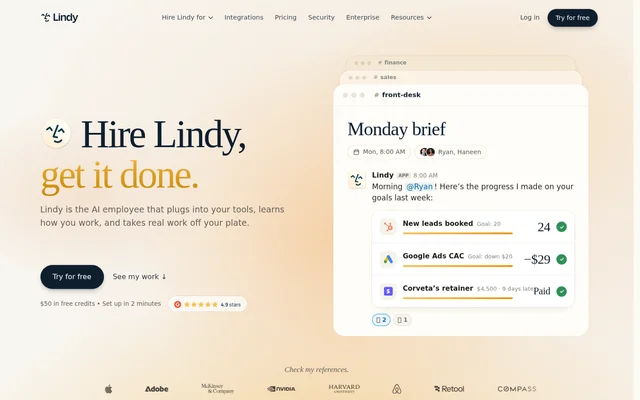
Lindy combines communication, reporting and operational tasks within connected business applications. Lindy can prepare work for review or carry out authorized jobs independently. The website describes both event-driven work, such as responding to an incoming lead, and recurring work, such as sending morning briefs or drafting weekly client updates.
- Lindy researches new leads, drafts personal replies and logs calls and deals.
- Lindy pulls client numbers and drafts reports in each client's format.
- Lindy follows up on proposals and overdue invoices by email and phone.
- Lindy prepares meeting briefs, takes notes and sends follow-ups.
- Lindy answers callers and books appointments on a calendar.
- Lindy drafts social posts from company news, calls and wins.
- Lindy triages support tickets and drafts replies from documentation.
How Lindy works
Lindy starts by connecting to email, calendars and other applications already used by the team. Lindy then examines working patterns and suggests jobs to take on, or accepts a job specified by the user. The website lists 1,500+ integrations and MCP support, with examples involving HubSpot, Meta Ads, Google Ads and Sheets.
Lindy initially waits for approval before taking actions with outside impact. Users can later authorize Lindy to run a trusted job from start to finish. Lookups can happen without that approval step. Lindy also supports scheduled routines and a Watch and Learn capability described as learning a task after a demonstration.
Who Lindy is for
Lindy targets people who handle multiple business roles and teams that assign several jobs to a shared AI employee. Lindy provides specific workflows for client-facing operations, sales, marketing, executive assistance, bookkeeping and customer service. These workflows focus on recurring tasks and follow-through across the tools where the work already happens.
- Client teams can use Lindy to draft updates, call recaps and account reports.
- Sales teams can use Lindy to research leads and arrange meetings.
- Business operators can use Lindy to manage invoice reminders and daily briefs.
- Support teams can use Lindy to triage tickets and route unresolved requests.
Lindy strengths and limitations
Lindy's strengths include working across existing tools, combining several operational roles and allowing users to retain approval control before authorizing independent execution. Lindy also states that data is encrypted in transit and at rest and is not sold, shared or used to train models. Credit limits and Enterprise-only controls affect access and cost.
- Lindy's free credits expire after 7 days.
- Lindy bills every active user in a workspace.
- Lindy requires Enterprise for SSO, audit logs and HIPAA with a signed BAA.
Lindy FAQ
What is Lindy?
Lindy is an AI employee that performs business tasks across connected tools for a team. Lindy can reply to leads, update a CRM, prepare reports, manage an inbox and handle recurring work while remembering client details and working preferences.
Is Lindy free?
Lindy offers $50 in free credits valid for 7 days, followed by credit-based paid plans. Lindy's structured pricing lists Plus at $29.99 per user monthly, with additional paid options and custom Enterprise pricing. Every active workspace user is billed.
What tools does Lindy integrate with?
Lindy supports 1,500+ integrations and MCP, and works through Slack, iMessage, email and a browser. Lindy's website also shows workflows using calendars, HubSpot, Meta Ads, Google Ads and Sheets for scheduling, CRM updates and client reporting.
Can Lindy work without approval?
Lindy initially requires approval for anything with outside impact, while lookups can happen automatically. Lindy can run a job independently after the user authorizes that level of control, allowing a workflow to move from reviewed preparation to end-to-end execution.
Who is Lindy for?
Lindy is for teams and people managing multiple business responsibilities, including client accounts, sales, marketing, administration, bookkeeping and customer service. Lindy can take on several roles within the same team, such as preparing client reports, following up with leads and managing appointments.
How does Lindy protect business data?
Lindy states that business data is encrypted in transit and at rest and is never sold, shared or used to train models. Lindy lists SOC 2 Type II auditing and independently verified GDPR and PIPEDA compliance. Enterprise adds SSO, audit logs and HIPAA with a signed BAA.
From the community
No reviews yet
Be the first to review this tool. What you write helps the next person choose.