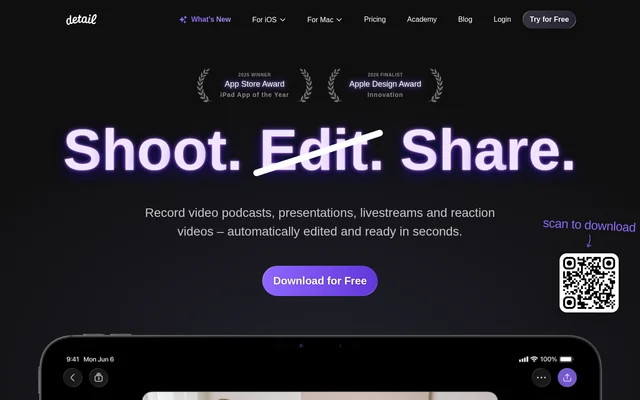
What is Detail?
Detail is an AI-powered video recording and editing app for video podcasts, presentations, livestreams and reaction videos. Detail brings recording, script support and automatic editing into a mobile workflow, with capabilities described for iPhone and iPad. The app serves creators who want to produce talking videos, record conversations or react to existing footage without handling every editing task manually.
Detail received the App Store Award for iPad App of the Year in 2025 and was an Apple Design Award Innovation finalist in 2026. The website presents automatic editing as a central part of the app, alongside recording tools that let creators work from their own scripts, generated scripts or unscripted recordings.
What Detail can do
Detail combines recording assistance with editing tools for different video formats. Auto Edit handles talking-head recordings, while Podcast Auto Edit produces conversation edits and short clips. Detail also includes tools for captions, background removal and livestreaming, so the described capabilities extend beyond cutting recorded footage into a finished video.
- Detail Auto Edit removes silence and adds zoom cuts, titles, captions and music.
- Detail Podcast Auto Edit generates long-form edits and short social clips with automatic speaker switching.
- Detail provides a teleprompter for reading a script while recording.
- Detail records reactions over online videos or videos saved on a phone.
- Detail adds, animates and customizes AI-generated captions.
- Detail removes video backgrounds with the Live Green Screen Editor.
- Detail supports multi-camera streaming to YouTube, Twitch, Instagram, LinkedIN and RTMP destinations.
How Detail works
Detail starts with recording a video, with the option to use a teleprompter, supply a script or generate one. After recording, a tap activates Auto Edit for tasks such as silence removal and captioning. For podcasts, Detail supports recording with a single iPhone or inviting a guest and connecting a second device.
Detail uses a separate import workflow for reaction content: a creator pastes an online video's URL into the app and records over the imported video. Videos already saved on a phone can also serve as reaction material. For live broadcasts, Detail turns an iPhone or iPad into a multi-camera streaming studio.
Who Detail is for
Detail is for creators producing spoken-video content, including podcasters, presenters, reaction-video makers and livestreamers. The combination of script support, automatic editing and caption customization addresses different stages of video production. Podcast creators can use the same recording to produce long-form edits and short clips for social distribution.
- Detail helps presenters record talking videos with a teleprompter.
- Detail helps podcasters record conversations and generate speaker-switched edits.
- Detail helps reaction creators record commentary over existing videos.
- Detail helps livestreamers broadcast from an iPhone or iPad.
Detail pricing and access
Detail is advertised as free to download, and the website also includes a free-trial entry point. The supplied page does not describe paid plans, subscription prices or which features are included at no charge. Download access is presented through download links and a scan-to-download option, with separate help links for iOS and Mac.
Detail strengths and documented scope
Detail combines recording and automatic post-production rather than presenting those tasks as separate workflows. Concrete strengths include podcast edits in both long and short formats, URL-based imports for reaction recording and streaming through named services or RTMP. The supplied page describes iPhone and iPad workflows and links to Mac help, but does not explain Mac-specific capabilities or feature-by-feature platform availability.
Detail FAQ
What is Detail?
Detail is an AI-powered video recording and editing app for video podcasts, presentations, livestreams and reaction videos. Detail includes automatic editing, a teleprompter, customizable captions, background removal and recording tools for iPhone and iPad.
Is Detail free?
Detail is advertised as free to download. The supplied page also includes a Try for Free link, but does not specify paid plans, subscription prices or which recording and editing features are included at no charge.
How does Detail automatically edit videos?
Detail Auto Edit processes a recorded video with silence removal, zoom cuts, titles, captions and music. Detail Podcast Auto Edit generates multiple long-form edits and short social clips, with automatic speaker switching for podcast or interview recordings.
Can Detail record reaction videos?
Detail can record reactions to online videos or videos saved on a phone. Detail lets creators paste an online video's URL into the app, import the video and record over the footage without screen-recording.
Where can Detail livestream?
Detail supports livestreaming to YouTube, Twitch, Instagram, LinkedIN and other destinations through RTMP. Detail can turn an iPhone or iPad into a multi-camera streaming studio for live video production.
Does Detail have a teleprompter?
Detail includes a teleprompter that lets creators read a script and record video in the same app. Detail supports using an existing script, generating a script or recording without a script.
From the community
No reviews yet
Be the first to review this tool. What you write helps the next person choose.