What is Riverside?
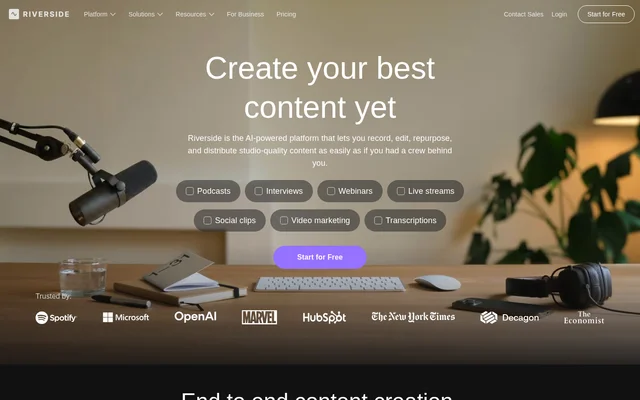
Riverside is an AI-powered audio and video content creation platform for podcasters, creators, marketers, and producers. Riverside combines recording, editing, repurposing, streaming, and publishing rather than treating each stage as a separate workflow. The website describes browser-based content creation and also lists Mac and mobile apps.
Riverside supports podcasts, interviews, webinars, livestreams, social clips, and video marketing. Riverside also offers a business plan for teams producing content at scale, with collaboration and production controls. Podcast hosting and performance analytics extend the workflow beyond recording and editing to distribution and audience measurement.
What Riverside can do
Riverside combines local recording with transcript-based editing and AI-assisted production. Riverside can turn recorded sessions into edited content and supporting promotional material, while hosting and streaming features support distribution. Available capabilities vary by plan, including recording quality, webinar tools, separate-track downloads, and business integrations.
- Riverside records up to 4K video and uncompressed audio on separate tracks.
- Riverside edits video through transcript search, cuts, copying, and pasting.
- Riverside removes filler words and silences and enhances recorded audio.
- Riverside generates clips, posts, thumbnails, headlines, and B-roll.
- Riverside translates and dubs content into over 30 languages.
- Riverside hosts podcasts and provides episode and audience analytics.
- Riverside streams to multiple destinations and supports live audience interaction.
How Riverside works
Riverside starts with recording solo or with guests. Local recording captures separate audio and video tracks, which the website describes as unaffected by internet connection. After recording, users can edit the transcript, work with individual tracks, change layouts, add branding, and apply captions or AI-assisted corrections.
Riverside then supports repurposing and distribution from the recorded session. AI can prepare a polished cut, transcripts, show notes, and promotional assets. Riverside also publishes to services including YouTube, Spotify, and Apple. Webinar workflows add registration, automated email reminders, audience engagement, and HubSpot lead syncing.
Who Riverside is for
Riverside serves podcasters and video creators who need recording, editing, and publishing tools, as well as marketers and producers managing branded content. Riverside's webinar features address live events and lead generation, while its business offering adds production workspaces, custom roles, collaborative editing, and controls for guest audio and video.
- Podcasters can record interviews, host shows, and review audience analytics.
- Video creators can edit recordings and generate captioned social clips.
- Marketers can host branded webinars and sync registrant details to HubSpot.
- Producers can manage guest inputs and collaborate on business content.
Riverside pricing and plans
Riverside offers Free, Pro, Grow, Webinar, and Business plans. The free plan includes editing tools, watermarked video up to 720p, and a one-off 2 hours of separate-track recording. Pro, Grow, and Webinar display a 14-day free trial. Business pricing requires contacting sales.
Riverside's paid plans add higher recording quality, publishing, growth tools, livestreaming, webinar functions, or business controls depending on the tier. The supplied pricing page explicitly warns that staging information may be outdated and contains inconsistent price displays. Exact paid rates therefore need confirmation on Riverside's official pricing page.
Riverside strengths and limitations
Riverside's main strength is the connection between local recording, text-based editing, AI repurposing, and publishing. Separate tracks support adjustments such as removing crosstalk, while reusable branding helps maintain consistent presentation. Riverside also covers podcast hosting and webinar engagement, though access to individual capabilities depends on the selected plan.
- Riverside's free exports carry a watermark and have a 720p video limit.
- Riverside limits separate-track downloads on several paid plans.
- Riverside lists API access, Salesforce, and Marketo integrations under Business.
- Riverside's supplied pricing information carries an explicit staging warning.
Riverside FAQ
What is Riverside?
Riverside is an AI-powered platform for recording, editing, repurposing, streaming, and publishing audio and video content. Riverside serves podcasters, creators, marketers, and producers with local recording, transcript-based editing, podcast hosting, and webinar tools.
Is Riverside free?
Riverside offers a free plan with editing tools, video up to 720p, a watermark, and a one-off 2 hours of separate-track recording. Riverside also offers paid Pro, Grow, Webinar, and Business plans, although the supplied pricing page warns that staging information may be outdated.
How does Riverside's text-based video editing work?
Riverside lets users search, cut, copy, and paste within a transcript to edit recorded video. Riverside also provides separate-track editing for adjustments such as removing crosstalk and changing layouts, alongside AI tools for removing filler words and silences.
Can Riverside host podcasts and publish episodes?
Riverside includes podcast hosting and publishing to services including Spotify, Apple, and YouTube. Riverside also provides podcast performance, episode, and audience analytics, plus automatically generated transcripts, titles, descriptions, chapters, and takeaways to support episode preparation and distribution.
Can Riverside run webinars and livestreams?
Riverside supports HD multistreaming, webinar registration, automated email reminders, and audience engagement through Q&A, live call-ins, polls, and reactions. Riverside lists HubSpot integration for syncing webinar leads, with webinar capabilities and registration limits varying by plan.
Does Riverside have an API or integrations?
Riverside lists API access, Salesforce and Marketo integrations, and SSO through Okta and Azure under its Business plan. Riverside also lists HubSpot lead syncing for webinars and publishing or streaming connections to services including YouTube, Spotify, Apple, LinkedIn, and Twitch.
From the community
No reviews yet
Be the first to review this tool. What you write helps the next person choose.