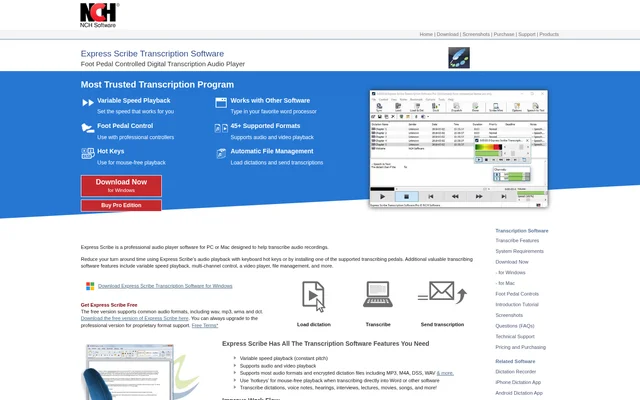
What is Express Scribe?
Express Scribe is a transcription player for Windows and Mac that helps typists work through recorded audio and video. Transcriptionists can adjust the playback speed and control the recording without leaving the document they are typing. The software handles common transcription tasks such as listening to dictation, working from a recorded interview, or preparing a transcript of a hearing.
What Express Scribe can do
Express Scribe combines playback controls with tools for receiving recordings and sending finished transcripts. Constant-pitch playback lets typists slow down a recording without changing the pitch, while keyboard hotkeys or a compatible foot pedal leave the mouse free. Express Scribe also supports encrypted dictation files and offers multi-channel control.
- Express Scribe plays audio and video recordings.
- Express Scribe adjusts playback speed while maintaining pitch.
- Express Scribe accepts playback commands from compatible USB foot pedals.
- Express Scribe transfers recordings from analog and digital portable voice recorders.
- Express Scribe can automatically send completed transcripts to clients.
How Express Scribe works
Express Scribe can load a recording before a typist starts transcribing in Microsoft Word or another word processor. The player can run in the background while the typist controls playback with hotkeys or a supported foot pedal. For recurring work, Express Scribe can check an FTP server, local network, or computer folder at timed intervals and load new dictations from the specified location.
Who Express Scribe is for
Express Scribe is designed for transcriptionists who type from recorded material, including medical and legal transcriptionists. The software can also be used for recordings such as interviews, lectures, voice notes, and movies. Typists who prefer working in a separate word processor can keep their usual editor open while controlling playback in the background.
- Transcribe medical dictation.
- Prepare transcripts of legal hearings.
- Type transcripts from recorded interviews.
- Turn lectures and voice notes into written text.
- Transcribe dialogue from video recordings.
Express Scribe pricing and plans
Express Scribe offers a free download that supports common audio formats, including WAV, MP3, WMA, and DCT. The paid Pro edition is available for users who need proprietary format support. Some controllers on the compatibility list, including the Infinity USB Foot Pedal and Olympus RS27 Foot Pedal, are marked as requiring Pro.
Strengths and limitations of Express Scribe
Express Scribe lets typists choose between keyboard and foot pedal controls while continuing to use their regular word processor. For workflows that receive dictation regularly, automatic file loading can reduce manual transfers. Express Scribe also works with speech recognition software for automatic conversion to text, which is separate from the player controls used for manual transcription.
- The free version does not include proprietary format support.
- Some supported controllers require the Pro edition.
- Automatic speech-to-text conversion relies on speech recognition software.
Getting started with Express Scribe
Express Scribe is available to download for Windows and Mac. A typist can load a recording, set a comfortable playback speed, and use hotkeys while typing in a word processor. A compatible foot pedal is optional and can be set up using the installation wizard. For ongoing dictation work, the typist can configure a folder or network source for automatic intake.
Express Scribe FAQ
What is Express Scribe?
Express Scribe is a desktop audio and video player designed to help transcriptionists type transcripts from recordings. It runs on Windows and Mac and provides variable-speed playback, multi-channel control, keyboard hotkeys, and support for compatible foot pedals.
Is Express Scribe free?
Express Scribe has a free version that supports common audio formats, including WAV, MP3, WMA, and DCT. The paid Pro edition adds support for proprietary formats and is required for some of the listed foot pedals and dictation controllers.
Can you use Express Scribe with Microsoft Word?
Express Scribe works with Microsoft Word and other word processors. The player can run in the background while the typist writes in Word and uses keyboard hotkeys or a compatible foot pedal to control playback.
Does Express Scribe support foot pedals?
Express Scribe supports compatible USB foot pedals for playback control on Windows and Mac. The supported hardware list includes the AltoEdge USB Foot Pedal, while models such as the Infinity USB Foot Pedal require Express Scribe Pro.
Does Express Scribe automatically convert speech to text?
Express Scribe works with speech recognition software to convert speech to text automatically. For manual transcription, Express Scribe provides adjustable playback and lets typists use keyboard hotkeys or a compatible foot pedal while writing in a separate word processor.
From the community
No reviews yet
Be the first to review this tool. What you write helps the next person choose.