What is FastCut?
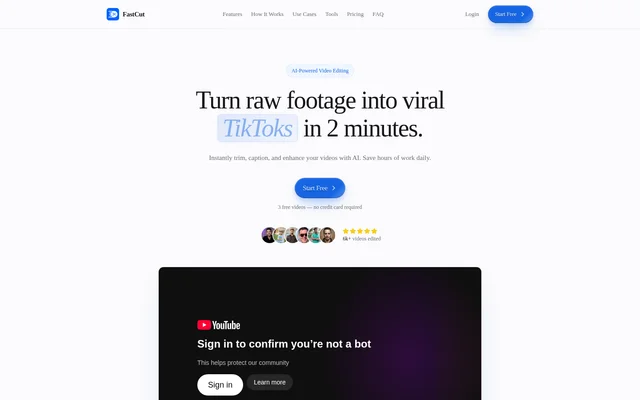
FastCut is an AI video editor for creators and marketers making short-form videos. FastCut uses speech, action, and visual quality to identify key moments in raw footage and assemble a first edit. The editor is designed for beginners who want automated cuts and templates as well as experienced editors who want to refine those cuts themselves.
What FastCut can do
FastCut combines trimming, captioning, and visual and audio tools in the same editor. Captions, text-based trimming, and silence removal are included in the free plan. FastCut lists automatic B-roll, images, GIFs, and background music under Essential, along with audio enhancement. Pro includes the Essential features.
- FastCut generates captions and offers animated caption styles.
- FastCut supports text-based trimming and removes silence automatically.
- FastCut selects B-roll, images, and GIFs with AI.
- FastCut can enhance audio and add background music.
- FastCut supports split-screen gameplay.
- FastCut provides export presets for social platforms.
How FastCut works
FastCut accepts footage from a computer, phone, or cloud storage and supports formats including MP4, MOV, AVI, and WMV. FastCut analyzes the footage, removes long pauses and repetitive content, and puts together a first cut. Users can then adjust cuts, reorder clips, add effects, and fine-tune the timing before exporting.
FastCut works best in desktop browsers for the full editing experience. Companion apps for iOS and Android cover footage capture, basic edits, and project management. When preparing an export, users can select a preset for a social platform or resize the video to a supported aspect ratio such as 9:16, 16:9, or 1:1.
Who FastCut is for
FastCut is aimed at creators who publish short clips and marketers who produce social video ads. Creators can use automatic captions and silence removal as a starting point for a short edit. Marketers can use export presets to prepare a video for different social platforms.
- Edit and caption TikTok videos.
- Prepare Instagram Reels and YouTube Shorts.
- Create short-form social ads.
- Combine footage with split-screen gameplay.
FastCut pricing and plans
FastCut offers a free plan with 3 videos total and no credit card requirement. Free exports carry a watermark. The pricing table lists 10 videos per month for Starter, 20 for Essential, and 40 for Pro. Starter lists watermark-free exports up to 1080p, while Essential and Pro list exports up to 4K. Teams can contact FastCut for custom enterprise pricing.
FastCut strengths and limitations
FastCut lets users change the cuts and timing of an automated first draft before exporting. The free plan is enough to try captioning, text-based trimming, and silence removal, but not to produce watermark-free exports. The pricing table and FAQ give different video length limits, so the page does not establish a consistent limit for free or Pro accounts.
- Free exports include a watermark.
- Paid plans have monthly video allowances.
- Mobile apps support basic edits rather than the full desktop workflow.
- The pricing table and FAQ list different video length limits.
FastCut FAQ
What is FastCut?
FastCut is a web-based AI video editor for short-form content. FastCut analyzes raw footage, removes pauses, and adds captions. Users can adjust the resulting cuts and timing before exporting a video for TikTok, Instagram, YouTube, or another supported social platform.
Is FastCut free?
FastCut offers a free plan with 3 video credits and no credit card requirement. The free plan includes AI-powered captions, text-based trimming, and silence removal, but exports carry a watermark. Paid Starter, Essential, and Pro plans provide monthly video allowances.
Can you change the edits FastCut makes?
FastCut lets users refine the AI-generated edit rather than committing them to the first draft. Users can adjust cuts, change the order of clips, add effects, and fine-tune timing before exporting.
Which video formats can FastCut import?
FastCut supports common video formats including MP4, MOV, AVI, and WMV. Users can import footage from a computer, a phone, or cloud storage. FastCut also supports various frame rates and resolutions up to 4K.
Does FastCut have a mobile app?
FastCut offers companion apps for iOS and Android for capturing footage, making basic edits, and managing projects. FastCut works best in desktop browsers for full editing, and the page describes a full-featured mobile editor as planned.
Can FastCut export videos for TikTok, Instagram, and YouTube?
FastCut offers export presets for TikTok, Instagram, and YouTube, as well as Facebook and Twitter. Users can resize videos to 16:9, 9:16, or 1:1 and apply platform-specific optimizations before exporting.
From the community
No reviews yet
Be the first to review this tool. What you write helps the next person choose.