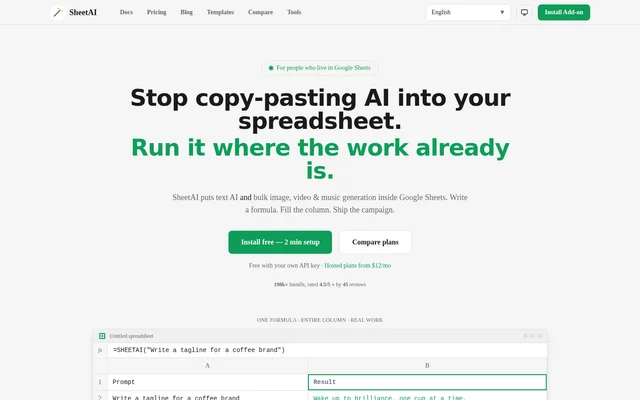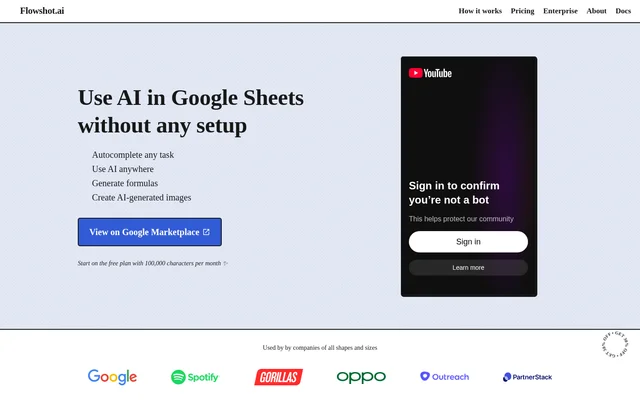
What is Flowshot?
Flowshot is an AI toolkit that brings text generation, cell completion, formula generation and image creation into Google Sheets. Flowshot serves spreadsheet users who want to use AI within their existing workflows, including people without technical knowledge and power users who prefer direct formula access.
Flowshot provides a sidebar alongside custom spreadsheet functions, allowing users to choose between guided controls and formula-based work. Flowshot uses OpenAI's GPT-3 alongside its own AI model stack, and the website says the model is selected automatically according to the use case. Access is available through the Google Workspace Marketplace.
What Flowshot can do
Flowshot combines several AI tasks within spreadsheet cells rather than requiring a separate chatbot workflow. Flowshot's examples show sentiment classification, sales-copy writing, text summarization, questions about cell content and image generation. The sidebar can insert AI formulas, while direct functions give users control over prompts and cell references.
- Flowshot completes cell ranges from examples with =COMPLETE.
- Flowshot generates text and answers questions with =AI.
- Flowshot summarizes text supplied from spreadsheet cells.
- Flowshot generates spreadsheet formulas from instructions with =FORMULA.
- Flowshot creates images from text prompts with =IMAGINE.
- Flowshot supports absolute references and named ranges.
How Flowshot works in Google Sheets
Flowshot is installed to a Google account through the Google Workspace Marketplace. Flowshot's installation instructions then direct users to open Google Sheets, create a new document and find AI for Sheets™ | Flowshot under Extensions. The sidebar provides access to AI tasks without requiring users to remember the custom formulas.
Flowshot also accepts instructions directly in spreadsheet formulas. Flowshot's examples pass cell content to =AI for summarization and questions, use labeled rows as examples for =COMPLETE, and pass an image prompt from a cell to =IMAGINE. Formula generation accepts a written description of the desired spreadsheet operation.
Who Flowshot is for
Flowshot is for Google Sheets users who want AI assistance alongside their spreadsheet data. Flowshot's sidebar supports users without technical knowledge, while custom formulas serve people who already work with cell references and ranges. The website also offers bulk and team-based plans for organizations that need a different usage arrangement.
- Flowshot helps spreadsheet users label tweet sentiment from examples.
- Flowshot helps content writers draft sales copy within Google Sheets.
- Flowshot helps users summarize text and extract answers from cell content.
- Flowshot helps users describe a calculation instead of remembering formula syntax.
Flowshot pricing and plans
Flowshot offers a free plan with 100,000 characters per month, unlimited use of all formulas and free onboarding. Flowshot does not require a credit card for the free plan. The stated character allowance limits monthly usage even though access to the formula types is included.
Flowshot Pro starts at $9 per month for 1,000,000 characters per month. Flowshot lists larger monthly plans at $29, $59 and $129, with allowances of 3,500,000, 7,500,000 and 18,000,000 characters respectively. Pro includes priority live chat and email support, feature-roadmap input and monthly billing without contracts. Yearly billing and contact-based bulk or team plans are also offered.
Flowshot strengths and limitations
Flowshot combines a sidebar with formula-based controls, supporting different levels of spreadsheet experience. Flowshot also works with native Google Sheets features, including absolute references and named ranges. The free plan includes every formula type and onboarding, while paid plans increase the character allowance and add priority support.
- Flowshot requires Google Sheets and installation to a Google account.
- Flowshot limits the free plan to 100,000 characters per month.
- Flowshot reserves larger character allowances and priority support for Pro plans.
Flowshot FAQ
What is Flowshot?
Flowshot is an AI toolkit for Google Sheets that provides a sidebar and custom formulas for spreadsheet tasks. Flowshot can autocomplete cells, generate text, summarize content, answer questions, create spreadsheet formulas and generate images from text prompts.
Is Flowshot free?
Flowshot offers a free plan with 100,000 characters per month, access to all formulas and free onboarding. Flowshot does not require a credit card for the free plan. Paid Pro plans provide larger monthly character allowances and priority live chat and email support.
How do you install Flowshot in Google Sheets?
Flowshot is installed through the Google Workspace Marketplace to a Google account. Flowshot's instructions then direct users to open Google Sheets, create a new document and locate AI for Sheets™ | Flowshot under the Extensions menu.
Can Flowshot generate Google Sheets formulas?
Flowshot generates spreadsheet formulas from written instructions through =FORMULA. Flowshot also provides a sidebar that inserts AI formulas without requiring users to remember them, and its AI formulas support native Google Sheets features such as absolute references and named ranges.
What AI models does Flowshot use?
Flowshot uses OpenAI's GPT-3 alongside its own AI model stack. Flowshot states that a model is automatically selected depending on the use case, rather than requiring users to choose a model for each spreadsheet task.
Can Flowshot classify sentiment in spreadsheet cells?
Flowshot can complete sentiment labels using examples through =COMPLETE. Flowshot's demonstration provides tweets labeled Positive or Negative, then uses the example range to fill sentiment labels for additional tweets in the Google Sheets document.
From the community
No reviews yet
Be the first to review this tool. What you write helps the next person choose.