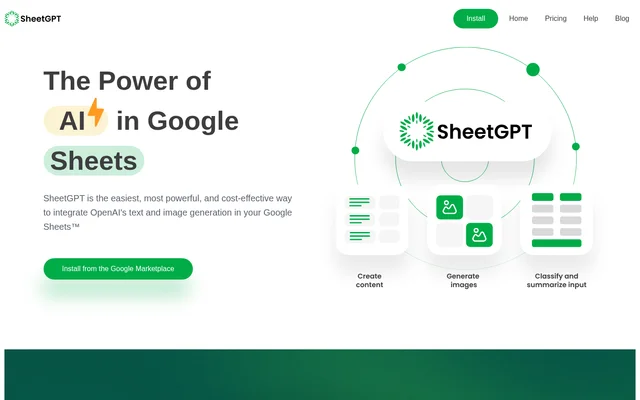
What is SheetGPT?
SheetGPT is a Google Sheets add-on that integrates OpenAI text and image generation into spreadsheet workflows. SheetGPT lets users work with AI through cell functions rather than supplying API keys. The stated audiences include content creators, digital marketing managers, researchers, students, product managers, and engineers who need structured ways to create content, organize text, or test prompts.
SheetGPT is incorporated in the US and has US-based support and development teams. SheetGPT also offers organization-wide plans intended to support AI collaboration across users. The product combines spreadsheet structure with content generation and text processing, allowing colleagues to review prompt inputs and outputs within the Google Sheets environment.
What SheetGPT can do
SheetGPT supports content generation, marketing preparation, and analysis of open-ended text within Google Sheets. SheetGPT can turn topics into posts for different channels, produce advertising material, and organize text into concise conclusions. The website also lists function documentation for GPT, GPTLIST, and GPTIMAGE, alongside examples and templates for specific workflows.
- SheetGPT generates topic ideas and posts for different audiences from a single prompt.
- SheetGPT creates AdWords keywords, ad copy, Facebook campaign structures, and SEO content.
- SheetGPT summarizes articles, survey responses, and social media content.
- SheetGPT categorizes and classifies text into readable conclusions.
- SheetGPT cleans and normalizes messy user input.
- SheetGPT generates images through functionality available on paid plans.
How SheetGPT works
SheetGPT is installed from the Google Marketplace and enabled for use in Google Sheets. After installation and enablement, users can begin entering the =GPT function in spreadsheet cells. SheetGPT does not require API keys, and the trial does not require signup. The Help Center provides installation guidance, getting-started articles, function references, and examples.
SheetGPT supports experimentation with different prompt structures while keeping inputs and outputs in a spreadsheet that colleagues can share and review. SheetGPT describes long-term results caching as part of its prototyping workflow and lists long-term caching among paid-plan benefits. This workflow is intended for testing AI features and retaining results for later review.
Who SheetGPT is for
SheetGPT is intended for people whose work involves structured data, content production, or collaboration in spreadsheets. SheetGPT names both marketing and research audiences, as well as product managers and engineers exploring AI behavior. The website links to templates for social media content creation, SEO marketing campaigns, online article summarization, and a ChatGPT-based messaging prototype.
- Content creators use SheetGPT for topic ideas, social media calendars, and audience-specific posts.
- Digital marketing managers use SheetGPT for agency-client ads, keywords, and campaign material.
- Researchers and students use SheetGPT to clean, summarize, and categorize data.
- Product managers and engineers use SheetGPT to test prompts and prototype AI features.
SheetGPT pricing and plans
SheetGPT offers a free trial with the equivalent of 100,000 words of input and output, available by installing the add-on without signup. SheetGPT also describes the introductory allowance as GPT3.5 content generation. Once trial limits are reached, users can choose a paid plan; the supplied pricing page does not list subscription amounts.
SheetGPT paid plans provide higher usage limits, image generation, early-access models, multi-user support, long-term caching, and priority support. SheetGPT also advertises increased performance and multi-user deployment on its pricing page. Organizations can use a plan covering their users, and customers with higher-tier requirements can contact SheetGPT about a plan suited to their needs.
SheetGPT strengths and limitations
SheetGPT combines AI functions with the structured, collaborative environment of Google Sheets. SheetGPT's stated strengths include setup without API keys, a trial without signup, documentation, and organization-wide access options. The website also says SheetGPT avoids re-queries. Access conditions remain important: the free allowance is limited, and several collaboration, generation, and support capabilities require a paid plan.
- SheetGPT requires installation and enablement in Google Sheets.
- SheetGPT limits free use to a trial allowance.
- SheetGPT places image generation, multi-user support, long-term caching, and priority support in paid plans.
SheetGPT FAQ
What is SheetGPT?
SheetGPT is a Google Sheets add-on that integrates OpenAI text and image generation into spreadsheet workflows. SheetGPT uses cell functions to generate content, summarize and organize text, and support prompt testing without requiring API keys.
Is SheetGPT free?
SheetGPT offers a free trial with the equivalent of 100,000 words of input and output, without signup. SheetGPT offers paid plans after trial limits are reached, with higher usage limits and additional features. The supplied pricing page does not state subscription prices.
How do you use SheetGPT in Google Sheets?
SheetGPT is installed from the Google Marketplace and enabled in Google Sheets. SheetGPT users can then enter the =GPT function in spreadsheet cells without providing API keys. The Help Center includes installation instructions and references for GPT, GPTLIST, and GPTIMAGE.
Who is SheetGPT for?
SheetGPT is for content creators, digital marketing managers, researchers, students, product managers, and engineers. SheetGPT supports tasks such as planning social posts, creating campaign copy, organizing research data, and collaborating on prompt experiments or AI feature prototypes.
Can SheetGPT generate images?
SheetGPT supports image generation and provides GPTIMAGE function documentation and examples. SheetGPT lists image generation as a paid-plan benefit, alongside higher usage limits, early-access models, multi-user support, long-term caching, and priority support.
From the community
No reviews yet
Be the first to review this tool. What you write helps the next person choose.