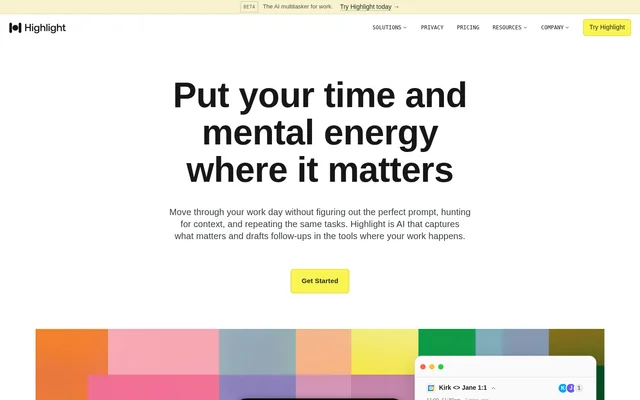
What is Highlight AI?
Highlight AI is an AI work assistant that captures meeting context and prepares the work that follows a conversation. Highlight AI connects meetings, messages, and documents to help users understand current priorities, find answers, and review drafted next steps. The stated audiences include recruiters, marketing and operations teams, and people whose days involve back-to-back meetings.
Highlight AI focuses on the coordination surrounding work rather than requiring a new prompt for every task. Meeting preparation, captured decisions, assigned owners, and follow-up drafts form a connected workflow. Highlight AI also provides morning briefs and end-of-day recaps on paid plans, giving users a view of commitments, recent changes, and outstanding actions.
What Highlight AI can do
Highlight AI combines meeting capture with contextual answers and draft generation. Highlight AI uses information from conversations and connected work apps to prepare material before meetings and carry decisions forward afterward. The website describes outputs ranging from candidate scorecards and launch plans to document edits, reminders, and project updates.
- Highlight AI prepares meeting briefs with updates, open questions, and relevant context.
- Highlight AI transcribes meetings and produces summaries and reminders.
- Highlight AI answers questions using meetings, messages, and documents.
- Highlight AI drafts follow-up emails, documents, and next steps for approval.
- Highlight AI captures action owners and due dates.
- Highlight AI runs built-in and custom skills on a schedule or when something happens on Pro.
How Highlight AI works with connected tools
Highlight AI connects the apps users rely on to communicate, plan, and work. Supported connections listed on the page include Gmail, Google Docs, Slack, GitHub, Notion, Linear, Ashby, Granola, Claude Code, and Juicebox. Highlight AI can also import context from another notetaker through a one-time import, although the page does not describe the import procedure.
Highlight AI uses connected context to surface information and prepare work in relevant formats. Examples include Gmail email drafts, Google Docs edits, Slack chat drafts, and coding-task handoffs to Claude Code. Highlight AI stages work for approval rather than acting without permission. Users choose connected sources and can exclude specific apps, websites, and windows.
Who Highlight AI is for
Highlight AI addresses roles where meetings generate follow-up work across several tools. Recruiting examples cover interview preparation, structured scorecards, candidate communication, and pipeline reporting. Marketing examples cover launch planning, creative briefs, competitive intelligence, and campaign retrospectives. Operations examples focus on business reviews, documented processes, status reporting, and action tracking.
- Highlight AI prepares candidate context and tailored questions before interviews.
- Highlight AI drafts launch plans and creative briefs from team conversations.
- Highlight AI turns recurring decisions into process and SOP documentation.
- Highlight AI combines scattered threads and stand-ups into cross-team status digests.
Highlight AI pricing and plans
Highlight AI offers Free at $0 per month, Pro at $35 per month, and Max at $200 per month. Free includes 14 days of Pro before continuing on Free. The Free plan includes 10 hours of monthly meeting transcription, 500 monthly chat credits, 3 generated follow-ups, 10 meeting briefs, a weekly recap, search, and all integrations.
Highlight AI Pro adds higher transcription and credit allowances, follow-ups for every meeting, unlimited meeting briefs, daily briefs and recaps, and built-in or custom skills that run automatically. Highlight AI Pro has a 14-day free trial. Highlight AI Max includes everything in Pro plus 7.5x the Pro credits, white glove support, and early access to beta features.
Highlight AI strengths and limitations
Highlight AI combines meeting preparation, contextual search, and follow-up drafting with explicit approval controls. Highlight AI states that data is encrypted, is not sold or used for model training, and that sensitive categories such as passwords and health or financial content are never captured. The main plan constraints concern usage allowances and access to proactive skills and daily summaries.
- Highlight AI Free places monthly limits on transcription, chat, generated follow-ups, and meeting briefs.
- Highlight AI reserves daily briefs, daily recaps, and scheduled or event-triggered skills for paid plans.
- Highlight AI lists white glove support and early beta access as Max benefits.
Highlight AI FAQ
What is Highlight AI?
Highlight AI is an AI work assistant that connects meetings, messages, and documents to prepare briefs, answer questions, and draft follow-ups. Highlight AI captures decisions and action items, then prepares emails, documents, reminders, and other next steps for user approval.
Is Highlight AI free?
Highlight AI offers a Free plan at $0 per month, including 14 days of Pro before continuing on Free. Highlight AI Free includes 10 hours of monthly meeting transcription, 500 monthly chat credits, 3 generated follow-ups, 10 meeting briefs, a weekly recap, search, and all integrations.
How much does Highlight AI cost?
Highlight AI offers Pro at $35 per month and Max at $200 per month, alongside a Free plan. Highlight AI Pro includes a 14-day free trial and adds daily briefs, daily recaps, automated skills, and higher allowances. Max adds more credits, white glove support, and early access to beta features.
Which tools does Highlight AI connect with?
Highlight AI lists connections with Gmail, Google Docs, Slack, GitHub, Notion, Linear, Ashby, Granola, Claude Code, and Juicebox. Highlight AI uses these connections for contextual drafting, information retrieval, recruiting workflows, and coding-task handoffs. All integrations are included in the Free plan.
Who is Highlight AI for?
Highlight AI is for recruiters, marketing and operations teams, and people with back-to-back meetings. Highlight AI supports interview preparation, candidate scorecards, launch planning, creative briefs, business review preparation, process documentation, cross-team status updates, and follow-up tracking.
Does Highlight AI act without approval?
Highlight AI drafts and stages work, then waits for user approval. Highlight AI also lets users choose connected sources and exclude specific apps, websites, and windows. The website states that sensitive information is never captured and that user data is encrypted and not used for model training.
From the community
No reviews yet
Be the first to review this tool. What you write helps the next person choose.