What is Kel?
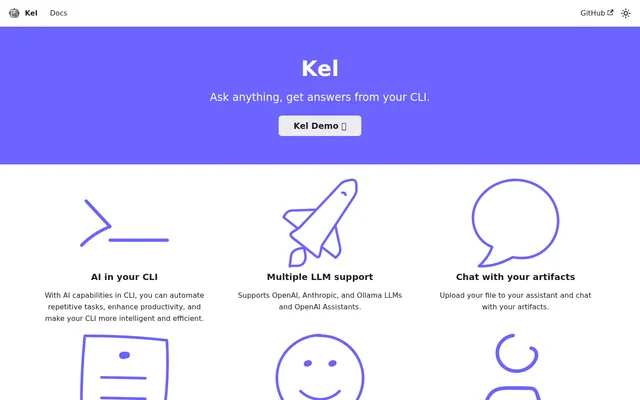
Kel is a free, open-source AI tool for people who work in a command-line interface. Kel brings large language models into the CLI to help users automate repetitive tasks. The tool also supports a file-based workflow: users can upload a file to an assistant and chat about what they uploaded. The website refers to these files as artifacts.
What Kel can do
Kel supports large language models from OpenAI, Anthropic, and Ollama, as well as OpenAI Assistants. The website lists model support and assistant support separately. Alongside those options, Kel provides a way to work with a file by uploading it to an assistant and starting a chat about it.
- Kel brings AI capabilities to the command line.
- Kel helps automate repetitive tasks.
- Kel supports models from OpenAI, Anthropic, and Ollama.
- Kel supports OpenAI Assistants.
- Kel lets users chat with files uploaded to an assistant.
How Kel works
Kel uses a bring-your-own-key setup for OpenAI and Anthropic. Users bring an API key from the provider they want to use and can then start using Kel. For file chat, the workflow described on the website starts by uploading a file to an assistant. Once the file has been uploaded, users can chat about that artifact with the assistant.
Who Kel is for
Kel is aimed at people who use the command line and want to add AI to that workflow. The website highlights repetitive tasks as an automation use case. Kel also serves users who want to discuss a particular file with an assistant, in which case the uploaded file is the subject of the chat.
- Automate repetitive tasks from the command line.
- Use a supported large language model in the CLI.
- Upload a file to an assistant and chat about the file.
Kel pricing and support
Kel is free and open source. Users who want to contribute to the project can do so on GitHub. The website mentions a support plan separately from the free tool and directs users to contact Kel about support. Kel does not list a price for the support plan on the page.
Kel strengths and limitations
Kel gives command-line users a choice of supported model providers, and file chat extends its use beyond task automation. The limits depend in part on the provider: OpenAI and Anthropic users supply their own API keys, while support for additional large language models is described as planned rather than currently available.
- OpenAI use requires a user-supplied OpenAI API key.
- Anthropic use requires a user-supplied Anthropic API key.
- Support for additional large language models is still planned.
Kel FAQ
What is Kel?
Kel is a command-line AI tool for automating repetitive tasks and chatting with files uploaded to an assistant. Kel supports large language models from OpenAI, Anthropic, and Ollama, as well as OpenAI Assistants.
Is Kel free?
Kel is free and open source, and users can contribute to the project on GitHub. Kel also mentions a support plan and directs users to contact the project about it.
Who is Kel for?
Kel is for command-line users who want to use AI to automate repetitive tasks. Kel also suits users who want to upload a file to an assistant and chat about that file.
Which AI models does Kel support?
Kel supports large language models from OpenAI, Anthropic, and Ollama. Kel also supports OpenAI Assistants, which the website lists alongside its model options, and describes support for other large language models as forthcoming.
Does Kel require an API key?
Kel requires users to supply their own API key when using OpenAI or Anthropic. The website describes this setup specifically for those providers and lists Ollama separately among the supported model options.
Can you chat with uploaded files in Kel?
Kel lets users upload a file to an assistant and chat about the uploaded file. Kel refers to this capability as chatting with artifacts, with the uploaded file serving as the artifact.
From the community
No reviews yet
Be the first to review this tool. What you write helps the next person choose.