What is TerminalGPT?
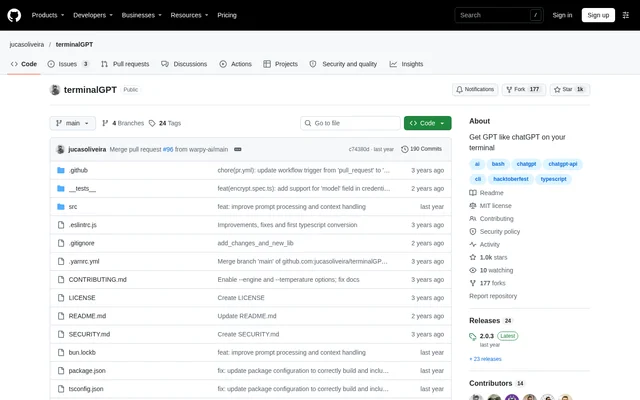
TerminalGPT is an open-source command-line project for GPT-like chat in a terminal. TerminalGPT serves users who want to start AI conversations through terminal commands. The public GitHub repository includes a README, source files, contribution guidance and an MIT license, making the package available as an open-source project rather than only a hosted chat interface.
TerminalGPT documents a focused set of operations: installing or running the package, starting a chat, entering an API key and deleting conversations. The repository describes the project as bringing GPT-like chat to the terminal. Its prerequisites identify an external LLM API key as necessary to use the package.
What TerminalGPT can do
TerminalGPT provides terminal-based chat and a command for deleting all conversations. TerminalGPT also offers different ways to obtain or run the package, including global installation and execution without installation. The README names the available commands directly, so users can distinguish chat operations from package installation steps.
- TerminalGPT starts a chat with tgpt chat.
- TerminalGPT deletes all conversations with tgpt delete.
- TerminalGPT supports global installation through npm.
- TerminalGPT supports global installation through Yarn.
- TerminalGPT runs without installation through npx terminalgpt.
How TerminalGPT works
TerminalGPT requires an LLM API key before use. The prerequisites list OpenAI, Anthropic, Groq and Gemini, while the usage instructions specifically say that the first run prompts for an OpenAI API key. After global installation, the documented chat entry point is tgpt chat. The alternative npx terminalgpt command runs the package without installation.
Who TerminalGPT is for
TerminalGPT is for people comfortable using terminal commands who want GPT-like chat in that environment. The documented workflow suits users who can supply an LLM API key and run the package through npm, Yarn or npx. The source describes general chat access rather than a specialized writing, research or software-development assistant.
- TerminalGPT lets command-line users begin a chat from the terminal.
- TerminalGPT lets users run the package through npx without installation.
- TerminalGPT lets users delete all conversations through a terminal command.
TerminalGPT pricing and access
TerminalGPT is available as an open-source project under the MIT license. The repository provides package installation and execution instructions, but does not state a TerminalGPT subscription price or paid plan. An LLM API key remains a prerequisite, and the supplied README does not explain provider billing or include API usage allowances.
TerminalGPT strengths and limitations
TerminalGPT combines an MIT-licensed source repository with short commands for chat and conversation deletion. TerminalGPT offers npm and Yarn installation alongside an npx route that avoids installation. The documented constraints are the terminal-based workflow and the API key requirement; the first-run instructions are also narrower than the provider list in the prerequisites.
- TerminalGPT requires users to supply an LLM API key.
- TerminalGPT uses command-line installation and usage instructions.
- TerminalGPT documents an OpenAI key prompt despite listing additional providers.
TerminalGPT FAQ
What is TerminalGPT?
TerminalGPT is an open-source command-line tool for GPT-like chat in a terminal. TerminalGPT is distributed as a package, has a public GitHub repository and uses the MIT license.
How do you install TerminalGPT?
TerminalGPT can be installed globally with npm install -g terminalgpt or yarn global add terminalgpt. TerminalGPT can also run without installation using npx terminalgpt, as documented in the README.
Does TerminalGPT require an API key?
TerminalGPT requires an LLM API key to use the package. The prerequisites list OpenAI, Anthropic, Groq and Gemini, while the first-run usage instructions specifically describe a prompt for an OpenAI API key.
How do you start a chat in TerminalGPT?
TerminalGPT starts a chat with the tgpt chat command after global installation. TerminalGPT prompts for an OpenAI API key on the first run, according to the usage instructions in the README.
Can TerminalGPT delete conversations?
TerminalGPT provides the tgpt delete command to delete all conversations. The README describes this as an all-conversations operation and does not document a command for deleting an individual conversation.
From the community
No reviews yet
Be the first to review this tool. What you write helps the next person choose.