What is Keyframes Studio?
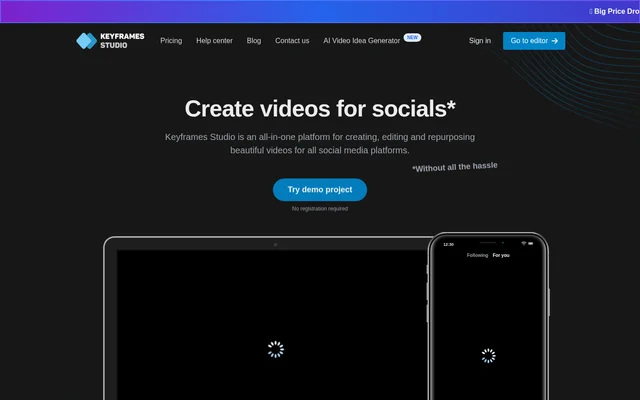
Keyframes Studio is a video creation, editing and repurposing tool for social media content. Keyframes Studio brings editing controls, AI-assisted processing, subtitles and media resources into one workspace. The stated audiences include content creators, digital marketers, social media agencies and people making videos for personal or professional use.
Keyframes Studio addresses the challenge of displaying horizontal footage on mobile screens while keeping the story clear. The editor combines camera movement controls with resizing and other editing tools. The website states that previous editing experience is not needed and offers a demo project without registration.
What Keyframes Studio can do
Keyframes Studio combines AI-assisted video repurposing with manual editing and supporting media libraries. Keyframes Studio can process uploaded footage to highlight important parts, generate keyframes and add subtitles. Users can also refine framing, add visual or audio elements and preview changes while preparing a video for social media.
- Keyframes Studio automatically creates keyframes and highlights important video segments.
- Keyframes Studio generates subtitles in 12 supported languages.
- Keyframes Studio highlights subtitle words in karaoke style.
- Keyframes Studio supports resizing, trimming, cropping, cutting, zooming and moving footage.
- Keyframes Studio provides stock images, stock videos, GIFs and curated sounds.
- Keyframes Studio lets teams share videos in a workspace.
How Keyframes Studio works
Keyframes Studio starts with media supplied by the user, either through an upload or a screen and camera recording. Users then set keyframes to control camera movement and shape how the video tells its story. The editing controls include a live preview, and work can be saved and continued later.
Keyframes Studio finishes the workflow with a video download or a direct post to social media. Shared workspaces let users invite teammates and work together on videos. On plans that include the brand kit, users can upload and save frequently reused fonts, colors, videos, images and audio.
Who Keyframes Studio is for
Keyframes Studio serves creators producing podcasts, travel vlogs and gameplay content, alongside digital marketers and social media agencies making branded videos. Keyframes Studio also supports personal video projects. Examples on the website span tutorials, sports, gaming, concerts and memes, illustrating several types of footage that can be edited.
- Keyframes Studio helps content creators repurpose podcasts, vlogs and gameplay for social media.
- Keyframes Studio supports screen-recorded tutorials and how-to videos.
- Keyframes Studio gives agencies shared workspaces for collaborative video production.
- Keyframes Studio supports reusable brand assets through its brand kit.
Keyframes Studio strengths and limitations
Keyframes Studio combines editing, automatic subtitles, stock resources and collaboration in a single workflow. The registration-free demo provides a way to explore the editor before subscribing. Keyframes Studio also supports both AI-generated keyframes and user-controlled camera movement, giving users different ways to prepare footage for mobile viewing and social media.
- Keyframes Studio requires a subscription to export videos without watermarks.
- Keyframes Studio does not include the brand kit in Starter.
- Keyframes Studio resets subtitle usage monthly and does not carry unused minutes forward.
- Keyframes Studio limits storage and processing allowances on Starter and Professional.
Keyframes Studio FAQ
What is Keyframes Studio?
Keyframes Studio is a video creation, editing and repurposing tool for social media. Keyframes Studio combines AI-generated keyframes, automatic subtitles, editing controls, stock media and shared workspaces for creators, marketers and agencies.
Is Keyframes Studio free?
Keyframes Studio offers free editor access with limits, plus a demo that requires no registration or credit card. A paid subscription is required when users reach free-plan limits or want to export videos without watermarks.
Can Keyframes Studio automatically add subtitles?
Keyframes Studio generates subtitles automatically in 12 supported languages and can highlight words in karaoke style. Subtitle allowances depend on the plan, reset monthly and do not carry over when unused.
Does Keyframes Studio support team collaboration?
Keyframes Studio lets users invite teammates into a shared workspace to share videos and work together. Starter includes 5 seats, Professional includes 20 seats, and Enterprise offers custom seats. The listed paid plans include unlimited projects.
How do you create a video with Keyframes Studio?
Keyframes Studio lets users upload media or record their screen and camera, set keyframes to control camera movement, and then export. Users can download the finished video or post directly to social media.
From the community
No reviews yet
Be the first to review this tool. What you write helps the next person choose.