What is Krea?
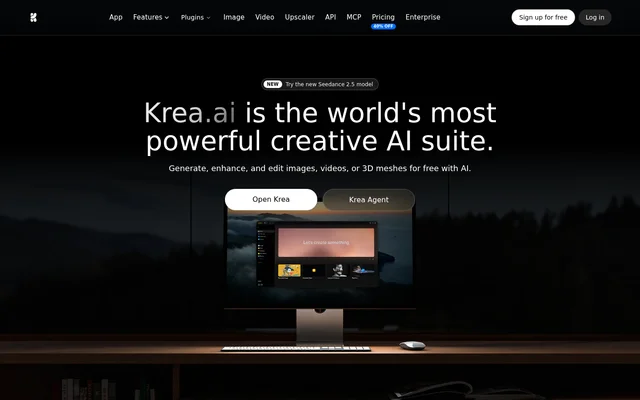
Krea is a web-based creative AI suite for generating, editing, and enhancing images, video, and 3D assets. Krea serves individual creators, creative professionals, and teams that want to work with several models in the same app. The model lineup includes Krea’s own image models alongside options such as Flux for images and Veo and Runway for video.
What Krea can do
Krea covers both asset creation and revisions. For example, a creator can generate a still from a description, edit the lighting or objects with written instructions, and then animate the still. For existing assets, Krea provides separate image and video upscalers, including options for restoring older material or preparing a higher-resolution output.
- Krea generates images from text prompts and visual references.
- Krea creates video clips and animates still images.
- Krea renders images in real time as users draw.
- Krea adds or removes objects and changes lighting with text instructions.
- Krea upscales images up to 22K and video up to 8K.
- Krea generates 3D models from text or images.
How Krea works
Krea accepts text prompts and image references for generation, and its moodboards let users steer the visual style with references. For more control over recurring subjects or styles, users can upload examples for LoRA fine-tuning. Krea also offers Nodes to link models into workflows.
Krea offers plugins that bring specific creative tasks into other applications. The Photoshop plugin generates and edits images, the After Effects plugin creates and animates content, and the Premiere Pro plugin generates video inside the timeline. Krea also lists plugins for Illustrator, DaVinci Resolve, Blender, Rhino, and ChatGPT, along with an API and MCP.
Who Krea is for
Krea is intended for beginners and creative professionals, as well as teams that need to share workflows. Brand teams can work from product or style references, video creators can turn stills into clips, and architectural designers can use the upscaler to turn simple renders into photo-like visualizations. Business workspaces can share private Node apps.
- Create brand visuals from product and style references.
- Animate static images for social media clips.
- Enhance simple renders for architecture presentations.
- Restore old film scans or upscale archival video.
Krea pricing and plans
Krea offers a Free plan with 100 compute units per day and no credit card requirement. Basic is listed at $9 per month and adds a commercial license, all image models, selected video models, and LoRA training. Pro adds access to all video models and App Builder, while Max includes expanded concurrency and queueing.
Krea lists Business at $200 per month, with shared private Node apps, custom user roles and permissions, and controls for model access. Enterprise uses custom pricing and adds features such as priority support with a service-level agreement, per-member spend limits, and audit logs. The site directs Enterprise customers to contact sales.
Krea strengths and limitations
Krea combines generation, editing, animation, and enhancement in one workspace. Access to multiple models and support for visual references give creators alternatives to relying on a single model or text prompt. The plan differences matter when a workflow depends on a particular video model, higher-resolution image upscaling, or tools for building custom apps.
- The Free plan provides limited image upscaling.
- The Basic plan includes selected video models rather than the full lineup.
- App Builder is listed among the features added at Pro.
- Enterprise has custom pricing rather than a published monthly rate.
Krea FAQ
What is Krea used for?
Krea is used to generate and edit images and video, enhance existing assets, and create 3D models from text or images. Krea also provides real-time rendering as users draw, image-to-video animation, and model fine-tuning for recurring products, faces, or visual styles.
Is Krea free to use?
Krea offers a free plan with 100 compute units per day and no credit card requirement. The free plan includes access to real-time models and limited image upscaling. Paid plans increase compute allowances and expand access to models and other features.
Can Krea turn an image into a video?
Krea can animate a still image using its Image to Video tool. Krea lists video models including Veo, Kling, and Runway, but access depends on the subscription: Basic includes selected video models, while Pro includes all video models.
Does Krea work with Photoshop and other creative apps?
Krea offers a Photoshop plugin for generating and editing images inside Photoshop. Krea also lists plugins for After Effects, Illustrator, Premiere Pro, DaVinci Resolve, Blender, Rhino, and ChatGPT. The web app lists API and MCP options as well.
Can Krea learn a brand style or product appearance?
Krea supports LoRA fine-tuning on reference images of a product, face, or visual style so users can generate that subject or style again. Krea also offers moodboards, which steer the style of generated work using visual references.
From the community
No reviews yet
Be the first to review this tool. What you write helps the next person choose.