What is Liminary?
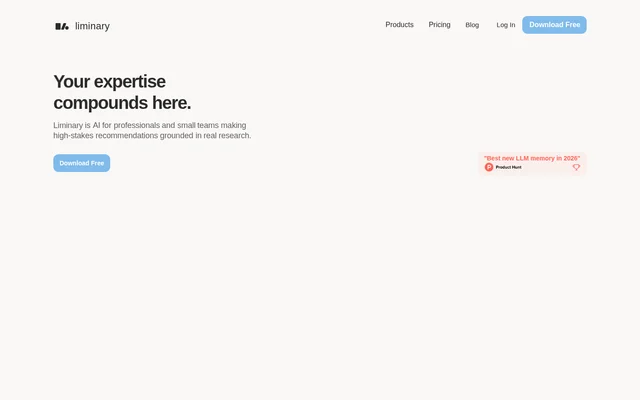
Liminary is an AI research assistant that helps professionals save source material, retrieve past findings, and verify claims. Liminary is designed for work such as consulting and analysis, where a number in a report or a claim in a deliverable needs to trace back to evidence. Liminary identifies whether an answer draws on the user’s material or the external web and links to the source.
What Liminary can do
Liminary supports the steps between collecting research and producing a deliverable. Annotations keep the reader’s notes alongside the material they refer to, while recall helps bring older work into a current project. Watchlists cover a different need: they monitor for new information about a client or project after the initial research is done.
- Liminary saves articles, reports, PDFs, AI chats, and videos while users browse.
- Liminary lets users add notes to saved sources.
- Liminary answers questions across saved research and links to sources.
- Liminary monitors project watchlists for new information.
- Liminary checks claims and identifies gaps in Notion documents.
- Liminary surfaces relevant knowledge during live meetings with Magnet.
How Liminary works
Liminary offers browser extensions through the Chrome Web Store and Firefox Store. Users can save material while browsing, add context as they read, and later ask questions across what they have saved. In Notion, Liminary checks a document against the user’s sources rather than the open web and can suggest a correction or flag missing material.
Liminary can draft or edit Gmail messages from chat using material the user has already saved. Liminary leaves sending to the user. During meetings, Magnet surfaces relevant information as the conversation happens. Afterward, the meeting summary, full transcript, and notes are saved so users can retrieve them alongside other research.
Who Liminary is for
Liminary is aimed at consultants, researchers, analysts, executives, managers, investors, and marketers. A consultant can look for findings from an earlier competitive analysis when starting a new engagement. A market researcher can pull together related insights while retaining control over the argument in a client report. The Team plan adds a shared knowledge base for groups that work from common source material.
- Find prior research when starting a client engagement.
- Check a claim before finalizing a report.
- Track new information about a client or project.
- Pull up relevant research during a meeting.
Liminary pricing and plans
Liminary lists a free Explorer plan with 200 saved documents, basic recall, and up to 10 saved Magnet meetings. Pro costs $29 per month and includes 10,000 saved sources, advanced recall with fact-checking and gap detection, and unlimited saved Magnet meetings. Team costs $50 per user per month and adds unlimited sources and uploads, a shared team knowledge base, and workflow integrations including Drive and Granola.
Liminary strengths and limitations
Liminary links answers to the material they draw from, so users can review the evidence behind a claim. Liminary also says that workspace data is encrypted, kept separate by workspace, and never used to train AI models. Plan limits matter for users who need to retain a large research library or meeting archive, and the Gmail integration stops at drafting and editing.
- Explorer allows 10 local uploads per day.
- Explorer includes 30 days of chat history.
- Advanced recall, fact-checking, and gap detection are listed under Pro.
- Liminary does not send Gmail messages.
Liminary FAQ
What is Liminary?
Liminary is an AI research assistant that lets users save and annotate source material, ask questions across saved work, and retrieve relevant findings from previous projects. Liminary links answers to sources so users can check where the information came from.
Is Liminary free?
Liminary offers a free Explorer plan with basic recall, 200 saved documents, and up to 10 saved meetings with Magnet. Pro costs $29 per month, and Team costs $50 per user per month.
What can you save to Liminary?
Liminary lets users save articles, reports, PDFs, AI chats, and videos while browsing. Users can add notes as they read. Magnet also saves meeting summaries, full transcripts, and notes for later recall.
Does Liminary work with Notion and Gmail?
Liminary works with Notion for fact-checking and gap detection and with Gmail for drafting and editing messages. In Notion, Liminary checks documents against the user’s sources rather than the open web. In Gmail, Liminary does not send messages.
Does Liminary use customer data to train AI models?
Liminary says it never uses customer data to train AI models. Liminary also says data is encrypted and kept separate by workspace, and that users control what goes into the workspace and when it is deleted.
From the community
No reviews yet
Be the first to review this tool. What you write helps the next person choose.