What is Magicam?
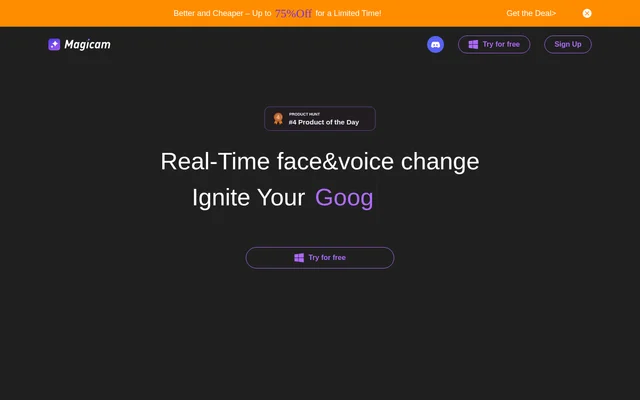
Magicam is an AI tool for real-time face swapping and voice changing in conferences, live streams, and video recordings. Magicam can swap a face and change a voice simultaneously, combining visual and audio changes for work, home, and entertainment. The website presents a one-photo, one-click face-swap workflow alongside advanced adjustments, with a free version and paid Pro subscriptions.
What Magicam can do
Magicam combines real-time face-swap modes, voice changing, and video face swapping. Magicam includes a built-in virtual camera and support for use with Zoom or Twitch. The free version provides unlimited face uploads and face-swap duration, while Pro expands voice cloning and adds higher-definition video features, advanced tuning, and output without a watermark.
- Magicam changes faces and voices at the same time.
- Magicam creates face swaps from a single photo.
- Magicam offers multiple real-time face-swap modes.
- Magicam supports voice cloning, with limits in the free version.
- Magicam Pro supports 4K HD video face swapping.
- Magicam Pro includes a high-definition face model and advanced tuning.
How Magicam works
Magicam uses AI neural networks for face swapping and describes face swapping as a one-photo, one-click process with additional adjustments available. Magicam processes all data locally rather than uploading data to the cloud. A dedicated graphics card is required, and the website recommends RTX 2070 or higher for better performance because the face-swapping neural networks require robust hardware support.
Who Magicam is for
Magicam serves people who use conferences, live streaming, or video recording for work, home, or fun. Magicam's stated uses include fostering a playful atmosphere and encouraging team creativity. Zoom and Twitch support connect these capabilities to conferencing and streaming contexts, while video face swapping also supports people creating recorded content rather than appearing only in live sessions.
- Magicam supports face and voice changes during conferences.
- Magicam provides real-time face swapping for live streaming.
- Magicam supports face-swapped video recording.
- Magicam can help create a playful atmosphere in team settings.
Magicam pricing and plans
Magicam offers a free version and Pro subscriptions with monthly or yearly billing. Magicam's free version includes real-time face-swap modes, a real-time voice changer, limited voice cloning, video face swapping, unlimited face uploads, and unlimited face-swap duration. Magicam Pro includes all free-version features and adds 4K HD video face swapping, a high-definition face model, unlimited voice cloning, advanced tuning, and no watermark.
Magicam strengths and limitations
Magicam combines face and voice changes with local data processing, a built-in virtual camera, and support for Zoom or Twitch. Magicam's free version includes unlimited face uploads and face-swap duration, giving users access to those capabilities without a Pro subscription. The main constraints are the dedicated graphics card requirement and the division between free features and Pro-only options.
- Magicam requires a dedicated graphics card and recommends RTX 2070 or higher.
- Magicam provides only limited voice cloning in the free version.
- Magicam requires Pro for advanced tuning and watermark-free output.
Magicam FAQ
What is Magicam?
Magicam is an AI face-swapping and voice-changing tool for conferences, live streaming, and video recording. Magicam can change faces and voices simultaneously and offers a one-photo, one-click face-swap workflow with additional adjustments.
Is Magicam free?
Magicam offers a free version alongside paid Pro subscriptions with monthly or yearly billing. Magicam's free version includes real-time face swapping, voice changing, limited voice cloning, unlimited face uploads, and unlimited face-swap duration.
Does Magicam work with Zoom or Twitch?
Magicam supports use with Zoom or Twitch and includes a built-in virtual camera in the free version. Magicam lists conferences, live streaming, and video recording as supported uses for face and voice changes.
Does Magicam upload data to the cloud?
Magicam processes all data locally without uploading to the cloud, according to the website's privacy FAQ. Magicam uses AI neural networks for face swapping and requires a dedicated graphics card for the necessary hardware support.
What graphics card does Magicam need?
Magicam requires a dedicated graphics card, with RTX 2070 or higher recommended for better performance. Magicam's website explains that the AI neural networks used for face swapping require robust hardware support.
What does Magicam Pro include?
Magicam Pro includes all free-version features plus 4K HD video face swapping, a high-definition face model, unlimited voice cloning, advanced tuning mode, and no watermark. Magicam offers Pro subscriptions with monthly or yearly billing.
From the community
No reviews yet
Be the first to review this tool. What you write helps the next person choose.