What is Swapface?
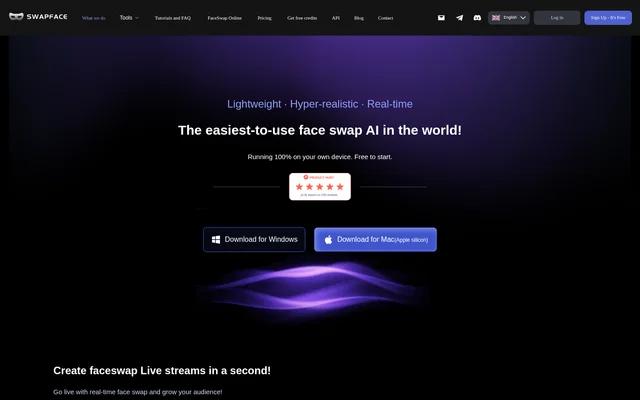
Swapface is an AI face swap application for live streams, images, videos and GIFs. Swapface is aimed at creators producing live broadcasts, social media posts, marketing videos and creative content. The website offers desktop downloads for Windows and Apple silicon Macs and states that processing runs on the user's own device.
Swapface combines live face replacement with tools for editing existing visual content. Image options include swapping a single face, swapping multiple faces and replacing an entire head. Video and GIF creation extend the same type of face transformation to moving content, while local operation keeps procedures and data on the user's machine.
What Swapface can do
Swapface provides separate capabilities for live streaming, still images and video or GIF content. Swapface's image tools distinguish between single-person swaps, multi-person swaps and full head replacement, including hairstyles. The website also presents face swap content for marketing, memes, film projects, social media and character transformation.
- Swapface swaps faces in real time during live streams.
- Swapface replaces a single person's face in an image.
- Swapface swaps multiple faces within the same image.
- Swapface replaces an entire head, including the hairstyle.
- Swapface creates face swap videos and GIFs.
- Swapface processes procedures and data locally.
How Swapface works
Swapface is available through desktop download links for Windows and Apple silicon Macs. Swapface describes the basic interaction as opening the application and clicking the Start button. The website presents local processing as central to the workflow, stating that procedures and data run on the user's machine rather than describing a remote processing service.
Swapface lists specific Windows hardware requirements alongside recommended configurations. The listed system configuration includes Windows 10 64-bit (22H2) or later, 16 GB RAM, an NVIDIA RTX 2060 / RTX 3060 or better with 6GB+ VRAM, and 10 GB of available SSD space. These requirements make hardware compatibility a practical consideration before installation.
Who Swapface is for
Swapface serves creators who want to change faces in live or recorded visual content. Swapface explicitly presents live streaming as a use case and lists marketing videos, memes, GIFs, film and creative content, social media videos and character transformation. These examples cover both live performance and content prepared for later publication.
- Swapface supports face-swapped live broadcasts for streamers.
- Swapface supports marketing and social media video creation.
- Swapface supports memes and GIFs built around face replacement.
- Swapface supports character transformation for film and creative content.
Swapface pricing and access
Swapface is described as free to start, and the website's structured product description also calls Swapface a free AI faceswap tool. Swapface provides links to pricing and free credits, but the supplied page does not give plan prices, credit allowances or paid feature boundaries. Desktop download links provide access to the Windows and Mac applications.
Swapface strengths and limitations
Swapface's stated strengths include local data processing and support for several visual formats within the same product. Swapface covers real-time streaming as well as image, video and GIF creation, with distinct options for individual faces, multiple faces and full heads. Desktop compatibility and the listed hardware requirements are practical limits to consider alongside those capabilities.
- Swapface requires compatible hardware for the listed Windows configuration.
- Swapface specifies an NVIDIA graphics card and SSD storage for Windows.
- Swapface identifies Apple silicon as the supported Mac download target.
Swapface FAQ
What is Swapface?
Swapface is an AI face swap application for live streams, images, videos and GIFs. Swapface runs locally on the user's device and offers downloads for Windows and Apple silicon Macs.
Is Swapface free?
Swapface is free to start, and the website's structured description identifies Swapface as a free AI faceswap tool. Swapface also links to pricing and free credits, but the supplied page does not specify plan prices or credit allowances.
Can Swapface swap multiple faces or an entire head?
Swapface supports multi-person image face swapping and full head replacement, including hairstyles. Swapface also offers single-person image swaps, real-time face swapping for live streams, and face swap video and GIF creation.
Does Swapface process data locally?
Swapface states that all procedures and data run on the user's local machine. Swapface presents this local processing model as a privacy benefit because only the user has access to that data.
What computers support Swapface?
Swapface offers downloads for Windows and Apple silicon Macs. Swapface's listed Windows configuration includes Windows 10 64-bit (22H2) or later, 16 GB RAM, an NVIDIA RTX 2060 / RTX 3060 or better with 6GB+ VRAM, and 10 GB of available SSD space.
From the community
No reviews yet
Be the first to review this tool. What you write helps the next person choose.