What is Magictool.AI?
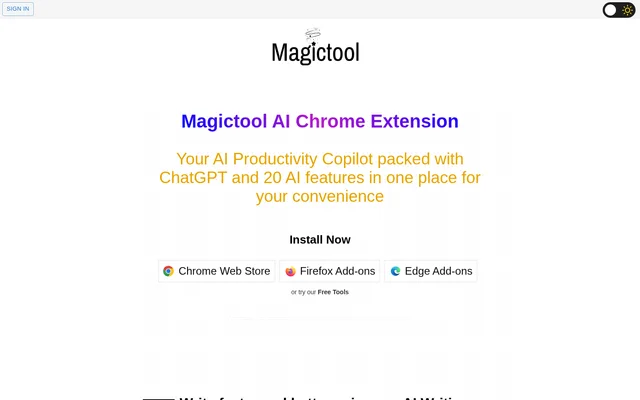
Magictool.AI is a browser extension that combines ChatGPT, a writing copilot, and tools for working with webpages, videos, and files. It is available for Chrome, Firefox, and Edge. The extension is designed for tasks people already do in a browser, from revising a draft to reviewing an article or looking for a specific detail in a PDF.
What Magictool.AI can do
Magictool.AI handles text, video, images, and structured data from the browser. Its writing copilot can generate text in different styles or work with an existing draft. On YouTube, the summarizer uses the transcript and comments, while the separate dubbing feature lets users watch videos dubbed in other languages on a Pro+ plan.
- The writing copilot checks grammar, paraphrases text, and translates it.
- The summarizer condenses webpages and YouTube transcripts and comments.
- The PDF tool answers questions about a document and summarizes it.
- The extraction tool supports manual selection and AI-assisted scraping.
- The spreadsheet tool uses ChatGPT to help analyze CSV and Excel files.
- The image generator turns text prompts into images with Stable Diffusion.
How Magictool.AI works in the browser
Magictool.AI is distributed through the Chrome Web Store, Firefox Add-ons, and Edge Add-ons. Its Magic Editor serves as a text editor and notepad, while the Magic Shortcut lets users invoke ChatGPT from the editor or another browser text field. Users can also add menu items based on custom prompts or specify private domains where the extension will not run.
Who Magictool.AI is for
Magictool.AI is suited to people who write online, do homework with PDFs, or gather information from webpages. The writing tools are useful when a draft needs a grammar check or simpler wording. For reading and research, users can get a summary first or use Reader Mode to remove elements such as ads, sidebars, and pop-ups.
- Revise a draft for clarity or adjust its length.
- Ask a question about a PDF while doing homework.
- Summarize a long article before reading it in full.
- Select specific information to extract from a webpage.
Magictool.AI pricing and plans
Magictool.AI offers free tools, monthly subscriptions, and one-time credit purchases. Text usage is measured in AI Words, the site's term for tokens, and includes input instructions. Non-text actions such as image generation and file uploads use a separate unit called Tasks. Monthly credits do not roll over, but credits from a one-time purchase remain available until used.
Magictool.AI strengths and limitations
Magictool.AI combines writing and summarization with browser utilities such as Reader Mode, local notes, a timer, and a to-do list. Its data extraction tool provides a choice between selecting data manually and having AI extract it. For uploaded files, the pricing FAQ says users can delete the data through the tool after analysis and that files are automatically deleted by the end of the same day.
- GPT-4 access is a paid feature.
- AI video dubbing is restricted to Pro+ plans.
- Unused monthly subscription credits do not roll over.
- The pricing FAQ says data is sent to OpenAI for AI responses and does not guarantee how OpenAI handles it.
Magictool.AI FAQ
What is Magictool.AI?
Magictool.AI is a browser extension for Chrome, Firefox, and Edge that combines ChatGPT with writing, summarization, and data tools. Users can revise text, summarize webpages and YouTube videos, ask questions about PDFs, and extract data from webpages.
Is Magictool.AI free?
Magictool.AI offers free tools alongside monthly subscriptions and one-time credit purchases. GPT-4 is a paid feature, and YouTube video dubbing is limited to Pro+ plans. One-time credits do not expire, but unused monthly subscription credits do not roll over.
Can Magictool.AI summarize YouTube videos?
Magictool.AI can summarize a YouTube video's transcript and comments. The extension also has a separate AI video dubbing feature that lets users watch YouTube videos dubbed in other languages, but dubbing is only available on Pro+ plans.
Can Magictool.AI answer questions about PDFs?
Magictool.AI lets users chat with and summarize uploaded PDFs to find specific information in a document. The pricing page counts a PDF upload as a Task and says users can delete uploaded data through the tool after analysis.
How does Magictool.AI extract data from webpages?
Magictool.AI lets users manually select the data they want to extract from a webpage or use AI for automatic extraction. The pricing FAQ lists AI scraping as an example of an action that uses AI Word credits.
From the community
No reviews yet
Be the first to review this tool. What you write helps the next person choose.