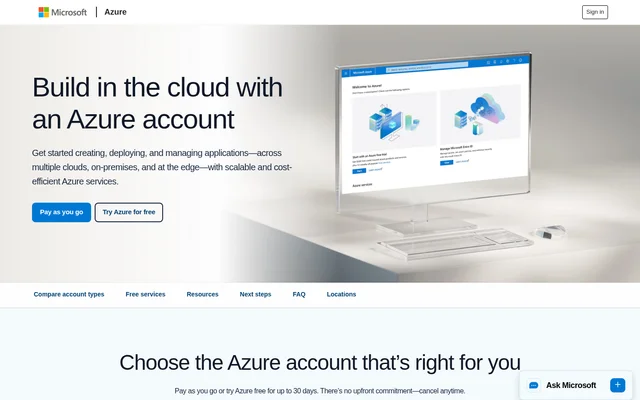
What is Microsoft Azure?
Microsoft Azure is a cloud computing platform for developers and teams that need to create, deploy, or manage applications. Its catalog covers AI and machine learning, computing, containers, databases, and management tools. Microsoft Azure supports deployments across multiple clouds, on-premises environments, and the edge. The catalog serves both teams exploring a proof of concept and customers ready to run workloads.
What Microsoft Azure can do
Microsoft Azure provides services for both application infrastructure and individual AI tasks. Azure App Service hosts web or API apps, and Azure Functions handles serverless workloads. Azure AI Search, Azure Document Intelligence, and the speech and translation tools offer distinct capabilities that teams can evaluate alongside the hosting and database services.
- Azure AI Search hosts documents and maintains search indexes.
- Azure Document Intelligence processes document pages.
- Azure Speech in Foundry Tools provides neural speech synthesis.
- Azure Translator in Foundry Tools translates text.
- Azure DevOps provides private Git repositories.
- Azure Kubernetes Service manages Kubernetes clusters.
- Azure Batch runs workloads such as large sets of simulations.
How Microsoft Azure works
Microsoft Azure starts with a choice between a free account and pay-as-you-go access. Customers select services based on the workload, such as App Service for web or API apps, Azure SQL Database for serverless database usage, or Azure Container Registry for container storage. The catalog lists free usage separately by service, using measures such as storage, requests, or compute time.
Who Microsoft Azure is for
Microsoft Azure serves developers building new applications, teams migrating existing applications, and customers testing a proof of concept. The page illustrates different workloads through two examples: the Minnesota Vikings’ developer built the Viper app on Microsoft Azure, and the Mercedes-AMG PETRONAS F1 Team uses Azure Batch to simulate race outcomes and inform strategy.
- Develop and deploy a custom web or API application.
- Test document search or processing in a proof of concept.
- Migrate an application or database.
- Run simulations to compare possible outcomes.
Microsoft Azure pricing and plans
Microsoft Azure offers pay-as-you-go pricing and a free account for new customers. The free account includes $200 in credit to use within 30 days. Customers must move to pay-as-you-go pricing to continue beyond that period or after using the credit. Pay-as-you-go customers pay for usage beyond the applicable free monthly allowances.
Microsoft Azure lists free monthly amounts for 65+ always-free services and free monthly amounts for 20+ popular services for 12 months for new customers. Neither account option requires an upfront commitment. Technical support options are available with pay-as-you-go access, and the page provides a tool for comparing support plans.
Microsoft Azure strengths and limitations
Microsoft Azure offers application hosting, data services, and AI tools under the same account options. The free allowances give teams a way to evaluate selected services, while the accounts differ in how much of the catalog they can use before paying. The practical limits depend on the service and on whether the customer is eligible for the new-customer offers.
- The free account is available only to new customers.
- Free monthly amounts vary by service and sometimes by pricing tier.
- Azure Kubernetes Service charges for resources consumed by nodes.
Getting started with Microsoft Azure
Microsoft Azure provides a developer guide for building or migrating applications and a pricing calculator for estimating monthly costs across services. Teams comparing account options can check the free allowance for each service they expect to use and estimate costs beyond those allowances. The page also provides resources on tracking spending and comparing technical support plans.
Microsoft Azure FAQ
What is Microsoft Azure?
Microsoft Azure is a cloud computing platform for creating, deploying, and managing applications. Its catalog includes virtual machines, databases, containers, developer tools, and AI services. Microsoft Azure supports workloads across multiple clouds, on-premises environments, and the edge.
Is Microsoft Azure free?
Microsoft Azure offers free monthly allowances for selected services and a free account for new customers with $200 in credit to use within 30 days. Customers must move to pay-as-you-go pricing to continue after that period or after the credit is used up.
Who is Microsoft Azure for?
Microsoft Azure is for developers and teams building applications, migrating workloads, or exploring a proof of concept. The free account is intended for new customers evaluating capabilities, while the pay-as-you-go account is intended for customers ready to build workloads.
What AI services does Microsoft Azure offer?
Microsoft Azure lists Azure AI Search, Azure Document Intelligence, Azure Machine Learning, Azure Speech, Azure Translator, Azure Vision, and Content Safety among its AI services. The page specifies free usage amounts for several of these services, with limits that vary by service.
What does the Azure AI Search free tier include?
Microsoft Azure lists Azure AI Search as an always-free service within specified limits. The free offering includes 50 MB of storage for 10,000 hosted documents and 3 indexes per service.
How can developers estimate Microsoft Azure costs?
Microsoft Azure provides a pricing calculator to estimate monthly costs for a combination of Azure products. The page also provides resources on tracking and reporting spending, and a comparison tool for customers evaluating technical support plans.
From the community
No reviews yet
Be the first to review this tool. What you write helps the next person choose.