What is MindMac?
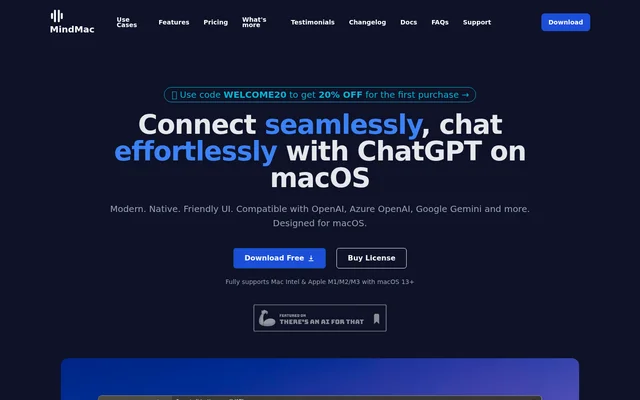
MindMac is a native macOS AI chat client for individuals and teams that use language models to ask questions, create content, or manage ongoing conversations. MindMac supports cloud providers such as OpenAI, Azure OpenAI, and Google Gemini alongside local models. Users can work in the main chat window or bring AI into another Mac app through Inline Mode.
What MindMac can do
MindMac combines a prompt library and conversation management tools with controls for how models respond. The prompt library includes more than 150 built-in templates, and users can add their own. MindMac also offers controls for response streaming, temperature, and conversation style, as well as options to change how messages and Markdown are displayed.
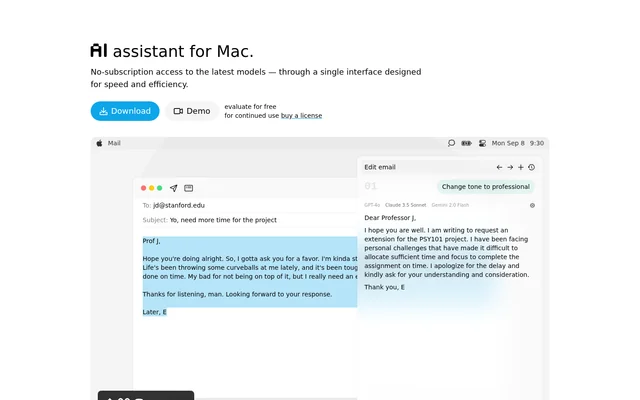
- MindMac generates content or answers questions in other apps through Inline Mode.
- MindMac searches conversation history and organizes chats in nested folders.
- MindMac displays total usage costs and costs by conversation.
- MindMac supports document uploads and image generation through DALL·E.
- MindMac exports conversations to PDF, Markdown, or ShareGPT.
How MindMac works
MindMac runs on Intel and Apple silicon Macs with macOS 13 or newer. For OpenAI, users configure an API key in MindMac, which stores the key in Apple Keychain. Requests go directly to OpenAI without a MindMac intermediary server. MindMac does not require its own account, but OpenAI access requires an OpenAI account and a valid API key.
MindMac also supports cloud services such as Claude, OpenRouter, Perplexity, Mistral AI, and Groq. For local model access, MindMac can connect to tools including Ollama, LM Studio, LocalAI, GPT4All, and llama.cpp. MindMac supports custom API endpoints and fine-tuned models in addition to the listed provider integrations.
Who MindMac is for
MindMac is for Mac users who want to generate text or ask AI questions without leaving the app where they are working. Inline Mode is useful for people who write in Notes or Mail, while the main chat window suits people who want to revisit and organize past conversations. The prompt library supports tasks that use the same instructions repeatedly.
- Draft content in Notes or Mail.
- Ask a question without leaving a browser.
- Save and reuse prompts for recurring tasks.
- Group related conversations in nested folders.
MindMac pricing and plans
MindMac offers a free plan that limits users to 5 conversations and up to 10 Inline Mode uses per day. The paid Basic, Personal, and Standard licenses cost $29, $49, and $69 for 1, 2, and 3 Macs, respectively. Each is a one-time purchase that includes all MindMac features and one year of updates. The listed prices are in USD.
MindMac separates its paid app license from access to OpenAI. An OpenAI API key connects MindMac to OpenAI, while a MindMac license key unlocks premium app features. OpenAI API usage is paid separately from the app license, and a ChatGPT Plus subscription is not required.
MindMac strengths and limitations
MindMac brings cloud and local models into one native Mac interface, with customizable keyboard shortcuts and controls for context, appearance, and model parameters. Users can work in the main chat or make inline requests without switching windows. The trade-offs are the Mac-only app, separate API setup for OpenAI, and limits on free use.
- MindMac requires macOS 13 or newer.
- OpenAI access requires a separate account and API key.
- The free plan caps conversations and daily Inline Mode use.
- iCloud device sync is listed as upcoming.
Getting started with MindMac
MindMac is available to download from its website. To use OpenAI, users can create an API key in their OpenAI account and configure it in MindMac. From there, users can start a conversation in the main window or try Inline Mode in another app. Inline Mode settings let users customize trigger commands and keyboard shortcuts or exclude specific apps.
MindMac FAQ
What is MindMac?
MindMac is a native macOS AI chat client that supports cloud models from providers such as OpenAI and Google Gemini as well as local models through tools such as Ollama. MindMac lets users chat in a dedicated window or generate content and ask questions from other Mac apps.
Is MindMac free?
MindMac has a free plan that allows up to 5 conversations and 10 Inline Mode uses per day. Paid licenses start at $29 for one Mac and include one year of updates. OpenAI API usage is paid separately.
Does MindMac require ChatGPT Plus?
MindMac does not require a ChatGPT Plus subscription because it connects to OpenAI through the OpenAI API. Users who choose OpenAI need an OpenAI account and a valid API key, and they pay for API usage separately from the MindMac app license.
Can MindMac connect to local AI models?
MindMac supports local language models through Ollama, LM Studio, LocalAI, GPT4All, and llama.cpp. MindMac also supports MLX through an MLX server or PicoMLXServer, in addition to cloud services such as OpenAI, Google Gemini, and Claude.
How does MindMac Inline Mode work?
MindMac Inline Mode generates content or answers questions in other Mac apps, including Notes, Mail, and browsers, without switching to the main chat window. MindMac lets users configure inline trigger commands and shortcuts and exclude specific apps.
Where does MindMac store OpenAI API keys?
MindMac stores OpenAI API keys in Apple Keychain on the Mac. When users connect to OpenAI, MindMac sends requests directly to OpenAI servers rather than routing prompts through a MindMac intermediary server.
From the community
No reviews yet
Be the first to review this tool. What you write helps the next person choose.