What is Morgen?
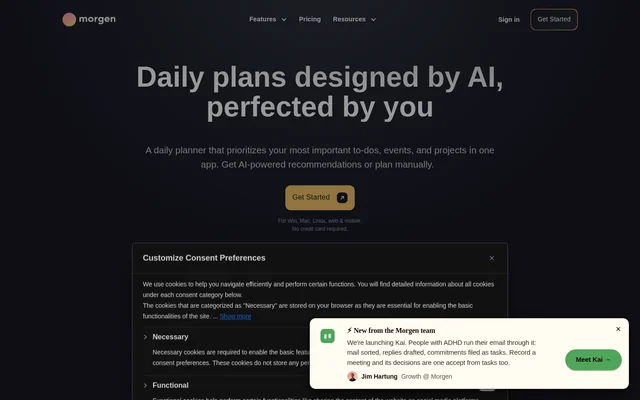
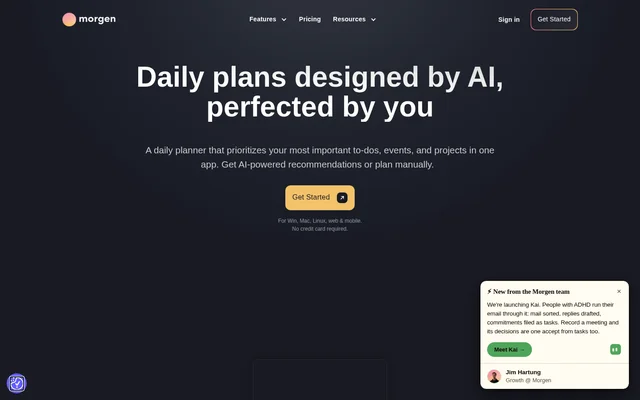
Morgen is an AI-powered daily planner that brings calendars, tasks, projects, and scheduling into one app. Morgen helps individuals and teams decide what to work on next and reserve calendar time for important tasks. Morgen supports both AI recommendations and manual planning, so users can choose how much assistance to use.
Morgen combines work and personal commitments rather than requiring users to manage separate calendar views across different apps. Morgen is available on Windows, macOS, Linux, iOS, Android, and the web. The service also connects to external calendar and task tools, allowing existing commitments and to-do lists to inform daily planning.
What Morgen can do
Morgen connects task prioritization with calendar availability. Morgen's AI Planner evaluates capacity, highlights tasks at risk of being late, and helps reprioritize plans when conflicts occur. Morgen also provides scheduling and automation features for managing meetings, reminders, and the time needed around events.
- Morgen schedules tasks from Notion, ClickUp, Linear, and Todoist into calendars.
- Morgen displays task due dates and reminds users about unfinished tasks.
- Morgen combines calendars from Google, Outlook, Apple, and Fastmail.
- Morgen provides booking links that check selected calendars for availability.
- Morgen recommends meeting times based on colleagues' availability.
- Morgen automatically reserves travel time and custom meeting buffers.
How Morgen works
Morgen uses Frames to represent a user's ideal week and guide AI planning. Morgen displays live recommendations directly in the calendar for review. Users can move tasks or change their duration, and the AI Planner adapts in real time. Tasks are scheduled after the user confirms the proposed plan.
Morgen also supports calendar organization through Calendar Sets, which provide customizable shortcuts for viewing calendars together, separately, or in subsets. Morgen lets users configure reminders for calendars or individual events. Calendar synchronization can copy selected events between calendars, with controls over which events appear and how they are displayed.
Who Morgen is for
Morgen serves individuals and teams who coordinate tasks, meetings, and competing commitments. Morgen supports people who keep work in project management or to-do tools but need to reserve actual calendar time to complete it. Morgen also supports users managing personal and professional schedules together and colleagues looking for meeting times that preserve focus.
- Morgen helps individuals time-block important tasks around existing events.
- Morgen helps teams coordinate availability and share scheduling links.
- Morgen helps users combine personal and work calendars.
- Morgen helps deadline-driven users identify tasks at risk of being late.
Morgen strengths and limitations
Morgen combines broad device support with calendar, task, and scheduling functions in a shared planning workflow. Morgen keeps users involved by previewing AI recommendations and allowing adjustments before confirmation. The source also states that Morgen is Swiss-hosted and GDPR compliant and will not share or sell user data.
- Morgen requires a paid subscription beyond the free trial.
- Morgen team plans have a minimum of 2 seats.
- Morgen's described AI planning workflow requires user confirmation before tasks are scheduled.
Morgen FAQ
What is Morgen?
Morgen is an AI-powered daily planner that combines calendars, task management, time blocking, and meeting scheduling. Morgen lets individuals and teams use AI recommendations or plan manually while managing work and personal commitments together.
Is Morgen free?
Morgen offers a 14-day full-access free trial without requiring a credit card, followed by paid individual or team subscriptions. Morgen supports monthly and yearly billing and provides a 30-day money-back guarantee.
How does Morgen's AI Planner work?
Morgen uses Frames, templates of a user's ideal week, to guide AI planning recommendations. Morgen previews suggestions in the calendar, adapts when users move tasks or change durations, and schedules tasks after confirmation.
Which calendars and task tools does Morgen integrate with?
Morgen integrates with Google Calendar, Outlook, iCloud, Fastmail, and Zoho, alongside task tools including Notion, Todoist, Linear, ClickUp, Obsidian, Google Tasks, and Microsoft To-Do. Morgen lists unlimited integrations on all plans.
Which devices does Morgen support?
Morgen supports Windows, macOS, Linux, iOS, Android, and web access. Morgen provides calendar management, task planning, and scheduling across desktop, mobile, and browser environments for users managing commitments across devices.
Can Morgen automate calendar scheduling?
Morgen can synchronize events between calendars, automatically block travel time, and add custom buffers around meetings. Morgen also provides booking links that check selected calendars in real time and recommends meeting times based on colleagues' availability.
From the community
No reviews yet
Be the first to review this tool. What you write helps the next person choose.