What is Octop?
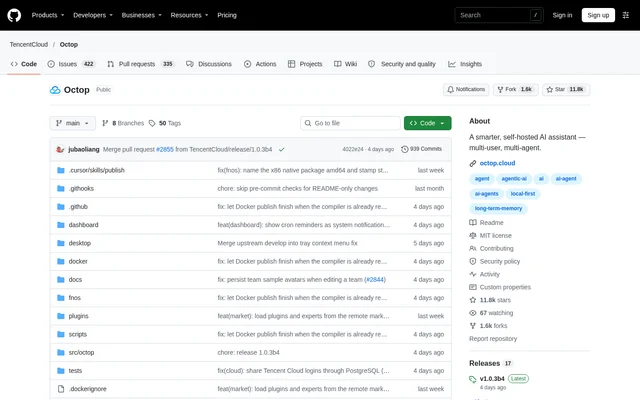
Octop is an open-source, self-hosted AI assistant for individuals, households, and small teams. Octop gives users access to specialized agents through a web dashboard, command-line tools, and messaging channels. The project is published in the TencentCloud GitHub repository and distributed under the MIT license.
Octop organizes conversations, workspaces, and credentials around a user-managed deployment. Each user can maintain multiple experts with their own workspaces, providers, channels, and scheduled tasks. Shared experts and knowledge bases support collaboration within a deployment, while instance linking enables conversations with experts hosted on another Octop instance.
What Octop can do
Octop combines agent conversations with document retrieval, automation, and access to external tools. The expert library provides reusable specialists, while memory persists with each workspace. AgentTeams adds a coordinator for multi-step work, although that capability remains in beta rather than being presented as a finished orchestration feature.
- Octop grounds answers in private documents through knowledge-base RAG.
- Octop schedules proactive jobs using natural-language and slash-command triggers.
- Octop automates browser sessions with headless Chromium.
- Octop controls host desktop sessions through the dashboard.
- Octop delegates coding work through ACP runners such as OpenCode and Claude Code.
- Octop extends agent capabilities through plugins and OAuth/MCP connectors.
How Octop works
Octop runs the web dashboard, CLI, messaging channels, and cron automation in a single process. These surfaces share a control-plane database, using SQLite by default with PostgreSQL as an option. Agent files can use separate workspace backends, including local disk, Docker sandbox, PostgreSQL, and COS/S3.
Octop connects conversations from Feishu, DingTalk, QQ, WeChat, Telegram, Discord, and WeCom to a unified processing pipeline. Developers can use HTTP/SSE/WebSocket interfaces for programmatic access. ACP works in both directions: external tools can access Octop agents, and Octop can delegate work to configured external coding agents.
Who Octop is for
Octop serves people who want personal assistance and shared agent workflows on infrastructure they manage. Household administrators can assign different experts to members, while small teams can share knowledge and route work through group chats. Developers can combine coding-agent delegation with browser-based terminal assistance and troubleshooting.
- Octop helps individuals write reports, organize notes, and manage schedules.
- Octop lets households share experts and document knowledge bases.
- Octop routes team tasks through supported messaging channels.
- Octop supports forms, screenshots, and GUI application workflows through browser and desktop tools.
Octop pricing and installation
Octop is available as an open-source project under the MIT license; the supplied repository text does not list paid plans. Installation scripts support macOS, Linux, and Windows. The installer provisions Python in an isolated environment, so a pre-installed Python installation is not required. Desktop applications are also available through GitHub Releases.
Octop provides a first-run setup wizard through the octop init command. The installation adds the octop command to the user's PATH, and octop run starts the combined service. Browser automation can use an existing Chrome or Chromium installation, with an optional installer extra available to download Playwright Chromium.
Octop strengths and limitations
Octop combines multiple access channels with local control over deployment data. Security features include JWT-based user isolation, tool approval, shell command guardrails, and PII redaction. Native desktop clients and shared experts broaden access, but self-hosting still requires suitable hardware, storage, and responsibility for running the installation.
- Octop AgentTeams coordination remains in beta.
- Octop mobile clients are in closed beta and internal testing.
- Octop interactive API documentation requires explicit configuration to enable.
Octop FAQ
What is Octop?
Octop is an open-source, self-hosted AI assistant for individuals, households, and small teams. Octop combines specialist agents, persistent memory, document knowledge bases, messaging integrations, and scheduled automation through a web dashboard, CLI, and desktop clients.
Is Octop open source?
Octop is an open-source project distributed under the MIT license through its public GitHub repository. Octop provides installation scripts and desktop clients; the supplied repository text does not describe paid plans or subscription pricing.
Which messaging apps does Octop support?
Octop supports Feishu, DingTalk, QQ, WeChat, Telegram, Discord, and WeCom, among other messaging channels. Octop processes messages from these channels alongside web dashboard conversations and scheduled jobs through a unified processing pipeline.
Does Octop have an API or coding integrations?
Octop provides HTTP/SSE/WebSocket API access and bidirectional ACP integration. External tools can use Octop agents, while Octop can delegate coding tasks to runners including OpenCode, CodeBuddy, Claude Code, and Codex. Interactive API documentation is disabled by default.
Can Octop run on Windows, macOS, and Linux?
Octop supports installation on Windows, macOS, and Linux and offers native desktop clients for those operating systems. Octop also provides FnOS packages for NAS use, and the installer provisions Python without requiring a pre-installed Python environment.
From the community
No reviews yet
Be the first to review this tool. What you write helps the next person choose.