What is PaddleOCR?
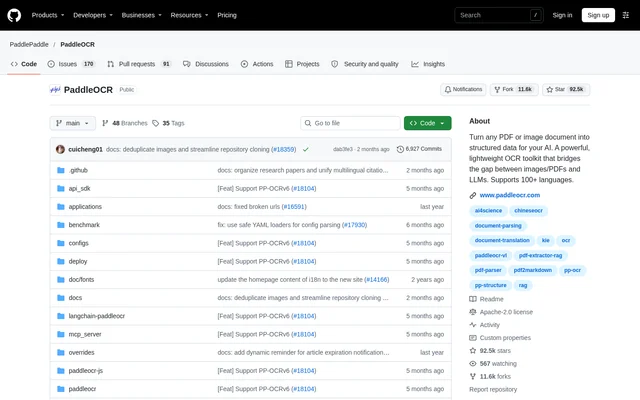
PaddleOCR is an open-source OCR toolkit and document AI engine for converting PDFs and images into structured data. PaddleOCR serves developers working on multilingual document processing, retrieval-augmented generation, and AI agent applications. The project combines scene text recognition with document parsing and provides Markdown and JSON outputs for downstream language-model workflows.
PaddleOCR includes distinct model families for different processing tasks. PP-OCR handles text recognition, PaddleOCR-VL provides vision-language document parsing, and PP-StructureV3 supplies structure-aware conversion with detailed coordinates. The public repository lists an Apache-2.0 license and links to documentation, deployment resources, and model downloads.
What PaddleOCR can do
PaddleOCR processes document content and text found in natural scenes. Document capabilities extend beyond extracting plain text to recognizing tables, formulas, charts, and seals. Output choices depend on the selected model or pipeline, with structured formats for AI applications and document exports for viewing and editing.
- PaddleOCR converts PDFs and images into Markdown or JSON.
- PaddleOCR recognizes multilingual text in IDs, street views, books, and industrial components.
- PaddleOCR extracts text and table-cell coordinates through PP-StructureV3.
- PaddleOCR converts Word, Excel, and PowerPoint documents into Markdown.
- PaddleOCR exports supported parsing results to DOCX.
- PaddleOCR supports automatic cross-page table merging and hierarchical heading identification through PaddleOCR-VL.
How PaddleOCR works
PaddleOCR offers multiple inference and deployment routes rather than a single hosted workflow. The repository describes Paddle static graph, Paddle dynamic graph, and Transformers inference backends, with supported models available through the Hugging Face ecosystem. Hardware options include NVIDIA GPUs, Intel CPUs, Kunlunxin XPUs, and other AI accelerators.
PaddleOCR also provides browser inference through PaddleOCR.js, which runs PP-OCRv5 directly in the browser. For high-throughput document parsing, HPD-Parsing supports OpenAI-compatible serving and local inference through a customized vLLM runtime. The source points to a dedicated tutorial covering environment setup, serving, and local inference.
Who PaddleOCR is for
PaddleOCR is intended for developers connecting visual documents to language-model applications, including RAG and agent workflows. Multilingual recognition and support for complex document elements also make PaddleOCR relevant to teams processing mixed-language records, historical documents, or industrial text. The repository names integrations with Dify, RAGFlow, Pathway, and Cherry Studio.
- PaddleOCR prepares document content for RAG and AI agent applications.
- PaddleOCR supports dataset preparation for fine-tuning large language models.
- PaddleOCR extracts structured content from documents containing tables, formulas, and charts.
- PaddleOCR recognizes scene text in industrial components and street views.
PaddleOCR pricing and access
PaddleOCR is distributed as an open-source project through its public GitHub repository under the Apache-2.0 license. The supplied page does not list subscription tiers or hosted-service prices. Model access is also provided through HuggingFace and ModelScope, and the repository links to an official website for trying document parsing models.
PaddleOCR strengths and limitations
PaddleOCR combines multilingual OCR, structured document parsing, and several deployment options within one project. A practical distinction is that capabilities vary across model families: PP-StructureV3 provides more detailed coordinate information than the PaddleOCR-VL series, while browser inference is specifically described for PP-OCRv5. Selecting a model therefore depends on the required output, language coverage, and deployment environment.
- PaddleOCR language coverage differs between models, with PP-OCRv6 supporting 50 languages in a unified model.
- PaddleOCR browser inference through PaddleOCR.js is described specifically for PP-OCRv5.
- PaddleOCR HPD-Parsing local inference uses a customized vLLM runtime.
PaddleOCR FAQ
What is PaddleOCR?
PaddleOCR is an open-source OCR toolkit and document AI engine that converts PDFs and images into structured data. PaddleOCR supports multilingual text recognition, document parsing, and Markdown or JSON output for language-model applications.
Is PaddleOCR free?
PaddleOCR is available as an open-source project under the Apache-2.0 license through its public GitHub repository. The supplied page does not list paid subscription plans or hosted-service pricing, and model downloads are available through linked model repositories.
Can PaddleOCR convert PDFs to Markdown or JSON?
PaddleOCR converts PDF documents and images into Markdown or JSON using document parsing models and pipelines. PP-StructureV3 additionally provides detailed coordinates for text and table cells, while the PaddleOCR-VL family recognizes elements including text, tables, formulas, and charts.
Which languages does PaddleOCR support?
PaddleOCR supports 100+ languages across its recognition models, but coverage depends on the model selected. PP-OCRv6 supports 50 languages in a unified model, while PaddleOCR-VL-1.5 is described as supporting 111 languages, including Tibetan and Bengali.
Can PaddleOCR run locally or in a browser?
PaddleOCR supports local inference and browser inference through different components. PaddleOCR.js runs PP-OCRv5 directly in the browser, while HPD-Parsing supports local inference through a customized vLLM runtime. Supported hardware backends include NVIDIA GPUs, Intel CPUs, and Kunlunxin XPUs.
Does PaddleOCR integrate with AI application tools?
PaddleOCR lists integrations with Dify, RAGFlow, Pathway, and Cherry Studio. PaddleOCR also provides structured document outputs for RAG and agent applications, and HPD-Parsing supports OpenAI-compatible serving for document parsing workflows.
From the community
No reviews yet
Be the first to review this tool. What you write helps the next person choose.