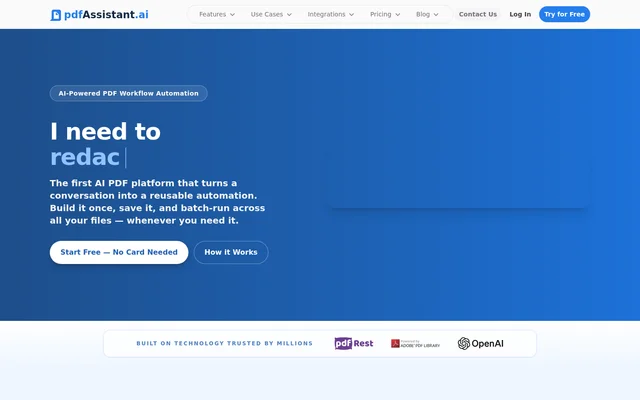
What is pdfAssistant.ai?
pdfAssistant.ai is a no-code PDF workflow automation tool for individuals and teams that process documents repeatedly or need help with a single file. Users can describe a task in plain language, save the resulting workflow, and run it again on another batch. The service uses the Adobe PDF Library, the same engine used by Adobe Acrobat, for document processing.
What pdfAssistant.ai can do
pdfAssistant.ai offers more than 40 PDF operations that users can chain together in a workflow or use for one-off tasks in AI Studio. The operations cover both file changes and content analysis. For example, users can make a scanned file searchable, extract key terms from a contract, or generate a new PDF from a description.
- Merge files into one PDF or compress PDFs to reduce file size.
- Use OCR to make scanned PDFs searchable.
- Redact sensitive information or add watermarks.
- Convert PDFs to editable Word, Excel, or PowerPoint files.
- Summarize documents and extract dates, deadlines, or key terms.
- Create a new PDF from a plain-language description.
How pdfAssistant.ai works
pdfAssistant.ai lets users upload an individual file or an entire folder, choose the operations they need, and save the sequence to their account. The same sequence can then be run on future files without rebuilding it. AI Studio offers a conversational workspace for tasks that do not need a saved workflow.
pdfAssistant.ai connects to ChatGPT, Claude, and Codex through MCP. In ChatGPT and Claude, users can run PDF workflows from the conversation. The Codex integration supports document processing inside agent workflows. The site points users who need direct REST API access or on-premise deployment to a separate product called pdfRest.
Who pdfAssistant.ai is for
pdfAssistant.ai supports individuals managing personal documents and teams with recurring workloads in finance, legal, HR, operations, and publishing. The fit depends on the task: an accounting team can reuse the same workflow for incoming invoices, while a legal professional can use AI Studio to pull key terms from a single agreement.
- Accounting teams can extract data from invoices and receipts.
- Legal teams can redact personal information and flatten signed agreements.
- HR teams can standardize onboarding packets and fill PDF forms in bulk.
- Print production teams can convert documents to PDF/X and adjust color profiles.
pdfAssistant.ai pricing and plans
pdfAssistant.ai has a free Starter plan with 400 monthly credits and no card requirement. Starter users can process files and preview the results, but full downloads require a paid plan. The paid plans are Plus, Pro, Business, and Enterprise. Each includes MCP integration and full file downloads, with monthly credit allowances that increase by tier.
Strengths and limitations of pdfAssistant.ai
pdfAssistant.ai combines reusable batch processing and one-off document analysis in the same service. The website states that files are automatically deleted within 24 hours of processing and are never used to train AI models. Users evaluating the free plan should distinguish between previewing a processed file and downloading the result.
- Full file downloads require a paid plan.
- MCP integration is available on paid plans.
- Monthly processing capacity depends on the plan's credit allowance.
pdfAssistant.ai FAQ
What is pdfAssistant.ai?
pdfAssistant.ai is a no-code PDF automation tool that turns plain-language instructions into reusable workflows. Users can combine tasks such as merging, converting, and redacting files, then save the workflow and run it again on individual documents or batches.
Is pdfAssistant.ai free?
pdfAssistant.ai offers a free Starter plan with 400 monthly credits and no card requirement. The free plan lets users process files and preview the results, while paid plans unlock full file downloads and include MCP integration.
Can pdfAssistant.ai make scanned PDFs searchable?
pdfAssistant.ai can apply optical character recognition to scanned documents and images within PDFs to make the text searchable and editable. OCR is one of the operations users can include in a reusable workflow for processing batches of files.
Can pdfAssistant.ai summarize contracts and extract deadlines?
pdfAssistant.ai can summarize contracts and extract key terms, dates, or deadlines in AI Studio. AI Studio is a conversational workspace for one-off PDF tasks, so users can analyze a document without setting up a reusable workflow.
Does pdfAssistant.ai work with ChatGPT, Claude, and Codex?
pdfAssistant.ai works with ChatGPT, Claude, and Codex through MCP, which is listed on the paid plans. ChatGPT and Claude users can run PDF tasks from the conversation, while Codex supports automated document processing inside agent workflows.
Does pdfAssistant.ai use uploaded files to train AI?
pdfAssistant.ai states that uploaded documents are never used to train its own or third-party AI models. The website also says files are automatically deleted within 24 hours of processing and that no copies, archives, or backups of document content are kept.
From the community
No reviews yet
Be the first to review this tool. What you write helps the next person choose.