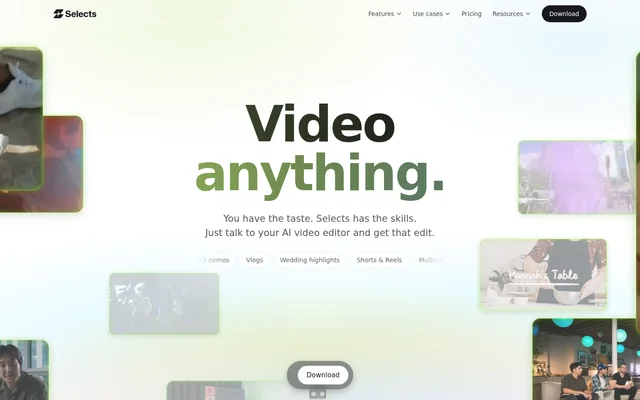
What is Selects?
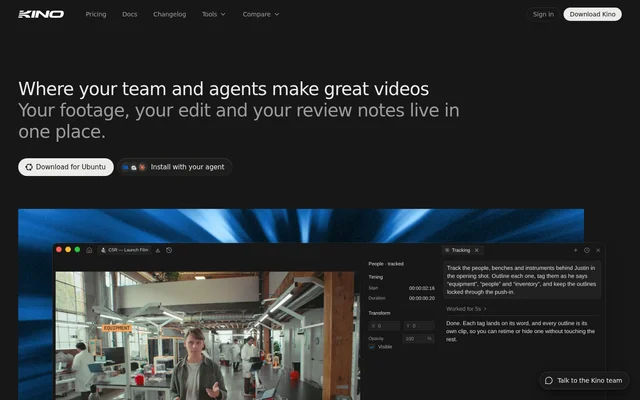
Selects is an AI video editor for creators and production teams that combines plain-language instructions with a multitrack timeline. Selects can assemble edits for formats such as podcasts, product demos, and short social videos. Instead of relying only on a transcript, Selects analyzes what appears in the footage, including shots and faces, so edits can reflect what was filmed as well as what was said.
What Selects can do
Selects handles tasks that range from finding material in raw footage to adding captions and motion graphics to a cut. The same editing workflow can accommodate longer projects with multiple camera angles and shorter clips intended for social platforms. Selects can also generate shots when the supplied footage does not cover everything an edit needs.
- Selects finds moments in a long video and cuts them into shorts.
- Selects syncs camera angles and microphones and can switch to the active speaker.
- Selects applies a described caption style across a cut.
- Selects creates titles and animated text from prompts.
- Selects generates shots from a written description.
- Selects builds custom editing panels from descriptions of the controls.
How Selects works
Selects starts from an editing instruction or a link to a reference video. With a link, users add their footage, and Selects rebuilds the reference video's cuts, pacing, captions, and effects without reusing its clips. Users can then keep giving notes in chat or open the result on the timeline to adjust a cut, caption, or graphic by hand.
Selects connects to Claude Code, Claude Desktop, Codex in ChatGPT, and OpenClaw over MCP. A connected agent can search footage, make cuts, and export from a prompt. Selects also hands off edits as project files so editors can continue working in Adobe Premiere, Final Cut Pro, DaVinci Resolve, or Avid Media Composer.
Who Selects is for
Selects serves solo creators, professional editors, studios, and in-house production teams. Creators can use Selects to repurpose longer recordings or build edits around a reference. Editors and studios can use multicam sync for projects with several angles and microphones, then move the project to another editor for further work.
- Cut vertical clips from a long podcast or stream.
- Sync and edit a multicamera interview or wedding ceremony.
- Assemble a product launch teaser from recorded takes.
- Turn an article link into a narrated explainer.
Selects pricing and plans
Selects offers a free plan with multitrack editing and export, captions, effects, templates, motion graphics, and project handoff. No credit card is required. New accounts receive trial credits for footage analysis, multicam sync, and AI-generated video, images, and voiceover. Paid plans add monthly credits, and users can buy top-ups.
Selects lists Starter at $20 per month or $16 per month billed yearly. Starter includes 3,600 monthly credits for tasks such as video analysis and AI media generation. The Team plan lists shared credits, central billing and administration, and advanced data privacy. Enterprise pricing requires contacting sales for custom limits, enterprise security, and dedicated support.
Strengths and limitations of Selects
Selects combines visual footage analysis with a timeline that users can edit by hand. That combination lets an editor request changes in chat without giving up control over individual cuts and graphics. Project-file handoff is available even on the free plan, while credit-based features have trial or plan limits that matter for projects requiring substantial analysis or generated footage.
- Free accounts receive trial credits for footage analysis, multicam sync, and AI-generated media.
- The listed usage maximums are alternatives within a plan's credit allowance, not separate allotments.
Getting started with Selects
Selects can be tried online or downloaded. Users with footage can start by describing the cut or adding a reference video link, then refine the result in chat or on the timeline. To finish elsewhere, users select a timeline, choose the Handoff option, and open the resulting project file in a supported editor.
Selects FAQ
What is Selects?
Selects is an AI video editor that cuts footage from plain-language instructions or a reference video link. Selects analyzes shots and faces in the footage, not just the transcript, and opens each result on a timeline that users can continue editing by hand.
Is Selects free?
Selects has a free plan with multitrack editing and export, captions, effects, templates, motion graphics, and project handoff. No credit card is required. New accounts receive trial credits for selected AI features, while paid plans provide a monthly credit allowance.
Can Selects match the editing style of another video?
Selects can use a reference video link to recreate its cuts, pacing, captions, and effects around footage that the user supplies. Selects uses the reference to guide the edit rather than copying the clips that appear in the original video.
Can Selects make shorts from long videos?
Selects can review a long video's timeline, identify moments to clip, and turn them into short videos. Examples on the Selects page include making vertical clips from an episode, starting clips on reactions, and reframing footage for a vertical layout.
Can Selects hand off projects to Premiere Pro or DaVinci Resolve?
Selects can hand off timelines as editable project files to Adobe Premiere, Final Cut Pro, DaVinci Resolve, and Avid Media Composer. Project handoff is available on every plan, including Free, and starts from the selected timeline's Handoff option.
Can Selects edit video from Claude or ChatGPT?
Selects supports editing through Claude Code, Claude Desktop, Codex in ChatGPT, and OpenClaw over MCP. A connected agent can search footage, make cuts, and export from a single prompt, while the resulting edit remains available on a timeline for manual changes.
From the community
No reviews yet
Be the first to review this tool. What you write helps the next person choose.