What is Shap-E?
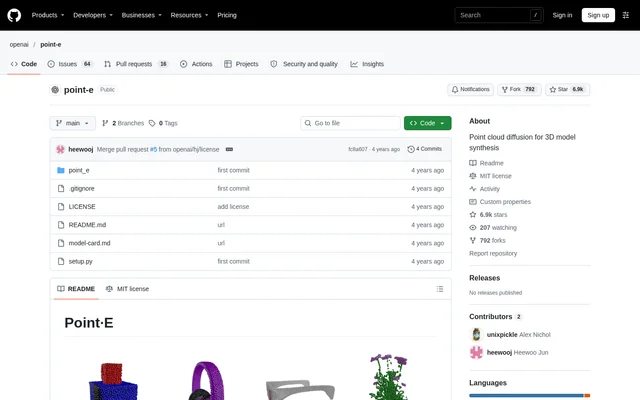
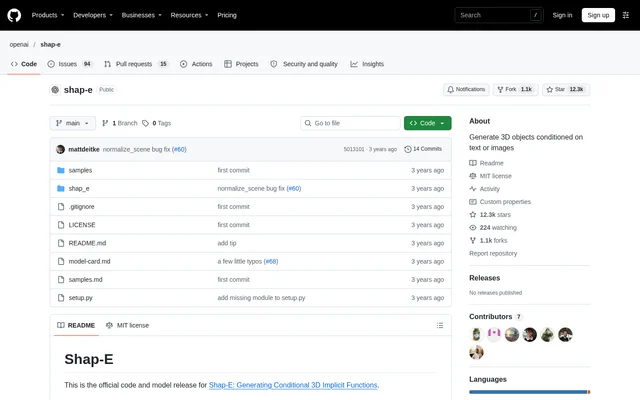
Shap-E is an open-source project for generating 3D objects conditioned on text or images. The OpenAI GitHub repository contains the official code and model release for Shap-E: Generating Conditional 3D Implicit Functions. Shap-E is presented as a code repository with installation instructions and example notebooks, making the documented workflow relevant to users comfortable running code rather than using a hosted generation interface.
What Shap-E can do
Shap-E provides separate examples for generating models from text and synthetic view images, alongside an example for encoding existing geometry. The repository also includes highlighted text-conditional outputs and a separate samples file containing random samples on selected prompts. The displayed examples include objects such as an avocado-shaped chair, a spaceship, a birthday cupcake, and a penguin.
- Shap-E samples a 3D model conditioned on a text prompt.
- Shap-E samples a 3D model conditioned on a synthetic view image.
- Shap-E loads an existing 3D model or a trimesh for encoding.
- Shap-E creates multiview renders and a point cloud in the encoding example.
- Shap-E encodes model representations into a latent and renders the result back.
How Shap-E works
Shap-E installation uses pip install -e . from the repository. The usage instructions direct users to sample_text_to_3d.ipynb for text-conditioned sampling and sample_image_to_3d.ipynb for image-conditioned sampling. For the image example, the repository recommends removing the input image background to get better results. The separate encode_model.ipynb example handles the workflow from an existing model through multiview renders, a point cloud, latent encoding, and rendering.
Who Shap-E is for
Shap-E is relevant to users who want to explore 3D generation through code and notebooks. The documented examples cover starting from a written prompt, starting from a synthetic view image, and working with existing model geometry. These workflows provide concrete entry points for examining conditional generation and model encoding without implying a finished asset-production pipeline or a particular downstream application.
- Shap-E supports exploring object generation from descriptive text prompts.
- Shap-E supports testing model generation from synthetic view images.
- Shap-E supports examining latent encoding and rendering of existing geometry.
Shap-E pricing and access
Shap-E is available as an open-source project in a public GitHub repository under the MIT license. The source presents access through the code and model release, with installation and example notebooks rather than product subscription plans. The supplied GitHub pricing material describes GitHub services, not Shap-E plans, and does not establish a paid tier for Shap-E.
Shap-E strengths and limitations
Shap-E combines text-conditioned generation, image-conditioned generation, and existing-model encoding in a documented repository. The example notebooks and sample outputs give users specific starting points for exploring these capabilities. The main constraints in the supplied instructions concern technical setup, image preparation, and the additional Blender dependency for the encoding example; the source does not provide performance benchmarks or output-quality guarantees.
- Shap-E examples require working with installed code and notebooks.
- Shap-E image guidance recommends removing the input background for better results.
- Shap-E model encoding requires Blender version 3.3.1 or higher and BLENDER_PATH set to the Blender executable.
Shap-E FAQ
What is Shap-E?
Shap-E is an open-source project that generates 3D objects conditioned on text or images. The OpenAI repository provides the official code and model release, example notebooks, installation instructions, and samples from the text-conditional model.
Is Shap-E free?
Shap-E is freely available as an open-source project through its public GitHub repository under the MIT license. The repository provides code, models, and usage examples rather than a Shap-E subscription plan.
Can Shap-E generate 3D models from images?
Shap-E can sample a 3D model conditioned on a synthetic view image using sample_image_to_3d.ipynb. The repository recommends removing the background from the input image to get better results.
How do you install and use Shap-E?
Shap-E uses the installation command pip install -e . and provides notebooks as starting examples. The repository directs users to separate notebooks for text-to-3D sampling, image-to-3D sampling, and encoding an existing model.
Does Shap-E require Blender?
Shap-E requires Blender version 3.3.1 or higher for the encode_model.ipynb example. That workflow also requires setting BLENDER_PATH to the Blender executable and covers loading a model, creating renders and a point cloud, encoding, and rendering back.
From the community
No reviews yet
Be the first to review this tool. What you write helps the next person choose.