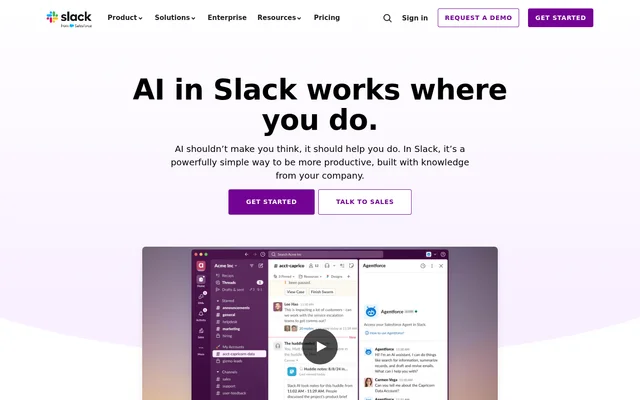
What is Slack GPT?
Slack GPT is the supplied name for a product page describing AI capabilities inside Slack. The page itself uses the name AI in Slack, rather than presenting a separate Slack GPT application. Slack GPT capabilities help workplace teams retrieve organisational knowledge, summarise conversations and handle tasks within the environment where colleagues already communicate.
Slack GPT serves teams that rely on shared conversations, files and connected business applications. The page identifies customer service, engineering, sales and marketing as audiences. Its approach places AI alongside workplace discussions, allowing teams to use conversation history and other organisational context without moving their work into a standalone assistant.
What Slack GPT can do
Slack GPT capabilities span catching up on discussions, searching workplace information and automating routine work. The page describes both information-retrieval features and assistance with producing work materials. Slackbot adds personal assistance based on workspace context, while Workflow Builder supports creating workflows from a prompt.
- Slack GPT summarises channels and threads.
- Slack GPT provides daily recaps and summaries of shared files.
- Slack GPT searches conversations, files and integrated application data.
- Slack GPT helps capture meeting notes, transcripts, takeaways and action items.
- Slack GPT translates messages for multilingual collaboration.
- Slack GPT supports workflow generation through Workflow Builder.
- Slack GPT uses Slackbot to help prepare meetings, analyse reports and create project briefs.
How Slack GPT works inside Slack
Slack GPT capabilities operate within Slack’s conversational interface. Users can type a question into the search bar to get answers from conversations and shared files. Enterprise search extends discovery to information shared in or integrated into Slack, including Google Drive documents, support tickets and Salesforce customer records.
Slack GPT also sits alongside Slack’s agent integrations. Agentforce agents can run in channels, threads and direct messages to query data, return contextual responses and trigger actions. The page lists ready-made agent apps from Adobe Express, Asana, Box, Cohere, Workday and Writer, with supported apps available through the Marketplace.
Who Slack GPT is for
Slack GPT is intended for teams that coordinate work through Slack and need to reuse knowledge from discussions and connected systems. The page gives department-specific examples rather than limiting AI assistance to a technical audience. Global teams can also use translated messages and receive AI results in their selected Slack client language.
- Customer service teams can use AI notes to keep colleagues aligned.
- Engineering teams can find organisational knowledge to help resolve incidents.
- Sales teams can summarise account channels for customer context.
- Marketing teams can translate messages when coordinating global campaigns.
Slack GPT pricing and plans
Slack GPT capabilities are accessed through Slack subscriptions. The page states that AI features are available across paid Slack plans. The pricing material describes basic AI conversation summaries under Pro and advanced capabilities under Business+, including Slackbot, AI workflow generation, AI search, daily recaps and file summaries.
Slack GPT buyers can compare Slack’s paid plans or discuss requirements with a Slack account executive or sales representative. Enterprise+ uses contact-sales pricing. Although Slack also offers a free collaboration plan, the page’s explicit guidance for starting with AI points to paid subscriptions, so free Slack access should not be treated as confirmation of access to every described AI feature.
Slack GPT strengths and limitations
Slack GPT combines assistance inside workplace conversations with access to organisational context. The page states that customer data does not train large language models, model providers cannot access customer data, and models are hosted within Slack’s AWS virtual private cloud. These statements describe Slack’s data-handling approach rather than a separate deployment option for customers.
- Slack GPT access depends on the capabilities included in the selected Slack plan.
- Slack GPT includes a Business+ Slackbot allowance of 15 messages per user each week; more requires contacting sales.
- Slack GPT page content labels the Today briefing feature as early access.
- Slack GPT search covers information shared in or integrated into Slack.
Slack GPT FAQ
What is Slack GPT?
Slack GPT is the supplied name for a page describing AI in Slack, not a separately named application on that page. Slack GPT capabilities include conversation summaries, enterprise search, meeting notes, translation and workflow automation within Slack.
Is Slack GPT free?
Slack GPT capabilities are described as available across paid Slack plans. Slack offers a free collaboration plan, but the page’s instructions for starting with AI point to paid subscriptions. Advanced AI capabilities are described under Business+.
Who is Slack GPT for?
Slack GPT is for teams using Slack to coordinate work, including customer service, engineering, sales and marketing. Slack GPT use cases include incident resolution, customer context gathering, meeting preparation, campaign coordination and catching up on workplace discussions.
What integrations does Slack GPT support?
Slack GPT page content describes enterprise search across information shared in or integrated into Slack, including Google Drive and Salesforce. Slack GPT page content also describes Agentforce agents and ready-made agent apps from Adobe Express, Asana, Box, Cohere, Workday and Writer.
Does Slack GPT use customer data to train AI models?
Slack GPT page content states that customer data is not used to train large language models and that model providers do not have access to customer data. Slack GPT page content says the models are hosted within Slack’s AWS virtual private cloud.
Does Slack GPT support multiple languages?
Slack GPT supports AI results that respect the selected Slack client language, according to the supplied page. Slack GPT capabilities also include translating certain inline messages into any language, and AI is available wherever Slack can be purchased.
From the community
No reviews yet
Be the first to review this tool. What you write helps the next person choose.