What is Smart Email Assistant By Mailbutler?
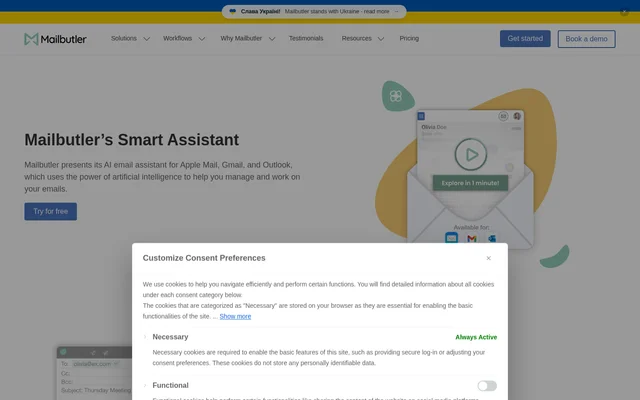
Smart Email Assistant By Mailbutler is an AI email writer and assistant for Apple Mail, Gmail, and Microsoft Outlook. The assistant uses OpenAI’s GPT-4o to help users write and manage email correspondence. Mailbutler provides the assistant through its email extension, bringing drafting, response generation, summaries, writing improvements, and task identification into the inbox rather than presenting those functions as separate email workflows.
Smart Email Assistant By Mailbutler serves users who need help preparing outgoing messages or understanding incoming correspondence. The available actions cover both selected emails and drafts in progress. Users can supply keywords for a new message, add details for a reply, or request an overview of an email before deciding what to do next.
What Smart Email Assistant By Mailbutler can do
Smart Email Assistant By Mailbutler combines message generation with email review and follow-up support. The assistant can produce text from a short prompt, revise existing writing, or identify information within a received email. Generated results can be adjusted for different communication needs through controls for format, length, style, tone, and language.
- Smart Email Assistant By Mailbutler drafts emails from a few keywords.
- Smart Email Assistant By Mailbutler generates replies and accepts additional information through With details.
- Smart Email Assistant By Mailbutler summarizes pertinent details from an email.
- Smart Email Assistant By Mailbutler suggests spelling and grammar improvements.
- Smart Email Assistant By Mailbutler identifies to-dos that users can add to Mailbutler Tasks.
- Smart Email Assistant By Mailbutler adjusts generated results by format, length, style, tone, and language.
How Smart Email Assistant By Mailbutler works
Smart Email Assistant By Mailbutler is accessed through the Smart Assistant button in the Mailbutler Sidebar’s Current and Draft tabs. With an email selected, users can ask the assistant to respond, summarize, or find tasks. With the compose window open, users can request a new email or improvements to an existing draft. A generated draft can then be inserted into the compose window and edited.
Who Smart Email Assistant By Mailbutler is for
Smart Email Assistant By Mailbutler is for people handling correspondence in Apple Mail, Gmail, or Microsoft Outlook. The described workflows address writing messages quickly, responding to incoming email, understanding message details, and keeping track of requested work. Tone and language controls also support users who need to adapt their emails to different occasions.
- Smart Email Assistant By Mailbutler helps users turn keywords into an outgoing message.
- Smart Email Assistant By Mailbutler helps users review incoming correspondence through summaries.
- Smart Email Assistant By Mailbutler helps users collect email-based follow-up tasks.
Smart Email Assistant By Mailbutler pricing and plans
Smart Email Assistant By Mailbutler is available through a free 14-day trial when users sign up for a Mailbutler account. The trial includes all Mailbutler features, including the AI assistant. After the trial, continued use of the assistant requires either the Smart plan or the Business plan. The page does not provide subscription prices.
Smart Email Assistant By Mailbutler strengths and limitations
Smart Email Assistant By Mailbutler brings writing, summarization, and task extraction into supported email clients. Customization controls let users adapt generated results, while the connection to Mailbutler Tasks provides a destination for identified to-dos. Access conditions matter when evaluating the assistant: the free offer is a trial, and ongoing availability depends on a qualifying paid plan.
- Smart Email Assistant By Mailbutler requires account registration for trial access.
- Smart Email Assistant By Mailbutler offers free access through a time-limited trial.
- Smart Email Assistant By Mailbutler requires a Smart or Business plan for continued use.
Smart Email Assistant By Mailbutler FAQ
What is Smart Email Assistant By Mailbutler?
Smart Email Assistant By Mailbutler is an AI email writer and assistant powered by OpenAI’s GPT-4o. The assistant drafts emails, generates replies, summarizes messages, improves spelling and grammar, and identifies tasks within emails.
Is Smart Email Assistant By Mailbutler free?
Smart Email Assistant By Mailbutler is available through a free 14-day trial after account registration. The trial includes all Mailbutler features, but continued use of the assistant requires a Smart or Business subscription.
Which email clients does Smart Email Assistant By Mailbutler support?
Smart Email Assistant By Mailbutler supports Apple Mail, Gmail, and Microsoft Outlook. Users access the assistant through the Mailbutler Sidebar, where the Current and Draft tabs provide actions for selected emails and messages being composed.
Can Smart Email Assistant By Mailbutler customize email tone and language?
Smart Email Assistant By Mailbutler can customize the format, length, style, tone, and language of generated results through its tuning option. Users can also supply specific information for generated replies using the With details option.
Can Smart Email Assistant By Mailbutler turn emails into tasks?
Smart Email Assistant By Mailbutler can scan an email and identify a list of to-dos. Users can then add relevant items to the Mailbutler Tasks feature to keep an overview of work that needs completion.
How do you use Smart Email Assistant By Mailbutler?
Smart Email Assistant By Mailbutler is accessed through its button in the Mailbutler Sidebar’s Current and Draft tabs. Users select an email to request replies, summaries, or tasks, or open the compose window to generate or improve a draft.
From the community
No reviews yet
Be the first to review this tool. What you write helps the next person choose.