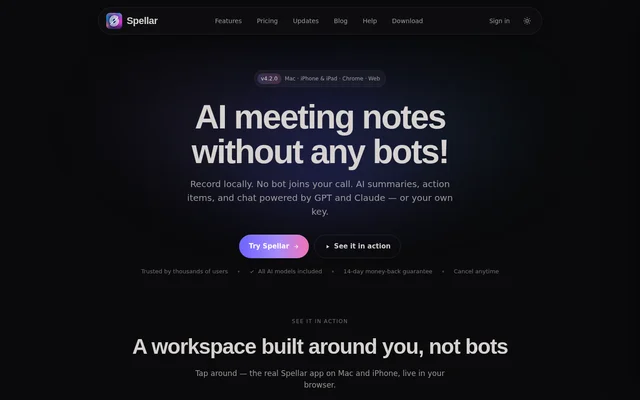
What is Spellar?
Spellar is an AI meeting note taker for individuals and teams that need a record of calls or in-person conversations. Spellar captures audio on the recording device instead of sending a bot into the meeting. The resulting notes include searchable transcripts, summaries, and action items, so users can revisit what was said or check what they agreed to do after the meeting.
What Spellar can do
Spellar supports questions both during a meeting and after it ends. Spellar’s live AI copilot answers questions during the call, while chat across past meetings can retrieve decisions, commitments, numbers, and quotes. Users can limit a search to a meeting, folder, project, or person, and answers link back to the relevant moment in the recording.
- Spellar turns meeting audio into searchable transcripts.
- Spellar generates summaries and extracts action items.
- Spellar applies built-in or custom templates to meeting notes.
- Spellar produces weekly and monthly project recaps.
- Spellar sends notes to tools such as Notion, Slack, Linear, and Jira.
How Spellar records and processes meetings
Spellar can capture audio from Zoom, Google Meet, Microsoft Teams, Slack huddles, and in-person meetings. Users can start a recording from the Mac menu bar, and recording is also available on iPhone, iPad, and in Chrome. Transcription runs on-device by default on Mac and iPhone, while Chrome recordings are transcribed on Spellar’s servers. Users can choose an AI model per meeting, template, or question.
Who Spellar is for
Spellar is designed for people who regularly attend meetings and need to turn conversations into records or follow-up tasks. Spellar offers templates for standups, one-on-ones, retrospectives, sales calls, and customer interviews. Those formats let users capture different details depending on the meeting, such as team commitments in a retrospective or budget and next steps in a sales discovery call.
- Capture blockers and follow-up tasks from a standup.
- Document commitments from a one-on-one.
- Summarize a sales discovery call or customer interview.
- Review open commitments in a weekly project recap.
Spellar strengths and limitations
Spellar separates audio capture from transcription: no bot joins the meeting, but where transcription runs depends on the device. Spellar also gives users control over how long audio is retained and offers source-linked answers for checking AI responses against the meeting record. The Mac app provides a local-only audio retention option, which is distinct from recording locally and then using server-side transcription.
- Chrome recordings are transcribed on Spellar’s servers.
- Local-only audio retention is limited to the Mac app.
- Gemini, Perplexity, and OpenRouter require a user-supplied API key.
Spellar FAQ
What is Spellar?
Spellar is an AI meeting note taker that records audio without adding a bot to the call. Spellar produces searchable transcripts, summaries, and action items, and its AI chat can answer questions about past meetings with links to the source moments.
Does Spellar record and transcribe meetings locally?
Spellar captures audio on the recording device and transcribes on-device by default on Mac and iPhone. Chrome recordings are transcribed on Spellar’s servers, and the Mac app offers local-only audio retention so the recording stays on the Mac.
Does Spellar work with Zoom, Google Meet, and Microsoft Teams?
Spellar works with Zoom, Google Meet, and Microsoft Teams without adding a bot to the call. Spellar also works with Slack huddles and can capture audio from in-person meetings.
Which AI models does Spellar support?
Spellar Pro includes GPT and Claude, and Spellar supports Gemini, Perplexity, or OpenRouter when users supply their own API key. Users can switch models per meeting, per template, or per question.
Can Spellar export meeting notes to Notion, Slack, or Jira?
Spellar can export meeting notes, action items, and decisions to tools such as Notion, Slack, Jira, Linear, and Google Docs. Spellar also supports webhooks for workflows beyond its native connectors.
From the community
No reviews yet
Be the first to review this tool. What you write helps the next person choose.